AI Meeting Assistants for Salesforce: 6 Options Compared (2026)
A documentation-based comparison of AI meeting assistants that connect to Salesforce, covering how each one connects, which objects it writes to, what it can map, what admin work it creates, and what purchasing informati
An AI meeting assistant joins a sales call, records it, produces a transcript and a summary, and then puts some of that output into your CRM. For a small business running on Salesforce, the interesting part is almost never the summary quality. It is the last step: what exactly lands in Salesforce, on which record, in which field, under whose permissions, and how much administrative work it takes to keep that reliable.
This comparison is built from first-party documentation only, checked in September 2026. It covers six tools that publish a Salesforce integration: Gong, Avoma, Fireflies.ai, Fathom, Otter.ai and ZoomInfo Chorus. It deliberately does not name a universal winner, because the right answer depends on whether you want a searchable record of conversations, structured pipeline data, or automated follow-up work.
The audience for this comparison is a business with a small revenue team, a live Salesforce org, and nobody whose full-time job is administering it. That constraint changes the answer. A capability that requires ongoing field maintenance is a liability in a team of six and an asset in a team of sixty, and most published comparisons ignore that distinction entirely.
Two labels are used throughout. A documented vendor fact is something the vendor states in its own help centre or product documentation, with a link. An Atlas assessment is an editorial judgement about fit, clearly marked as such, and never presented as a vendor claim or as a measured outcome.
What a Salesforce meeting assistant actually does
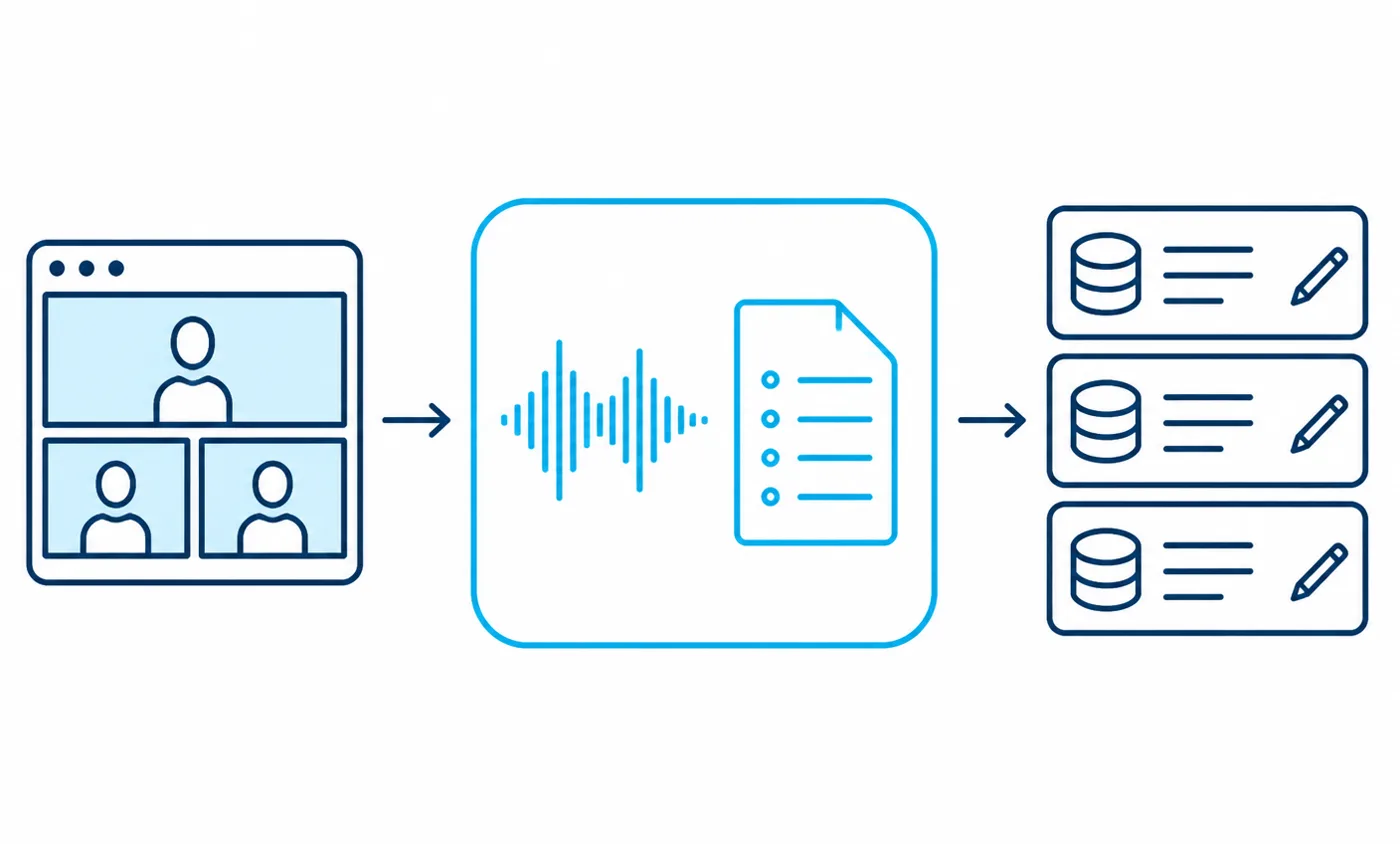
It helps to split these products into three layers, because vendors bundle them differently and the differences matter more than the marketing language suggests. Capture takes the audio or video. Interpretation turns speech into a transcript, a summary and a set of extracted items. Write-back moves selected output into Salesforce as a record, a note, a task or a field value.
The capture layer
Capture happens either through a bot that joins the meeting as a participant, or through a browser extension or desktop client that records locally, or through the conferencing platform’s own recording. Fireflies documents a Chrome extension path alongside its meeting bot, and notes that meetings captured that way appear in the workspace under the recording account rather than under the participant list you might expect. That is a small detail with real consequences for how you audit who recorded what.
Salesforce itself also sits in this layer. Einstein Conversation Insights can capture and transcribe calls natively, and Salesforce documents both the feature and the recording and transcription setup separately. Atlas assessment: if your org already licenses that capability, evaluate it before adding a third-party tool, because it removes an entire integration from your estate.
The interpretation layer
Interpretation is where the summary, the topic detection and the action-item extraction happen. Every vendor here produces a written summary and a searchable transcript. The differences show up in structure: Avoma documents mapping its Smart Topics to specific CRM properties, and Chorus documents Trackers that identify recurring language in conversations and can be synchronised to Salesforce. Fathom documents a fixed template structure, using its own heading levels inside the note it writes.
Atlas assessment: structured interpretation is the feature that separates a note-taker from a pipeline tool. A summary is useful to a person reading one record. A mapped topic or tracker is useful to a manager filtering many records, and only the second kind survives contact with a reporting requirement.
The write-back layer
Write-back is the layer that touches your Salesforce data model, and it is the layer most buyers examine last. Some tools create a logged activity and attach the summary to it. Some update fields on an Opportunity. Some create a Contact or a Lead when the attendee is unknown. Salesforce documents activities and the activity timeline, along with notes, as the surfaces most of this output lands on.
The distinction between those destinations is not cosmetic. A note is human-readable and effectively invisible to reporting. A logged activity appears in the timeline and can be counted. A field value can be filtered, grouped and used in a forecast view. Atlas assessment: decide which of those three you actually need before comparing products, because every remaining decision in this article follows from that answer.
Native package integration versus API connector workflows
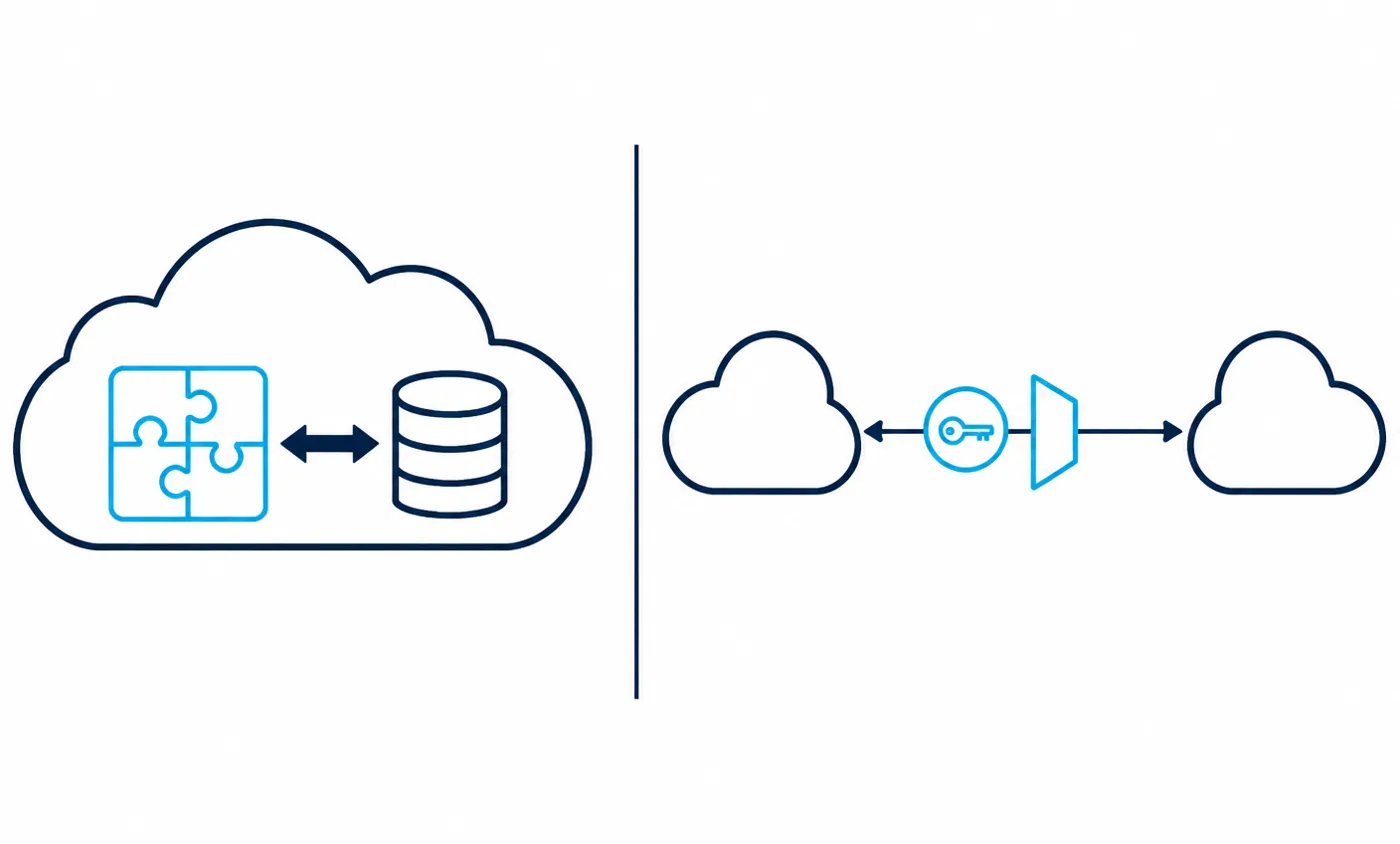
There are two architectural patterns behind these integrations, and they create different obligations for whoever administers your Salesforce org. Recognising which pattern a vendor uses tells you in advance where the configuration lives, who can change it, and what happens when you cancel.
A managed package installed in your org
Gong documents installing a Gong for Salesforce package as part of connecting the two systems, in addition to authorising the connection. Salesforce documents managed packages as installable components that are version-controlled by the publisher, and documents the installation process for administrators. In this pattern part of the integration lives inside your org as objects, fields and layout components.
Atlas assessment: a package gives you deeper native surfaces, such as related lists and components on a record page, at the price of a real installation to review, test and eventually uninstall. Install it in a sandbox first; Salesforce publishes implementation guidance for sandbox testing precisely for this kind of change.
An external service holding an authorised token
The lighter pattern is a connected app. Fathom documents the specific OAuth scopes it requests, covering API access, custom permissions, identity and refresh tokens, and it documents that an administrator authorises the connection. Salesforce documents connected apps and the available OAuth authorisation flows, and separately documents how administrators review and revoke OAuth access for a connected app.
Fireflies and Avoma both document connecting through an authorisation step performed by a user with the right Salesforce rights, with Fireflies documenting a separate action to enable the integration for an entire workspace rather than a single account. Avoma documents connecting to one CRM at a time, which is worth knowing if you are mid-migration between systems.
Why the difference matters for a small team
Atlas assessment: for a team without a dedicated Salesforce administrator, the connected-app pattern is easier to adopt and much easier to reverse, because revoking the token stops the data flow immediately. The package pattern suits teams that want conversation data to feel native inside Salesforce and have someone able to own an installed component through upgrades.
Either way, the authorising identity matters. Gong documents that the integration uses a dedicated Salesforce integration user and publishes the exact field access that user requires. Atlas assessment: create a named integration user rather than authorising through a real person’s login, because a person’s account will eventually be deactivated, and the sync will fail at the moment nobody is watching.
What data these tools can write into Salesforce
This is the question that decides whether a tool becomes part of your revenue process or stays a convenience for individual reps. The honest answer is that the object coverage is narrower than most product pages imply, and it is documented clearly enough to check.
Standard objects in scope
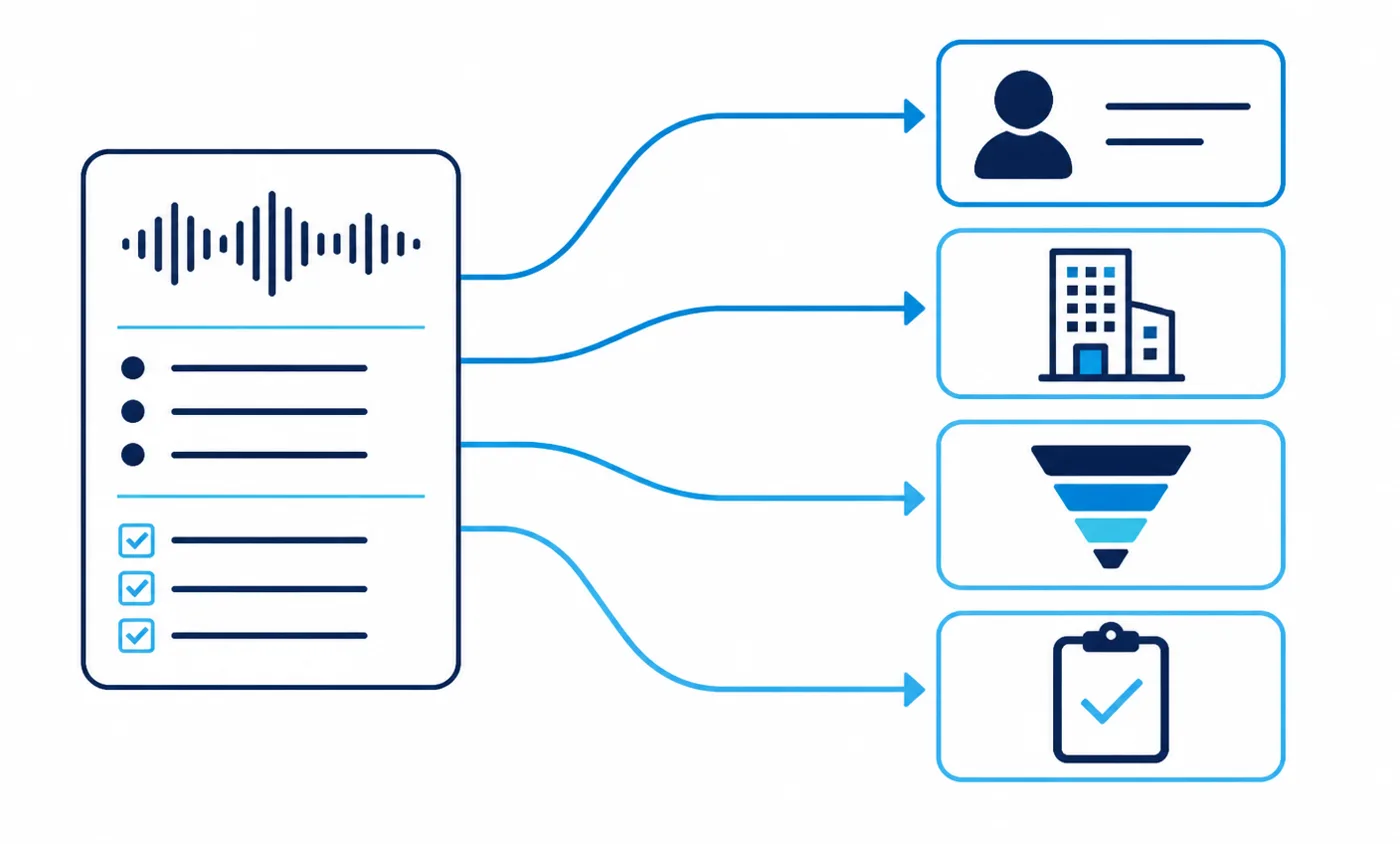
Gong publishes the Salesforce fields its integration user needs access to across Lead, Contact, Account, Opportunity, Opportunity History, field history and Task, which is the broadest documented footprint in this group. Fireflies documents saving notes, summaries and transcripts under a Lead, a Contact or an Opportunity, and documents the Lead case separately.
Fathom documents writing the call summary, action items and selected content into the matched Contact, Account and open Opportunity, recorded as a logged Task. Otter documents CRM synchronisation covering Opportunities, Contacts and Leads. Chorus documents meeting-based CRM updates that write to Salesforce fields, including the qualification fields used by common sales methodologies.
Custom fields and mapping
Gong documents setting up Salesforce custom fields for export and documents importing Salesforce fields into Gong, so the mapping runs in both directions. Avoma documents a dedicated CRM field mapping process and a set of configuration tabs covering notes, objects, contacts, forecast and advanced settings, and maintains a separate answer page for mapping and pipeline questions.
On the Salesforce side you will be creating and exposing the target fields yourself. Salesforce documents custom fields, the general process for creating fields, and field-level security, which is what actually determines whether the integration user can see a field at all. Atlas assessment: mapping into a field that field-level security hides from the integration user is the most common self-inflicted failure in these projects, and it produces a silent partial sync rather than a visible error.
What these tools generally do not do
None of the documentation in this group describes a tool that will restructure your data model, resolve duplicate accounts, or reliably attach a meeting to the correct record when the attendee list contains no matching email address. Fathom documents matching on external attendee email addresses, and documents that closed opportunities and internal meetings are excluded from the sync. It also documents a character limit for the content it writes into a field, and manual per-call backfill rather than an automatic historical import.
Atlas assessment: treat those documented boundaries as the real specification. A tool that only matches on email will not connect a call to an account whose contacts are missing, so the integration is only as good as the contact hygiene beneath it.
One further practical point belongs here. The AppExchange listing for a vendor tells you whether a package exists and who publishes it, and Salesforce publishes its own security and trust documentation for the platform side of the relationship. Atlas assessment: check both before a trial, because a vendor with a maintained listing and clear platform documentation is easier to review internally than one whose integration is described only in marketing copy.
Decision criteria that hold up to scrutiny
The criteria below are the ones that can be verified from documentation before you buy, which is why no scoring weights appear anywhere in this article. A weighted score would imply a measurement nobody outside your own org can make.
- Connection method. Installed package, connected app, or both, and who must authorise it.
- Documented object coverage. The specific Salesforce objects the vendor names in its own documentation, not the objects implied by a diagram.
- Mapping depth. Whether custom fields are supported, and whether mapping is one-way or bi-directional.
- Matching logic. How the tool decides which record a meeting belongs to, and what happens when no match exists.
- Write granularity. Whether output arrives as a note, a logged activity, discrete field values, or all three.
- Governance surface. Integration user, permission control, recording visibility, retention and revocation.
- Administrative ownership. The realistic amount of Salesforce configuration and ongoing maintenance the integration creates.
- Published purchasing information. Whether prices are published at all, and which plan the Salesforce integration requires.
Salesforce’s own controls sit behind several of those lines. Permission sets and profiles determine what the integration identity may do, sharing settings determine which records it can reach, and record types can quietly change which fields are available on the layout your users read. If you are also tightening access more broadly, our guide to building a Zero Trust framework for a small business covers the identity side of that work.
Vendor comparison
Every cell below reflects the vendor’s own current documentation. Where a vendor does not publish something, the cell says so rather than guessing. The table scrolls sideways on a narrow screen.
| Vendor | Salesforce connection method | Documented objects and workflows | Meeting capture | Summary and action items | Write-back capability | Custom field mapping | Admin and governance controls | Published purchasing information | Best-fit scenario | Important limitation | Evidence |
|---|---|---|---|---|---|---|---|---|---|---|---|
| Gong | Authorised connection plus an installed Gong for Salesforce package | Lead, Contact, Account, Opportunity, Opportunity History, field history and Task | Recording and transcription of calls and meetings | Summaries with conversation analysis surfaces | Documented export to Salesforce fields, with Salesforce fields also imported into Gong | Documented, in both directions | Dedicated Salesforce integration user with a published required field access list | No published price; per-user licensing with a platform component, quoted by sales | Atlas assessment: teams that want conversation data to drive pipeline reporting inside Salesforce | The heaviest install and the least transparent purchasing path in this group | Gong connection docs · required field access |
| Avoma | Authorised CRM connection, one CRM connected at a time | Configuration spans notes, objects, contacts, forecast and advanced settings | Meeting recording with searchable transcripts | Structured notes with topic detection | Documented bi-directional synchronisation with Salesforce | Documented CRM field mapping, including topic-to-field mapping | Admin-level connection and mapping configuration | Published per-seat plans on the vendor pricing page | Atlas assessment: teams that want mapped, structured notes without installing a package | Enhanced note formatting is a documented prerequisite for note synchronisation | Avoma CRM sync · field mapping |
| Fireflies.ai | Authorised connection, with a separate action to enable it workspace-wide | Notes, summaries and transcripts saved under Lead, Contact or Opportunity | Meeting bot plus a browser extension capture path | Summaries with action items and searchable transcripts | Documented writes of notes, summaries and transcripts to the matched record | Not documented as custom-field mapping in the integration articles | Workspace-wide enablement controlled by an administrator | Published per-seat plans on the vendor pricing page | Atlas assessment: teams whose main goal is a searchable record attached to the right object | Extension-captured meetings are documented as appearing under the recording account | Fireflies integration overview · workspace enablement |
| Fathom | Connected app authorised with documented OAuth scopes | Contact, Account and open Opportunity, written as a logged Task | Meeting recording with transcripts | Summaries and extracted action items in a fixed template structure | Documented write of summary, action items and selected content into the activity | Documented content placement into fields, within a documented character limit | Administrator authorisation, with OAuth access revocable in Salesforce | Published per-seat plans on the vendor pricing page | Atlas assessment: small teams that want activity logging with minimal configuration | Matching relies on external attendee email; closed opportunities and internal meetings are excluded | Fathom Salesforce integration |
| Otter.ai | Authorised CRM connection from the integrations catalogue | Opportunities, Contacts and Leads | Meeting recording with live transcription | Summaries with action items | Documented CRM synchronisation to the named objects | Not publicly documented on the integrations page | Workspace administration through the vendor console | Published per-seat plans on the vendor pricing page | Atlas assessment: teams that value transcription breadth across all meeting types, not only sales calls | The public integration documentation is the least specific in this group | Otter integrations |
| ZoomInfo Chorus | Authorised connection configured by an administrator | Meeting-based CRM updates writing to Salesforce fields, including methodology qualification fields | Call and meeting recording with transcription | Summaries with tracker-based language detection | Documented field updates driven from the meeting record | Documented through tracker and field configuration | Administrator-configured setup within the ZoomInfo platform | No published price for the platform; contact sales | Atlas assessment: teams already standardised on a named qualification methodology | Value depends on adopting the wider platform, which is a larger commitment than a note-taker | Chorus CRM updates · product page |
Published purchasing information
No prices are reproduced here. Published plan prices change without notice, and a figure copied into an article is a figure that will be wrong. What follows is what each vendor publishes, so you know whether to expect a self-serve checkout or a sales conversation.
| Vendor | Pricing model | Published price | Billing basis | Plan requirement for Salesforce | Salesforce integration availability | Verification date | Source |
|---|---|---|---|---|---|---|---|
| Gong | Per-user licence with a platform component | Not published | Quoted by sales | Documented as available on any Gong plan | Documented and supported | September 2026 | gong.io pricing |
| Avoma | Per-seat subscription tiers | Published on the vendor pricing page | Per seat, monthly or annual | Not publicly documented at plan level; confirm with the vendor | Documented and supported | September 2026 | avoma.com pricing |
| Fireflies.ai | Per-seat subscription tiers with a free tier | Published on the vendor pricing page | Per seat, monthly or annual | Documented as a paid integration feature; confirm the tier at purchase | Documented and supported | September 2026 | fireflies.ai pricing |
| Fathom | Per-seat subscription tiers with a free tier | Published on the vendor pricing page | Per seat, monthly or annual | CRM synchronisation is documented as a paid-plan capability | Documented and supported | September 2026 | fathom.ai pricing |
| Otter.ai | Per-seat subscription tiers with a free tier | Published on the vendor pricing page | Per seat, monthly or annual | Business-level administration is required for workspace integrations | Documented and supported | September 2026 | otter.ai pricing |
| ZoomInfo Chorus | Platform subscription | Not published | Quoted by sales | Requires the ZoomInfo platform | Documented and supported | September 2026 | zoominfo.com product page |
Atlas assessment: a published price is itself useful information for a small business, because it means you can adopt the tool without a procurement cycle. Two of the six tools here require a sales conversation before you can even estimate the cost, and that is a legitimate reason to shortlist differently. If subscription sprawl is already a concern, our SaaS spend audit walkthrough is the right sequence to run first.
Salesforce mapping and write-back in practice
Documentation tells you what is possible. Configuration decides what actually happens. Three mechanics account for most of the difference between a clean integration and a noisy one.
Which record a meeting attaches to
Matching is usually driven by the email addresses of external attendees, as Fathom documents explicitly. That works when your contacts are current and fails quietly when they are not. Fireflies documents saving notes under a Lead as a distinct case, which matters because early-stage conversations often involve people who exist as leads rather than contacts.
Atlas assessment: before connecting anything, confirm that the people you meet actually exist in Salesforce as contacts or leads with the addresses they send calendar invitations from. That single check prevents most orphaned summaries.
It is also worth deciding in advance what should happen when there is no match. Some teams want a Lead created so nothing is lost; others prefer nothing written at all, so the CRM stays clean and the gap is visible. Atlas assessment: choose deliberately and write the choice down, because the default behaviour of whichever tool you pick will quietly become your policy otherwise.
Field mapping
Avoma documents a mapping interface with distinct configuration areas, and Gong documents both exporting to Salesforce custom fields and importing Salesforce fields into Gong. In both cases you are choosing target fields deliberately, which means creating them first. Salesforce documents field creation and field-level security as separate steps, and both must be right.
Atlas assessment: map fewer fields than you think you need. Every mapped field is a thing that can silently stop matching your process after a layout change, and a small map that stays accurate beats a large map nobody trusts.
Duplicates and record hygiene
None of these vendors documents duplicate resolution as part of the meeting integration. If two accounts represent one company, a meeting assistant will happily write to whichever record it matched. Salesforce documents record types and sharing rules that shape what users then see on that record, so a write to the wrong record is not always visible to the person who needed it.
Meeting capture, transcription and summaries
All six tools document recording, transcription and written summaries. Judge them on the details that survive contact with a real week of meetings rather than on summary samples produced by the vendor.
Capture method is the first practical difference. A meeting bot appears in the participant list, which makes recording visible to everyone present, and that visibility is an advantage rather than a drawback. A browser extension records without adding a participant, and Fireflies documents that meetings captured this way appear under the recording account in the workspace. Atlas assessment: prefer the visible method with external attendees, because consent is easier to evidence when the tool announces itself.
The second difference is language and meeting coverage. Every vendor here documents transcription, but coverage of accents, industry vocabulary and multiple speakers varies in ways no documentation page can settle. Atlas assessment: test with your own recorded calls rather than a vendor sample, and test the messiest ones you have, because the summaries that matter are the ones produced from a call with interruptions and unfamiliar product names.
The second difference is what happens to the transcript afterwards. Otter positions transcription across meeting types rather than sales calls alone, and its integrations catalogue lists the CRM objects it synchronises. Gong and Chorus both attach conversation analysis to the transcript, which is the feature a manager uses and an individual rep often does not.
Salesforce also documents its own call recording and transcription capability inside Einstein Conversation Insights, with a separate setup article. Atlas assessment: if the summary is only ever read inside Salesforce, the native option deserves a serious look before you add another vendor, another authorisation and another renewal to the estate.
Action items and task automation
Extracting action items is easy to demonstrate and hard to operationalise. The useful question is what the tool does with the extracted item once the meeting ends.
Fathom documents writing the summary and action items into Salesforce as a logged Task on the matched records, which is the clearest documented path from a spoken commitment to a tracked one. Gong lists Task among the objects that its integration user must be able to reach. Salesforce documents activity setup and the activity timeline, which is where those records surface for the person who has to act.
Atlas assessment: an action item that stays inside the meeting tool is a note, and an action item written as a Salesforce Task is work. If follow-up discipline is the problem you are trying to solve, weight documented task creation heavily and treat summary quality as secondary.
Beyond the native integration, teams often want an extra step, such as notifying a channel or creating a record in another system. That is automation platform territory rather than meeting-assistant territory, and our comparison of Zapier and Make for small business automation covers the maintenance cost of that layer honestly. The wider sequencing question is covered in our guide to implementing AI automation across small business workflows.
One caution about automating too early. Writing a task automatically is useful only when somebody works from the task list. Atlas assessment: confirm that the follow-up actually happens in Salesforce before wiring further automation on top, otherwise the integration produces a growing pile of unread activity records and the appearance of process where none exists.
Governance, permissions and data retention
A meeting assistant records customer conversations and stores them outside Salesforce. That makes it a governance decision as much as a productivity one, and small teams rarely give it that treatment before signing.
The integration identity
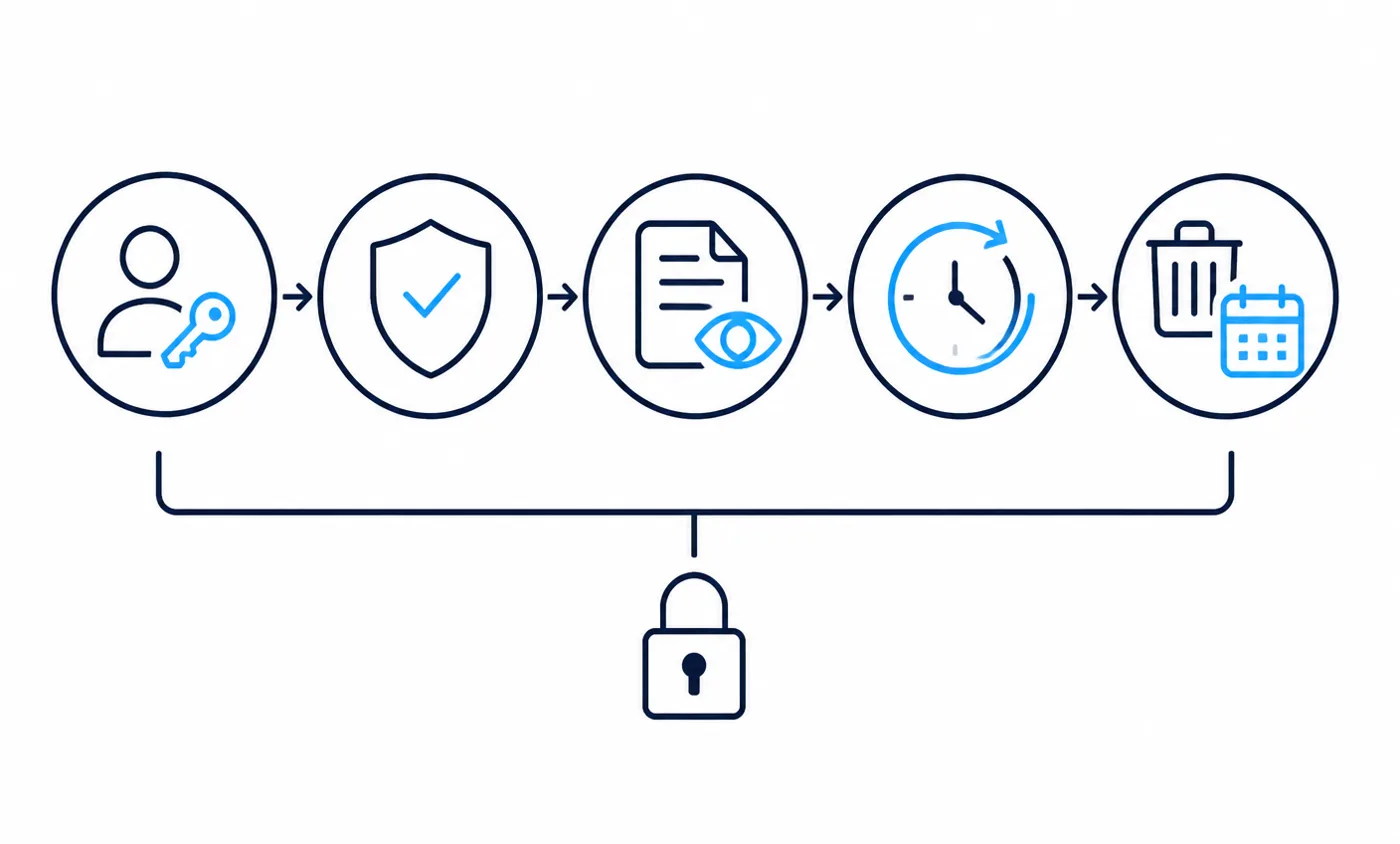
Gong publishes the exact Salesforce field access its integration user requires, which is unusually transparent and makes least-privilege review possible. Salesforce documents permission sets, profiles and sharing settings as the controls that bound what that identity can reach, and documents how to review and revoke OAuth access for a connected app when you need the flow to stop.
Atlas assessment: write down which identity authorised each integration and where its permissions are defined. This is the record you will want on the day someone asks why a summary appeared on a record they own. If you are consolidating logins more broadly, our review of single sign-on options for small business covers the identity layer underneath.
Recording visibility and consent
Visibility is partly a product decision and partly a legal one that varies by jurisdiction, and this article does not give legal advice. What documentation can tell you is whether the recording is announced in the meeting and who can later see it. Fireflies documents workspace-wide enablement, which means an administrator decides scope rather than each individual.
Retention, export and deletion
Ask where transcripts live, how long they are kept, and how they are removed. Salesforce documents its own data export capability and its event monitoring setup, and publishes its security and trust documentation for the platform side. For the vendor side, retention questions belong in writing before purchase. Atlas assessment: a tool that cannot tell you how to delete a customer conversation is a tool you should not connect to your CRM.
Salesforce admin burden
This is the cost that never appears on a pricing page. Every one of these integrations creates configuration that someone must own, and small businesses usually discover that ownership gap after the trial ends.
A managed package, as with Gong, adds installed components to your org. Salesforce documents managed packages and their installation, and documents sandbox implementation guidance for testing that kind of change before production. A connected app, as with Fathom, adds an authorisation and a set of scopes to review, and Salesforce documents how administrators inspect and revoke those.
Field work is the recurring part. Creating target fields, exposing them through field-level security, checking they exist on the relevant record types and layouts, then repeating that check whenever your process changes. Avoma documents mapping across several configuration areas, and Gong documents custom field setup for export as its own task, so neither is a one-click connection.
Atlas assessment: name the owner before you buy. If nobody in the business can name the person who will fix a broken field mapping, choose the lightest documented integration available and accept less structured output. An accurate simple sync is worth more than an ambitious one that degrades unnoticed.
There is a second, quieter cost: reviewing what the integration has been doing. Salesforce documents event monitoring setup, which is the mechanism for seeing platform activity, and documents data export for taking your own copy of the records involved. Atlas assessment: schedule a periodic review of the integration identity, the mapped fields and the recordings still held by the vendor. Nothing about these integrations degrades loudly, so the review is the only thing standing between a working sync and a silently broken one.
Implementation considerations
The sequence below is deliberately expressed as an order of operations rather than a schedule, because no article can know your calendar, your data quality or your approval process.
- Decide what output you need in Salesforce, expressed as a record and a field rather than as an outcome.
- Check that the people you meet exist as contacts or leads with the email addresses they invite from.
- Create the target fields and confirm field-level security exposes them to the integration identity.
- Create a dedicated integration user rather than authorising through an individual employee login.
- Install or authorise in a sandbox first, following Salesforce sandbox implementation guidance.
- Connect one team, verify that summaries land on the correct records, and read the failures rather than the successes.
- Only then map additional fields, and only ones somebody has asked to report on.
- Document the retention answer, the revocation path and the named owner before you widen the rollout.
Atlas assessment: the verification step is the one teams skip. Reading the meetings that did not sync tells you more about your data hygiene than any number of successful summaries, and it is the cheapest diagnostic available.
Deployment scenarios for small teams
The same shortlist produces different answers depending on what a team is trying to fix. Three common situations show how the criteria resolve in practice.
A small sales team that forgets to log calls
The problem is activity capture, not analysis. Atlas assessment: a documented path that writes a logged activity with the summary and action items onto the matched records, as Fathom documents, addresses this directly with the least configuration. Object coverage beyond Contact, Account and Opportunity is not the constraint here.
A team that needs conversations to inform pipeline reporting
The requirement is structured data in fields a manager can filter, not a readable note. Atlas assessment: this favours the tools with documented bi-directional field mapping, such as Gong and Avoma, and it comes with a real administrative commitment. Chorus fits when the team has already standardised on a named qualification methodology, because its documented CRM updates target exactly those fields.
A team where most meetings are not sales calls
Internal planning, interviews and client delivery calls all benefit from searchable transcripts, and CRM write-back matters less. Atlas assessment: breadth of capture and search matters more than object coverage, which is where Otter and Fireflies fit naturally. If the same team runs on Microsoft rather than Google, our comparison of AI meeting assistants for Microsoft Teams covers that side of the estate.
Limitations of this comparison
This is a documentation review, and it should be read as one. Atlas has not run these six integrations side by side in a controlled environment, so nothing here should be read as a measured result, a benchmark or a ranking.
- Capability statements reflect vendor documentation available in September 2026 and can change without notice.
- Absence of a documented feature is reported as not publicly documented, which is not the same as the feature being unavailable.
- Summary quality is not compared, because it depends on audio conditions, accents, meeting length and subject matter.
- No prices are reproduced, and plan requirements should be confirmed with the vendor at the point of purchase.
- Salesforce editions differ in what they expose, so verify each capability against your own org rather than against a general description.
Atlas assessment: the correct use of this article is as a shortlist and a question list, not as a verdict. Take the documented limitations into a trial, confirm them against your own org, and treat any capability you cannot reproduce yourself as unproven for your situation.
How to choose
Work backwards from the artefact you want inside Salesforce. That single decision eliminates most of the shortlist faster than any feature grid.
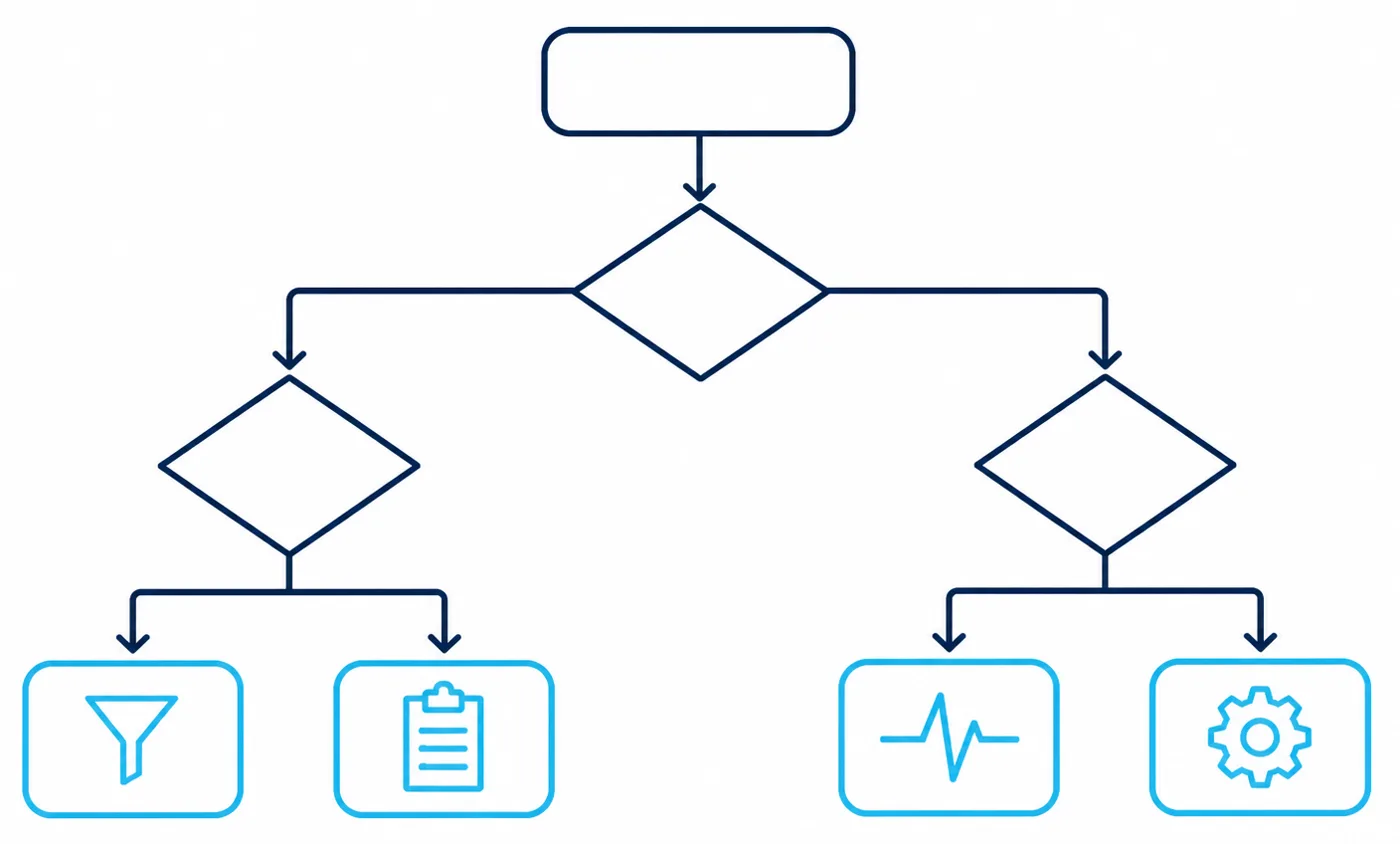
If you want a searchable record attached to the right object, a tool documenting notes and transcripts against Lead, Contact or Opportunity is sufficient, and the lighter connected-app pattern is the right trade. If you want follow-up work to exist as tracked activity, prioritise documented task creation. If you want conversation signals in reportable fields, accept the mapping and ownership burden that documented bi-directional sync implies.
Then apply three filters that have nothing to do with features. Can you buy it without a procurement cycle. Can you name the person who owns the configuration. Can the vendor tell you in writing how a customer conversation gets deleted. Atlas assessment: a tool that fails any of those three is the wrong choice for a small business regardless of how capable its integration looks on paper.
Frequently asked questions
Do I need a Salesforce administrator to set this up?
You need someone with administrative rights, because both patterns require it. Installing a package and authorising a connected app are both administrative actions in Salesforce, and creating the target fields with the correct field-level security is administrative work as well.
Will these tools work with custom objects?
The documentation reviewed here describes standard objects, primarily Lead, Contact, Account, Opportunity and Task. Custom object support is not documented in these integration articles, so treat it as a question for the vendor rather than an assumption.
What happens to meetings where the attendee is not in Salesforce?
It depends on the matching logic. Fathom documents matching on external attendee email addresses, so a meeting with no matching address has nowhere to land. Fireflies documents saving notes under a Lead, which covers earlier-stage conversations, but no tool in this group will invent an accurate record for you.
Can I import past meetings after connecting?
Not automatically, in the case Fathom documents, which describes a manual per-call action instead of a historical import. Assume forward-only synchronisation unless the vendor documents otherwise in writing.
Does the meeting assistant need access to all of my Salesforce data?
It should not. The integration acts through an identity, and Salesforce documents permission sets, profiles and sharing settings as the controls that bound what that identity can reach. Gong publishes the specific field access its integration user requires, which makes a least-privilege configuration possible to verify rather than assume.
What happens to the Salesforce data if we cancel?
The records written into Salesforce remain, because they are your records; the transcripts held by the vendor are governed by that vendor’s retention terms. Salesforce documents how administrators revoke OAuth access for a connected app, which stops further writes immediately, and documents data export for taking a copy of what exists.
Is the native Salesforce option enough on its own?
For some teams it is. Salesforce documents call recording, transcription and conversation insights natively, and using what you already license avoids an extra integration and an extra renewal. Atlas assessment: check your edition and entitlements first, then compare against the specific documented gaps that pushed you to look elsewhere.
Sources
All links verified reachable in September 2026. Vendor capability statements come from the vendor’s own documentation.
- Salesforce: Einstein Conversation Insights
- Salesforce: set up Conversation Insights
- Salesforce: call recording and transcription
- Salesforce: permission sets
- Salesforce: profiles overview
- Salesforce: field-level security
- Salesforce: sharing settings overview
- Salesforce: custom fields
- Salesforce: creating fields
- Salesforce: record types
- Salesforce: setting up activities
- Salesforce: activity timeline
- Salesforce: notes overview
- Salesforce: connected apps overview
- Salesforce: OAuth authorisation flows
- Salesforce: manage OAuth access for connected apps
- Salesforce: understanding managed packages
- Salesforce: installing packages
- Salesforce: sandbox implementation guidance
- Salesforce: data export
- Salesforce: event monitoring setup
- Salesforce AppExchange
- Salesforce security and trust documentation
- Gong: connect Gong to Salesforce
- Gong: install Gong for Salesforce
- Gong: Salesforce fields the integration user needs
- Gong: set up Salesforce custom fields
- Gong: import of Salesforce fields
- Gong: pricing page
- Avoma: Salesforce CRM sync
- Avoma: integration with Salesforce
- Avoma: mapping CRM fields
- Avoma: connecting to your CRM
- Avoma: CRM field mapping and pipeline answers
- Avoma: pricing page
- Fireflies: about the Salesforce integration
- Fireflies: set up the Salesforce integration
- Fireflies: enable the integration workspace-wide
- Fireflies: save notes under a Salesforce Lead
- Fireflies: Salesforce integration product page
- Fireflies: pricing page
- Fathom: Salesforce integration documentation
- Fathom: pricing page
- Otter: integrations catalogue
- Otter: pricing page
- ZoomInfo: meeting-based CRM updates in Chorus
- ZoomInfo: product page
AtlasProfitAI publishes independent guides for small-business teams. Read how we choose topics and check our work in our research methodology and advertising disclosure.