Zapier vs Make for Small Business: Six-Month Cost and Maintenance Compared (2026)
A documentation-based comparison of Zapier and Make for small business automation, focused on what each platform actually costs to run for six months and how much maintenance each one demands. Pricing and billing rules v
Most Zapier and Make comparisons stop at the sticker price of the entry plan. That number is the least interesting part of the decision. Both platforms bill for usage, not for workflows, and both platforms consume a slice of somebody’s week in maintenance. The question that actually matters for a small business is what the automation layer costs over the next six months — subscription plus usage growth plus the hours spent fixing runs that failed at 4:00 AM.
This comparison is written from vendor documentation and public pricing pages, verified in September 2026. It covers Zapier and Make only. Where a figure could not be confirmed from a first-party source, that is stated explicitly rather than filled in with an estimate.
How this comparison was built
The method is deliberately narrow, because automation pricing is the kind of subject where confident-sounding numbers are usually wrong within a quarter.
- Pricing: taken from Zapier’s public pricing page. Make’s public pricing page was not retrievable from an automated request at the time of verification, so Make plan prices are not asserted here — see the pricing section for exactly what is and is not verified.
- Billing mechanics: taken from each vendor’s own help documentation — Zapier’s task measurement and Zap limits articles, and Make’s credits and operations articles.
- Failure behaviour: taken from Zapier’s error, held-run and replay documentation, and Make’s error-handling, incomplete-executions and exponential-backoff documentation.
- What is not here: no lab benchmark, no throughput test, no vendor-supplied case study, and no return-on-investment claim. Nothing in this article is presented as a measurement we performed.
The cost examples later in the article are arithmetic worked through each vendor’s published counting rules using stated assumptions. They are illustrations of how the billing model behaves, not predictions of your invoice.
The vocabulary that decides your bill
The two platforms use different words for the same commercial idea: a unit of work you consume, metered monthly. Getting these definitions straight is most of the cost analysis.
Zapier: Zaps, steps and tasks
A Zap is an automated workflow with a trigger and one or more actions. Billing counts tasks. Per Zapier’s documentation, a task is any successful action that runs, and only successful actions count. Triggers, filters and certain built-in tool steps do not count as tasks.
Details that change the arithmetic more than people expect:
- Each successful action step is one task per successful run.
- Steps inside an error-handler path count as tasks when they run successfully.
- Replaying an entire Zap run re-charges the steps that previously succeeded.
- In sub-Zaps, the action steps inside the sub-Zap count, and so do the Call a Sub-Zap and Return From a Sub-Zap steps.
- A search action set to proceed when nothing is found uses one task; set to not proceed, it uses none.
- Some products bill at different rates: AI by Zapier usage depends on the model tier selected, Code by Zapier uses one task per run at standard runtime and can use more with extended runtime, Zapier Lead Router counts five tasks per successfully routed lead, and Zapier MCP counts two tasks per successful tool call, with failed tool calls not counted.
Make: scenarios, modules, operations and credits
A Make workflow is a scenario, built from modules. Make’s documentation defines an operation as a single module run to process data or check for new data. Credits are the billing currency; Make states that credits replaced operations as the term for its billing unit, that existing plans and pricing including the cost of credits remained unchanged, and that the cost of credits varies by plan.
The conversion rules that matter:
- For non-AI apps, one operation equals one credit.
- Most modules use credits at a fixed rate regardless of payload size — uploading a file consumes one credit whether the file is small or large.
- Some modules are tagged as consuming more than the default, for example two or ten credits per operation, because of processing complexity.
- Some AI and advanced features use dynamic credit usage, where consumption varies by tokens, file size, page count or processing time.
- With third-party AI apps such as OpenAI, Anthropic Claude or Gemini, one operation equals one credit and you pay your own provider for tokens; with Make’s own AI provider, credits are based on tokens and operations.
The multiplier most people miss
Make counts per bundle. A trigger module runs once to check for data no matter how many bundles it returns, but every downstream module runs once per bundle. Make’s own worked example: a scenario watching a form, creating a document, downloading it and emailing it, where the trigger returned ten responses, consumes 31 operations in that run — one for the trigger and ten for each of the three following modules.
Zapier’s equivalent exposure is different in shape. A single trigger event flowing through a five-action Zap costs five tasks; a batch of records usually arrives as separate Zap runs. In practice, Make punishes fan-out inside one scenario, and Zapier punishes long action chains repeated per event. Which of those describes your work is the single biggest driver of your six-month cost.
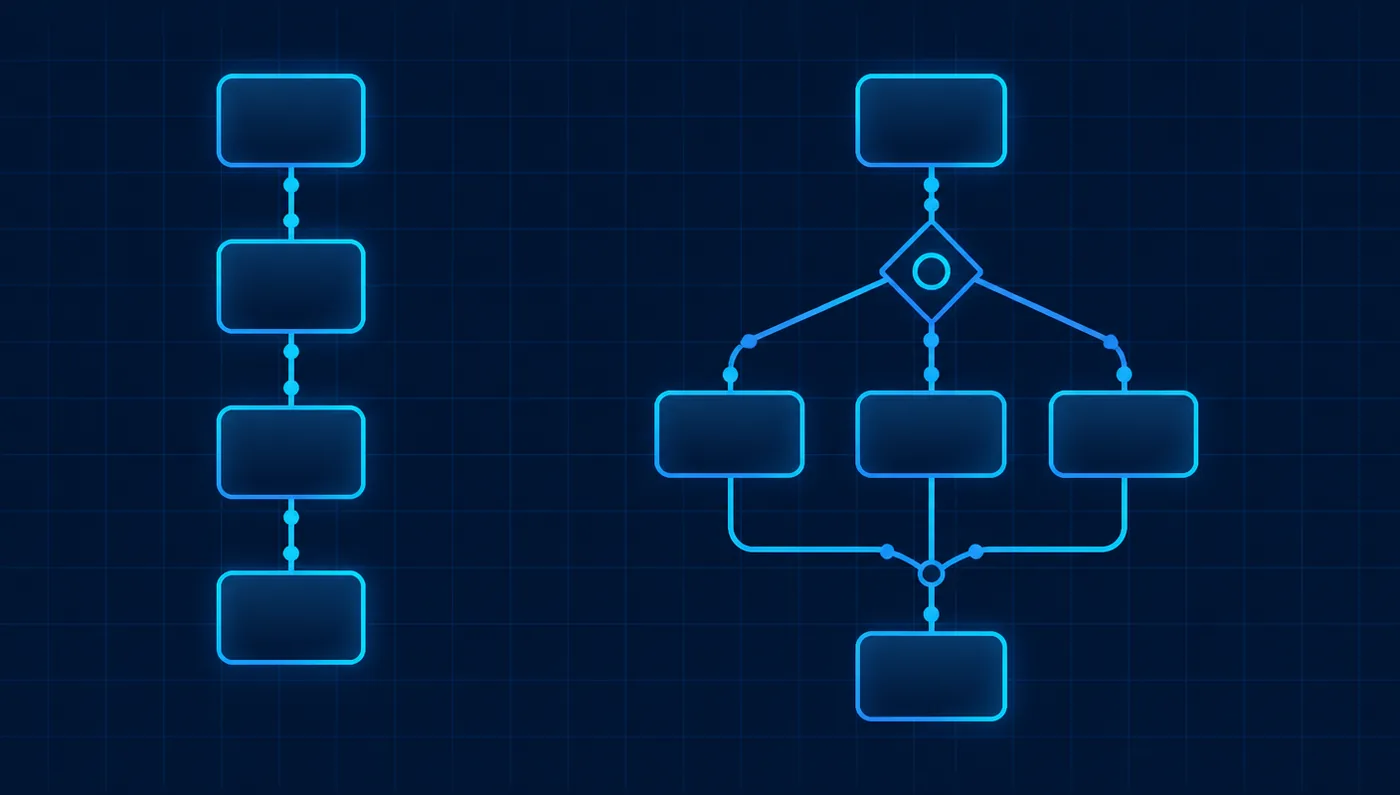
Decision matrix: the factors that decide your six-month cost
Every cell below is a documented behaviour or an explicitly labelled unverified item. Nothing is left blank and nothing is scored out of ten.
| Factor | Zapier | Make |
|---|---|---|
| Billing unit | Tasks — successful action steps | Credits — normally one per operation, where an operation is one module run |
| Free tier (verified) | $0/month, 100 tasks per month, two-step workflows | 1,000 credits per month, and 1 MB of data storage equal to one data store |
| Entry paid price (verified) | Professional from $19.99/month, multi-step workflows, webhooks, unlimited premium apps | Not verified from make.com at the time of writing; Make documents only that credit cost varies by plan |
| Team price (verified) | Team from $69/month, 25 users, shared workflows, folders and app connections | Not verified from make.com at the time of writing |
| What does not consume budget | Triggers, filters and certain built-in tool steps; failed actions | A trigger check is a single operation regardless of the number of bundles returned |
| Batch behaviour | Cost scales with actions per event; batches usually arrive as separate runs | Cost multiplies with bundles: each bundle triggers its own downstream module run |
| Branching | Paths, available on paid plans; workflows limited to 100 steps including all path steps | Routers with ordered routes and a fallback route, plus filters between modules |
| Overrun behaviour | Runs are held, not lost, and can be replayed once tasks are available; pay-per-task billing can be enabled | Consumption stops against your credit allowance; Make’s overrun terms are set by plan and were not verifiable from the pricing page |
| Automatic retry | Autoreplay automatically replays errored runs; listed as available on Free, Professional, Team and Enterprise | Exponential backoff on connection and module-timeout errors, retrying up to eight times before Make stops scheduling |
| Error handling depth | Error-handler paths, custom error settings and error-ratio override; error-handler steps consume tasks | Five error handlers plus an incomplete-executions queue, disabled by default and enabled per scenario |
| Self-disabling risk | A Zap is turned off automatically when it errors 95% of the time and has run more than 20 times in seven days; Team gets 24 hours’ grace and Enterprise 72 hours | After eight failed backoff attempts Make disables scheduling of the scenario until you re-enable it |
| App coverage claim | Vendor states 9,000+ app connections | Vendor does not publish a comparable single figure in the documentation reviewed here |
| Maintenance surface | Reconnecting disconnected apps, held runs, flood protection when 100+ steps are triggered at once | Clearing incomplete executions, resolving scenarios paused after repeated errors, watching credit-heavy modules |
| Best fit on cost logic | Low volume of events with several actions each, and teams who want failure handling to be mostly automatic | High-volume or fan-out work where per-unit cost matters and someone is comfortable designing routes and error handlers |
| Main limitation for a small team | Multi-step workflows, paths and premium apps are paid features; unsupported-plan steps are held rather than run | Credit consumption is harder to predict because some modules and AI features consume more than one credit per operation |

What each platform charges, and what is verifiable
Zapier, verified from the public pricing page
Zapier publishes three self-serve tiers plus Enterprise. As verified in September 2026: Free is $0 per month and includes 100 tasks per month, unlimited Zap workflows, Tables and Forms, and two-step workflows. Professional starts from $19.99 per month and adds multi-step workflows, unlimited premium apps, webhooks, and email and live-chat support. Team starts from $69 per month and adds 25 users with shared workflows, folders and app connections.
“Starting from” is doing real work in those sentences. Both paid tiers are priced against a monthly task allowance, so the published figure is the floor for the smallest allowance, not a flat fee. Zapier also documents that AI steps, code steps and SDK usage draw on the same task allocation, so an AI-assisted workflow is not a separate line item — it is faster consumption of the allowance you already bought.
Make, and the part we will not invent
Make’s pricing page did not return content to an automated request during verification, so this article does not state Make’s plan prices. That is a deliberate omission: a comparison that guesses one side’s prices is worse than a comparison that admits the gap.
What Make’s own documentation does confirm:
- Credits are the currency you buy and consume, and the cost of credits varies by plan.
- The rename from operations to credits did not change existing plans or pricing, including the cost of credits.
- The Free plan includes 1,000 credits per month.
- Only features triggered by scenario runs, or an AI agent’s chat, consume credits.
- Credit usage can be fixed or dynamic, and dynamically billed features carry a tag indicating what drives consumption — tokens, file size, pages processed or run time.
The practical implication for budgeting: on Make you should price the volume first — count the operations your scenarios will consume using the bundle rules above — and only then look at plan prices, because the credit allowance is what you are really buying. Check make.com/pricing directly for current figures before you commit.
Zapier in detail
Zapier’s design bias is toward getting a workflow live quickly and keeping it alive without supervision. Most of its documented behaviour follows from that.
Where it saves you time
- Failure recovery is largely automatic if you want it to be: Autoreplay replays errored runs across the account or per Zap, and is listed as available on every plan including Free.
- Overruns are not data loss. When the task limit is reached, runs are held and can be replayed from Zap history once tasks are available, with email notification as you approach the limit.
- Troubleshooting is guided. Run statuses distinguish errored, safely halted, on hold, handled error and scheduled, so “a search found nothing” is not reported the same way as “the API rejected us”.
- Pay-per-task billing can be enabled to keep workflows running past the plan’s included tasks instead of queueing them.
Where it costs you money or patience
- Multi-step workflows, paths and premium apps are paid features. On an unsupported plan those actions are held rather than executed, which looks like a broken workflow until you read the run status.
- Workflows are limited to 100 steps including everything inside paths, and each action step is limited to 1,000 fields. During a free trial only the first 30 steps of a workflow will run.
- Flood protection holds runs when a single check triggers 100 or more steps; the documented remedy is a delay-after-queue action to pace the work.
- Repeated failure has a hard consequence: a Zap that errors 95% of the time and has run more than 20 times in the past seven days is turned off automatically. Team accounts get a 24-hour grace period and Enterprise 72 hours; there is an error-ratio override, but enabling it removes the grace period behaviour entirely.
- Full replays are re-billed. Steps that already succeeded consume tasks again when you replay a whole run, which makes bulk replay after an outage a budget event, not a free fix.
Make in detail
Make’s design bias is toward control: you get an explicit canvas, explicit routing, explicit error handling, and a billing unit that maps closely to the number of things the platform did.
Where it saves you money
- One operation equals one credit for non-AI apps, and most modules bill at that fixed rate regardless of payload size — a large file upload costs the same as a small one.
- Filters sit between modules and terminate processing of bundles that do not meet the condition, so you can stop unwanted data before it reaches the expensive modules downstream.
- Routers let one scenario serve several outcomes with an ordered set of routes plus a fallback route, instead of maintaining several near-duplicate workflows.
- Retries are built in. On a connection error or module timeout, Make retries with exponential backoff, and the retry schedule is published: with incomplete executions enabled the delays run 1 minute, 10, 10, 30, 30, 30 minutes, then 3 hours, 3 hours; with them disabled, 1, 2, 5, 10 minutes, then 1, 3, 12 and 24 hours.
Where it costs you time or predictability
- Bundle fan-out multiplies consumption. Make’s own example scenario reaches 31 operations from a single trigger returning ten items, and that multiplication happens in every module after the trigger.
- Not every module costs one credit. Modules tagged for higher fixed usage can consume two or ten credits per operation, and dynamic-usage features consume according to tokens, file size, pages or run time.
- Incomplete executions are disabled by default. Until you enable storing them in the scenario settings, a failed run is not waiting in a queue for you to resolve — and the maximum number of stored incomplete executions across all teams in an organisation depends on your usage allowance.
- Error handling is a build task, not a checkbox. There are five error handlers, and choosing between resuming with a substitute value, breaking to the incomplete-executions queue, ignoring, rolling back or committing is a design decision per module.
- Persistent failure stops the schedule. If the eighth backoff attempt fails, Make disables scheduling of the scenario until you intervene.

Three illustrative small-business scenarios
These three profiles are illustrative constructions used to show how the billing models diverge. They are not customers, not case studies, and not measured results. Volumes are stated assumptions so you can substitute your own.
Scenario 1 — Two-person consultancy, low volume, no in-house builder
Assume 120 inbound enquiries a month. Each enquiry needs three actions: create a CRM record, send an acknowledgement, and post a notification to a chat channel. Nobody in the business wants to own an automation canvas.
On Zapier that is 3 successful actions per enquiry, so roughly 360 tasks per month, with the trigger and any filter not counted. The workflow needs more than one action step, so it needs a paid plan — Professional starts from $19.99 per month, priced against the task allowance you choose. On Make the same shape is roughly 360 operations, hence about 360 credits, comfortably above the 1,000-credit free allowance only if volume triples.
The deciding factor here is not price, it is supervision. Autoreplay retrying errored runs without anybody logging in, and held runs that survive a task overrun, matter more to a two-person firm than a lower per-unit rate. Make’s equivalent resilience exists but has to be configured, scenario by scenario.
Scenario 2 — Ecommerce shop with nightly batch work
Assume a nightly sync that pulls the day’s orders — say 200 on an average day — and for each one updates inventory, writes a row to a reporting sheet, and conditionally notifies a supplier.
This is the fan-out case, and it is where the two models genuinely differ. On Make, one nightly run means 1 trigger operation plus 200 runs of each downstream module: with three downstream modules that is 601 operations for the night, and roughly 18,000 credits across a 30-day month before any higher-cost module is involved. On Zapier the same work is charged per successful action too — about 600 tasks a night, near 18,000 tasks a month — but arrives as many small runs rather than one large scenario, so a mid-run failure affects individual orders instead of stalling one batch.
At this volume, two things dominate the six-month figure: the per-unit rate you negotiate through plan choice, and how much of the batch you can filter out before the expensive steps. Make’s filters terminate bundle processing between modules; Zapier’s filters do not count as tasks. Both platforms reward moving the condition as early in the flow as possible.
Scenario 3 — Ten-person agency with several client workflows
Assume 15 workflows across five clients, moderate volume — perhaps 4,000 events a month in total — with two staff who both need to edit and one who needs an audit trail when something breaks.
Here the collaboration features move the decision. Zapier’s Team plan starts from $69 per month and documents 25 users with shared workflows, folders and shared app connections, which is the practical answer to “the person who built it is on holiday”. Make’s organisation and team structure is documented, but its plan pricing was not verifiable here, so treat the comparison as feature-shaped rather than price-shaped and get a current quote.
The maintenance question is sharper at this size than the licence question. Fifteen workflows across five clients means fifteen opportunities for an expired connection, and both platforms treat a disconnected app as a work-stopping event: Zapier holds the runs until the account is reconnected, and Make surfaces the failure through error handlers and, if enabled, the incomplete-executions queue.
A six-month cost model you can actually fill in
Rather than a projected total, here is the arithmetic each platform’s documentation supports. Work through it with your own numbers.
- Count events, not workflows. How many trigger events per month, per workflow? Workflow count is irrelevant to both bills.
- Count billable steps per event. On Zapier, count successful action steps only — exclude the trigger and filters. On Make, count module runs, and multiply every module after the trigger by the number of bundles that trigger returns.
- Add the failure tax. On Zapier, add the steps inside error-handler paths and any replays you expect, remembering that a full replay re-charges previously successful steps. On Make, add retries and note that repeated failure eventually stops the schedule rather than silently consuming more.
- Flag the expensive steps. On Zapier, mark AI, Code, Lead Router and MCP steps, which bill at their own rates. On Make, mark modules tagged above one credit per operation and any dynamic-usage AI feature.
- Multiply by six, then add 30% headroom. Usage grows because automation succeeds; the plan you pick in month one is rarely the plan you are on in month six.
- Add maintenance hours. Estimate one hour per workflow per quarter for reconnections, schema changes at the vendor end and error triage. At ten workflows that is roughly twenty hours over six months — for most small businesses, a larger number than the subscription.
No return-on-investment figure appears in this article, because the honest inputs — your hourly cost, your error rate, the revenue attached to the process — are ones only you have.
What happens when a workflow fails
This is the part that decides whether automation reduces work or relocates it. Both vendors document their failure behaviour clearly, and the two philosophies are visibly different.
| Failure event | Zapier’s documented behaviour | Make’s documented behaviour |
|---|---|---|
| Third-party service temporarily unavailable | Run is marked errored; Autoreplay, when enabled, replays errored runs automatically | Connection errors and module timeouts trigger exponential backoff, up to eight scheduled reruns |
| Credentials expired | Runs are held until the app account is reconnected, then can be replayed | Handled through error handlers and, when enabled, stored as an incomplete execution to resolve |
| Missing or invalid field in the payload | Step errors; a custom error-handler path can run an alternative branch, and its steps consume tasks | A resume error handler can supply a substitute value so the scenario finishes |
| Usage allowance exhausted | All actions across the account are held for the billing cycle; upgrade, enable pay-per-task, or wait and replay | Consumption is bounded by the credits on your plan; overrun terms are plan-specific and were not verifiable here |
| Sudden flood of records | Flood protection holds runs when 100+ steps are triggered at once; a delay-after-queue action paces them | Every bundle produces its own module runs, so a flood is billed as operations rather than deferred |
| Persistent, repeated failure | The Zap is turned off after erroring 95% of runs with more than 20 runs in seven days, with grace periods on Team and Enterprise | Scheduling is disabled after the eighth failed rerun attempt until you intervene |
The summary: Zapier defaults to keeping things moving and telling you afterwards; Make defaults to giving you the controls and expecting you to wire them. Neither is safer in the abstract. A business with no automation owner is safer on defaults that self-heal; a business with a builder is better served by explicit handlers that do exactly what was designed.
Maintenance is the recurring cost nobody quotes
Subscription cost is predictable. Maintenance is not, and it is where six-month totals go wrong. Four sources of recurring work show up in both platforms’ documentation.
- Connections expire. Both platforms treat a disconnected account as a stop condition. Somebody has to notice and reconnect, then replay or resolve what queued up in the meantime.
- Upstream fields change. When a connected app renames or removes a field, mapped steps start failing. On Zapier that shows up as errored runs and, past the threshold, an automatically disabled Zap; on Make it shows as failed modules and, if enabled, incomplete executions.
- Volume changes shape. A marketing campaign that triples inbound records triples billable units on both platforms, and on Make it multiplies through every downstream module.
- Queues need clearing. Held Zap runs and stored incomplete executions both accumulate. Make notes the maximum number of incomplete executions across an organisation depends on your usage allowance, so the queue is not unbounded.
The governance answer is the same on either platform: one named owner, a documented list of every live workflow and the account each connection uses, and a monthly review of usage against allowance. That habit costs less than either subscription and prevents most of the surprises.
If you have to migrate later
Assume at some point you will move at least one workflow. Migration between these platforms is a rebuild, not an export, because the units of work and the failure semantics differ.
- Logic is portable, wiring is not. Conditions and routing survive the move conceptually — Zapier’s filters and paths map onto Make’s filters and routers — but they are rebuilt by hand.
- Recount the cost before you move. A workflow that is cheap as a chain of actions may be expensive once bundle multiplication applies, and vice versa. Do the arithmetic on the new platform’s rules first.
- Re-authorise everything. Every connected app needs a fresh connection, which is also the moment to switch away from a personal account to a shared or service account.
- Re-implement failure handling explicitly. Autoreplay behaviour does not carry over to backoff-plus-handlers, and error-handler paths do not carry over to incomplete executions. Decide, per workflow, what should happen on failure.
- Run both in parallel briefly, with writes disabled on one side. Compare outcomes on real events before switching off the original, and remember that on Zapier the parallel run consumes tasks on both accounts.

The final decision framework
There is no winner here, and any article that names one is selling something. The decision falls out of four conditions.
- Choose Zapier if nobody in the business will own automation as part of their job. The Free tier’s 100 tasks a month is enough to prove a workflow, Professional from $19.99 a month unlocks multi-step workflows, and the recovery defaults — held runs preserved, Autoreplay on errored runs — mean an unattended workflow is more likely to survive a bad night.
- Choose Make if per-unit efficiency matters and somebody enjoys the canvas. One credit per operation on non-AI apps, filters that terminate bundles early, routers that collapse several workflows into one, and a published retry schedule reward deliberate design.
- Choose by fan-out shape when volume is high. Many events with few actions each behave differently from few events fanning out into hundreds of records. Count both ways using the rules above before you subscribe to anything.
- Choose neither yet if you cannot describe the process on one page. Both platforms will faithfully automate a broken process and bill you monthly for it.
A defensible sequence for most small businesses: write the process down, build it on the free tier of whichever platform your team can read, run it for four weeks while recording actual usage, then price the paid plan against the volume you measured rather than the volume you assumed.
Ten checks to run before you enter a card number
These are the questions that determine whether the platform you pick is still the right one in month six. Each one is answerable in an afternoon on a free tier.
- Do all the apps you need connect natively? Zapier states 9,000+ app connections; whatever the catalogue size on either platform, verify your specific apps and the specific actions you need, not just the logo.
- Which account will hold the connections? A workflow authorised with a departing employee’s login is a scheduled outage. Decide on shared or service accounts before you build.
- How many billable units does one real event consume? Build one workflow, run it ten times, and read the usage yourself — Zapier shows task usage per run, and Make shows operations and credits per module in the run detail.
- What is your worst-case day? Take your busiest recorded day and multiply. On Zapier check whether that day trips flood protection at 100+ steps; on Make check what bundle fan-out does to the operation count.
- What should happen on failure, per workflow? Silent retry, substitute value, skip, roll back, or stop and alert a human. Write the answer down before you configure anything.
- Are incomplete executions or held runs actually being watched? On Make, storing incomplete executions is off by default and must be enabled per scenario. On Zapier, held runs sit in Zap history until somebody replays them.
- Who gets the email? Usage warnings, disconnection notices and error notifications should reach a shared inbox, not one person’s personal mailbox.
- Do the paid features you rely on exist on the plan you are buying? On Zapier, multi-step workflows, paths and premium apps are paid features and their steps are held on unsupported plans — a scenario that works in a trial can stop working on the plan you downgrade to.
- Can a second person understand the workflow? Open it with a colleague and ask them to explain what it does. If they cannot, the maintenance cost is higher than the subscription.
- What is the exit plan? Keep a one-page description of every live workflow — trigger, steps, conditions, failure behaviour — so a rebuild on another platform is a day’s work rather than an archaeology project.
If a platform fails checks one, three or eight for your specific stack, no amount of pricing advantage compensates. Those three are structural; the rest are habits you can build after you subscribe.
Limitations of this comparison
- Make’s plan prices are not stated because make.com’s pricing page was not retrievable from an automated request during verification. Confirm current prices directly with Make.
- Zapier’s published figures are “starting from” prices tied to task allowances; your actual price depends on the allowance and billing term you select.
- Pricing, plan features and documented limits on both platforms change frequently. Everything here reflects the vendor documentation as verified in September 2026.
- No performance, reliability or throughput testing was performed, and none is claimed. Statements about behaviour come from vendor documentation only.
- The scenarios and cost arithmetic are illustrative, based on stated assumptions, and are not measurements or forecasts.
- Enterprise tiers, resale and partner arrangements, regional currency differences and tax treatment are out of scope.
Related Atlas guides
- How to implement AI automation in small business workflows — the fit test, layered design and pilot framework to apply before choosing a platform.
- Best AI meeting assistant for Microsoft Teams — a comparison built on the same documentation-first method.
- Best SSO solutions for small business — relevant when automation platforms start holding credentials for every app you use.
Sources
- Zapier — Pricing (plan prices, task allowances, plan features)
- Zapier Help — How is task usage measured in Zapier?
- Zapier Help — Zap limits
- Zapier Help — Zap is not running
- Zapier Help — How to troubleshoot held Zap or step runs
- Zapier Help — How to troubleshoot errors in Zap workflows
- Zapier Help — Replay Zap runs
- Zapier Help — What is replay?
- Make Help Center — Credits
- Make Help Center — Operations
- Make Help Center — Router
- Make Help Center — Filtering
- Make Help Center — Overview of error handling
- Make Help Center — Incomplete executions
- Make Help Center — Exponential backoff
- Make Help Center — Data stores (Free plan storage and credit allowance)
- Make Help Center — Organizations and teams
- Make Help Center — Subscription
All pricing and documentation claims verified September 2026.
AtlasProfitAI publishes independent guides for small-business teams. Read how we choose topics and check our work in our research methodology and advertising disclosure.