AI & Automation
Best AI Internal Knowledge Base Software for Employee Support
A detailed evaluation of the best AI internal knowledge base software, examining how these solutions structure, retrieve, and synthesize company documentation to support employee self-service.
As operations managers and IT directors scale internal support, the primary challenge is no longer storing company policies, but ensuring employees can instantly retrieve accurate answers. The choice centres on whether to deploy a unified workspace combining document drafting with generative retrieval, or a cross-platform search layer indexing existing data silos. Choosing the best AI internal knowledge base software dictates how efficiently technical and operational staff resolve procedural queries and how many routine questions still reach a support inbox.
To evaluate these systems accurately, this analysis relies exclusively on official vendor documentation, pricing pages, and technical specifications verified in November 2026. The assessment focuses entirely on documented artificial intelligence mechanisms, enterprise search capabilities, and platform integrations, ignoring subjective user reviews. It does not claim first-hand testing, simulate enterprise deployments, or invent return on investment figures. Examining how each platform handles knowledge syncing and intent-based retrieval helps organisations determine which architecture fits their existing tools.
The Shift from Static Intranets to AI-Assisted Knowledge Retrieval
Traditional company intranets function as static repositories where employee handbooks, IT protocols, and HR policies sit in isolation. When staff need immediate answers about operational procedures or technical support, navigating these fragmented folders causes prolonged search times. Consequently, operations managers and IT directors face the challenge of moving beyond basic document storage, ensuring employees can retrieve accurate information without submitting repetitive internal support tickets.
Organisations consequently seek solutions that actively synthesise answers from distributed data. Instead of relying on rigid folder structures and basic keyword matching, modern software applies artificial intelligence to interpret the intent behind an employee’s query. This approach connects disparate policy documents and procedural notes, generating direct responses that pull context from across the entire digital workspace.
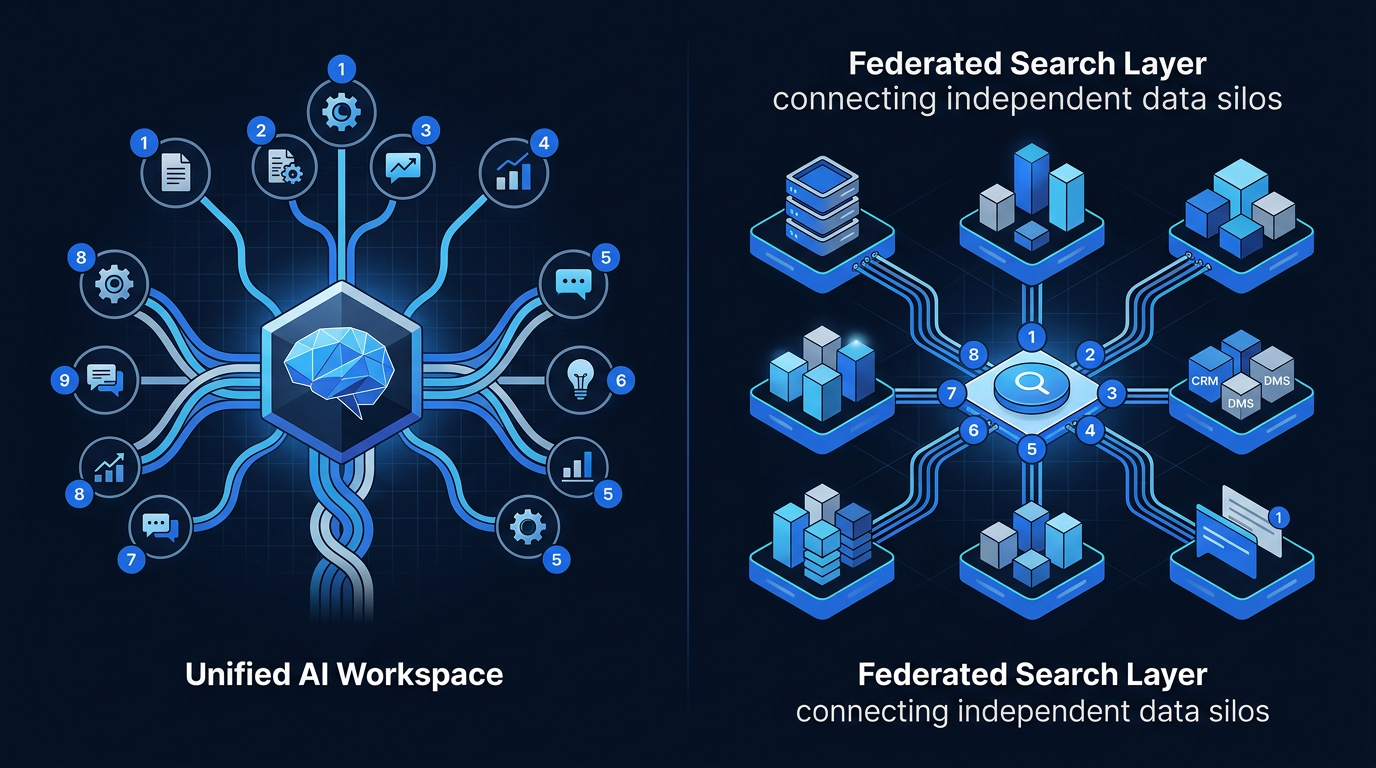
Evaluating the best AI internal knowledge base software requires looking beyond simple document storage. These platforms can serve as the foundation for broader workflow automation, linking fragmented sources so routine employee questions are easier to answer. Transitioning to an AI-assisted architecture allows companies to build a self-service environment that scales alongside their expanding operational policies.
How We Compare Internal Knowledge Base Solutions
Generating direct answers instead of a list of links requires a robust underlying architecture. Identifying suitable platforms for this task means evaluating them strictly on documented technical capabilities, ignoring subjective user sentiment. This analysis examines how each vendor structures its artificial intelligence to parse, index, and retrieve internal company data.
The primary criteria centre on AI query mechanics and integration depth. The assessment determines whether a platform functions as a standalone authoring environment or acts as an overlay connecting existing data silos. This process involves reviewing official vendor documentation to understand how the software manages permissions, automates knowledge syncing, and synthesises fragmented policies.
The evaluation also analyses the specific pricing tiers and feature limitations published by vendors. Understanding exactly which plans include generative search or automated drafting ensures IT directors can align their infrastructure requirements with the correct software tier. Finally, operations managers can review how Atlas verifies guidance to understand the exact standards applied across all software comparisons.
Notion AI: Integrating Workspace Organization with Generative Search
Building on the architectural criteria used to evaluate these systems, the assessment of standalone authoring environments begins with Notion. Unlike overlay tools that index external databases, Notion embeds artificial intelligence directly into its native workspace. This approach merges document creation with knowledge retrieval, enabling teams to draft, organise, and query internal policies on a single platform. For IT directors, the primary distinction is between deploying a cross-platform search layer and adopting a centralised documentation hub.
Notion AI applies generative capabilities directly at the text-editor level. When an employee queries the internal knowledge base for IT protocols or HR guidelines, the software synthesises answers from the existing pages and structured databases housed within that specific workspace. Because the artificial intelligence operates alongside the authoring tools, operations managers can use it to summarise technical notes or drafting standard operating procedures based on established company data. This proximity reduces the friction between updating a policy and making that update searchable for staff.
Notion’s AI works best on knowledge written inside Notion, but it is no longer limited to it. Notion’s pricing page lists Enterprise Search, marked as a beta feature, on the Business plan for searching connected apps such as Slack and GitHub, and the Notion Agent can use context from connected apps. Published prices are Free ($0), Plus ($10) and Business ($20) per seat per month, with Enterprise priced on request; the Free and Plus plans include only a trial of Notion AI. The Business plan lists a monthly AI credit allowance per seat (1,500 Standard and 500 Select credits at the time of review), SAML single sign-on, granular database permissions and verified pages, while audit logs are listed for Enterprise. Prices, credit allowances and beta status can change, so confirm them on Notion’s pricing page before buying.
Confluence: Atlassian’s Rovo AI Inside the Team Wiki
While Notion builds artificial intelligence into a flexible, standalone workspace, organisations already invested in structured project tracking often require a knowledge base embedded within their existing ecosystem. Confluence provides this by serving as the central repository for teams using the broader Atlassian suite. For teams already using Jira or other Atlassian products, Confluence keeps documentation next to the projects it describes.
Atlassian now brands its AI features as Rovo, which its Confluence pricing page lists on the Standard, Premium and Enterprise plans with plan-based usage allowances. Rather than forcing employees to manually scan lengthy technical specifications or policy manuals, the artificial intelligence rapidly summarises dense text. This capability supports employee self-service by distilling complex project requirements and procedural guidelines into digestible formats. The system also enables users to draft new documentation based on existing internal structures, reducing the time spent formatting routine administrative updates.
Beyond drafting and summarisation, Rovo is designed to surface related knowledge where employees already work, linking procedural pages to active projects. As with any AI answer tool, accuracy depends on the quality and permissions of the underlying pages; Atlassian does not guarantee correct answers. At the time of review, Confluence’s pricing page listed Free ($0), Standard ($5.78) and Premium ($11.16) per user per month, with Enterprise priced on request. Displayed prices can vary by billing cycle, region and user count, so treat them as starting points rather than a quote.
Glean: Enterprise Search Across Fragmented Data Silos
While Confluence and Notion require teams to centralise documentation within a specific authoring environment, many large organisations maintain policies across multiple disconnected applications. Migrating these disparate files into a single hub is often impractical. Glean addresses this infrastructure challenge by functioning as an enterprise-wide search layer rather than a primary authoring tool. This distinction matters most for businesses whose knowledge is spread across many tools.
Instead of providing a new text editor for drafting policies, Glean overlays existing software to index documentation exactly where it resides. The system connects to multiple internal knowledge bases simultaneously, pulling answers across departmental silos. When an employee needs support for a specific HR protocol or IT procedure, the artificial intelligence retrieves and synthesises the information, regardless of which underlying application hosts the original document.
This architectural approach shifts the focus from unified storage to unified retrieval. Because original files remain untouched in their native environments, IT directors can deploy search capabilities without forcing staff to change where they write documents. Glean describes its platform as permission-aware enterprise search and AI agents connected to existing work apps. It does not publish prices on its website; buyers should expect a sales-led quote, which generally suits larger organisations more than very small teams.
Guru: Automated Knowledge Syncing and AI Enterprise Search
While Glean focuses strictly on indexing external silos without providing a native authoring environment, other platforms bridge the divide between drafting and aggregation. Guru combines a dedicated knowledge repository with the capacity to pull information from external applications. For operations managers, this hybrid model offers a structured space to write internal policies while capturing disparate documentation across the business.
Guru no longer lists fixed plan tiers: its pricing page describes a custom package tailored to each organisation’s size and requirements, so a quote is required. The same page lists AI search grounded in governed knowledge, verification workflows, permission-aware answers with citations, SSO, SCIM, role-based access, audit logs and more than 100 connectors, and states that customer data does not train Guru’s AI models. How quickly changes in connected sources appear in answers is not published, so ask the vendor rather than assuming continuous real-time syncing.
When an employee queries the system, Guru’s AI enterprise search retrieves and synthesises answers directly from this synced, verified pool of information. Instead of simply returning a list of links, the platform generates a direct response based on the current state of official company documentation. This can reduce the time staff spend hunting for routine procedural guidance, provided the underlying cards are kept verified.
Document360: Structured Documentation with Eddy AI Retrieval
While Guru balances external aggregation with internal authoring, some organisations require a rigidly structured environment designed exclusively to house complex procedural documentation. Document360 caters to this specific operational need by providing a dedicated platform for building highly organised internal manuals. For IT directors, the key distinction lies in Document360’s focus on strict categorisation and hierarchy, rather than attempting to synchronise fragmented data across disparate applications.
Building a comprehensive structural hierarchy remains useful only if employees can efficiently locate the specific policies they need. To facilitate this, Document360 incorporates artificial intelligence directly into its search mechanics. Document360’s AI assistant is branded Eddy AI. Its pricing page now shows customized pricing rather than fixed public tiers, lists Eddy AI writing, content and FAQ creation, and AI search and answer as capabilities included with a plan, and lists an AI chatbot and an AI Premium Suite as add-ons. Staff can query the structured knowledge base directly instead of navigating nested categories.
By restricting the AI search to a cleanly formatted, purpose-built repository, operations managers can ensure generated answers are drawn strictly from approved, canonical procedures. Eddy AI lets staff ask questions of that manual directly, while the category structure stays under editorial control.
Feature Comparison of Leading AI Knowledge Platforms
The transition from Document360’s highly structured environment to a broader market view reveals a fundamental division in how these systems operate. Operations managers must distinguish between platforms designed as unified authoring workspaces and those built as dedicated search layers. While solutions prioritising strict structural hierarchies require organisations to migrate and draft policies within a native editor, alternative tools focus almost entirely on indexing documentation already existing across the corporate network.
Understanding this architectural divide helps leaders match a platform to an organisation’s existing technology stack. The following table summarises the primary AI mechanisms and structural approaches of several leading solutions, showing how each vendor deploys artificial intelligence to manage employee support materials. Readers can review our documentation to learn how Atlas verifies guidance regarding these published feature specifications.
| Product | Type | Verified AI capabilities | Published starting price | Governance and access features (published) | Official source | Editorial best fit (our judgment) |
|---|---|---|---|---|---|---|
| Notion | Authoring workspace | Notion AI and Notion Agent; Enterprise Search across connected apps (beta, Business plan) | Free $0; Plus $10; Business $20 per seat/month; Enterprise quote | SAML SSO, granular database permissions, verified pages (Business); audit log (Enterprise) | Notion pricing | Small teams writing knowledge from scratch |
| Confluence | Authoring workspace | Rovo AI on Standard, Premium and Enterprise plans | Free $0; Standard $5.78; Premium $11.16 per user/month; Enterprise quote | Permissions and admin controls vary by plan; see vendor plan comparison | Confluence pricing | Teams already using Jira or Atlassian tools |
| Glean | Search layer | Permission-aware enterprise search and AI agents across connected apps | Quote required | Permission-aware access described by vendor | Glean | Larger organisations with knowledge spread across many apps |
| Guru | Hybrid (authoring plus connectors) | AI search grounded in governed knowledge; cited answers; verification workflows | Quote required (custom package) | SSO, SCIM, role-based access, audit logs | Guru pricing | Teams that need verified answers with governance |
| Document360 | Structured authoring | Eddy AI writing and AI search and answer included; AI chatbot and AI Premium Suite as add-ons | Quote required (customized pricing) | Security features listed; confirm specifics with vendor | Document360 pricing | Teams maintaining large, structured SOP manuals |
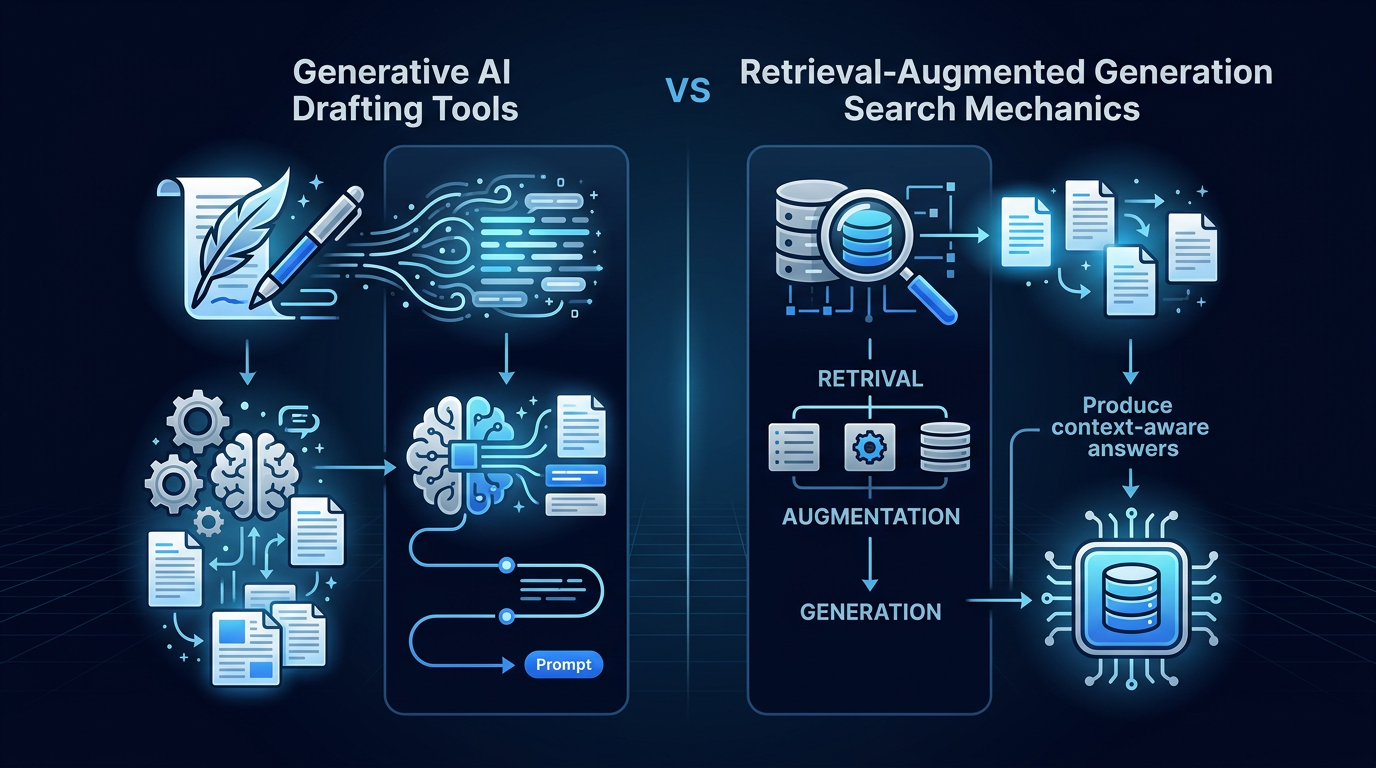
As the comparison shows, artificial intelligence implementation varies significantly based on a platform’s core architecture. Notion, Confluence and Document360 focus their AI mainly on content written inside each tool, although Notion now also offers connected-app search in beta. Glean is built to search across existing applications, and Guru combines its own knowledge cards with connectors to other tools. IT directors must decide whether their immediate priority is establishing a new central authoring environment or deploying a cross-platform search layer to connect fragmented data silos.
Aligning AI Capabilities with Organizational Infrastructure
Selecting the most appropriate software requires operations managers to audit their current infrastructure. If a company already holds vast amounts of documentation scattered across various applications, deploying an entirely new authoring environment often creates unnecessary friction. Conversely, teams struggling with outdated intranets benefit from migrating to a unified workspace where artificial intelligence assists with drafting new policies and retrieving legacy information.
Assessing whether a solution prioritises in-app drafting or cross-platform search helps the selected tool fit the organisation’s daily workflows rather than disrupting them.
Published specifications point to distinct priorities. Glean and Guru emphasise connecting knowledge that lives in other applications, while Confluence’s Rovo features and Document360’s Eddy AI work mainly on content maintained inside those tools.

IT directors must determine whether their primary operational bottleneck is content creation or content discovery. Implementing cross-platform search tools resolves discovery issues without forcing employees to change where they work or learn a new authoring interface. However, if the underlying documentation is poorly maintained, migrating to a structured platform to rebuild the knowledge architecture from the ground up remains a necessary first step. This foundational decision also shapes how the knowledge base will be kept accurate over time.
Which AI Knowledge Base Fits Your Business?
The three scenarios below are hypothetical. They are not customer stories or test results, and they use only prices and features published by vendors. They show how requirements change as a business grows.
Hypothetical scenario 1: five employees, no dedicated IT support
Essential requirements: a simple editor, AI answers drawn from the team’s own pages and low or no per-seat cost. Suitable tools: Notion or Confluence on a free or entry plan, because both publish self-serve prices and need no sales process. Administrative workload: low; one person can own the structure. Pricing considerations: at published list prices, Notion Business for five seats is $100 per month ($20 per seat; the per-seat rate depends on monthly versus annual billing, and taxes may apply) and Confluence Standard is about $29 before tax; Notion’s free and Plus plans include only an AI trial. Operational risks: knowledge depends on one owner, and AI answers can repeat outdated pages. What would change the recommendation: if most knowledge already lives in another tool the team uses daily, improving that tool may be enough.
Hypothetical scenario 2: twenty employees, service-company procedures
Essential requirements: structured SOPs, clear page ownership, a way to mark content as verified and answers where staff already work. Suitable tools: Notion Business for verified pages and AI credits, Confluence Standard or Premium if the team uses Jira, or Document360 when procedures form a large structured manual. Administrative workload: moderate; each policy area needs an owner and a review cycle. Pricing considerations: Notion and Confluence can be estimated from published per-seat prices; Document360 requires a quote. Operational risks: stale procedures, running out of AI usage allowances and loosely managed sharing. What would change the recommendation: frequent client-facing documentation favours a structured tool such as Document360.
Hypothetical scenario 3: fifty employees, stronger access controls and governance
Essential requirements: single sign-on, granular permissions, audit logs, permission-aware AI answers and clear data-training terms. Suitable tools: Notion Business or Enterprise, Confluence Premium or Enterprise, Guru for governed and verified answers, or Glean when knowledge is spread across many applications that cannot be consolidated. Administrative workload: high; permissions must be reviewed at the source before any AI tool indexes content. Pricing considerations: Guru and Glean require quotes, so allow time for a sales process and compare total contract terms. Operational risks: AI surfacing documents with incorrect source permissions, vendor lock-in and unclear contract pricing. What would change the recommendation: if knowledge can be consolidated into one workspace, an enterprise tier of that workspace is usually simpler than adding a separate search layer. This is editorial judgment, not a vendor claim.
When You Do Not Need an Enterprise Knowledge-Search Tool
- Most of your documentation already lives in one workspace.
- You have fewer than about twenty employees and no compliance requirement for audit logs.
- Nobody is available to review permissions across several connected apps.
- Your main problem is missing or outdated documents, not finding existing ones.
- A published self-serve plan covers your single sign-on and permission needs.
Implementing AI Search for Employee Support
Once operations managers align their chosen platform with the corporate infrastructure, focus shifts to preparing the environment for active deployment. Whether an organisation opts for a dedicated search layer or a unified authoring workspace, artificial intelligence requires a clean, structured repository to function effectively. Any of these tools demands rigorous preparation of the underlying documents before the system begins ingesting files.
Artificial intelligence tools synthesise answers based entirely on the text they consume. Consequently, outdated, duplicated, or contradictory policies directly degrade the accuracy of employee support queries. IT directors must conduct a comprehensive audit of current intranets and cloud storage drives to archive obsolete material. A simple workflow automation can be set up to flag older documents for review, helping the knowledge base stay current after the initial migration. Clean data prevents the AI from presenting superseded procedural guidance as current policy.
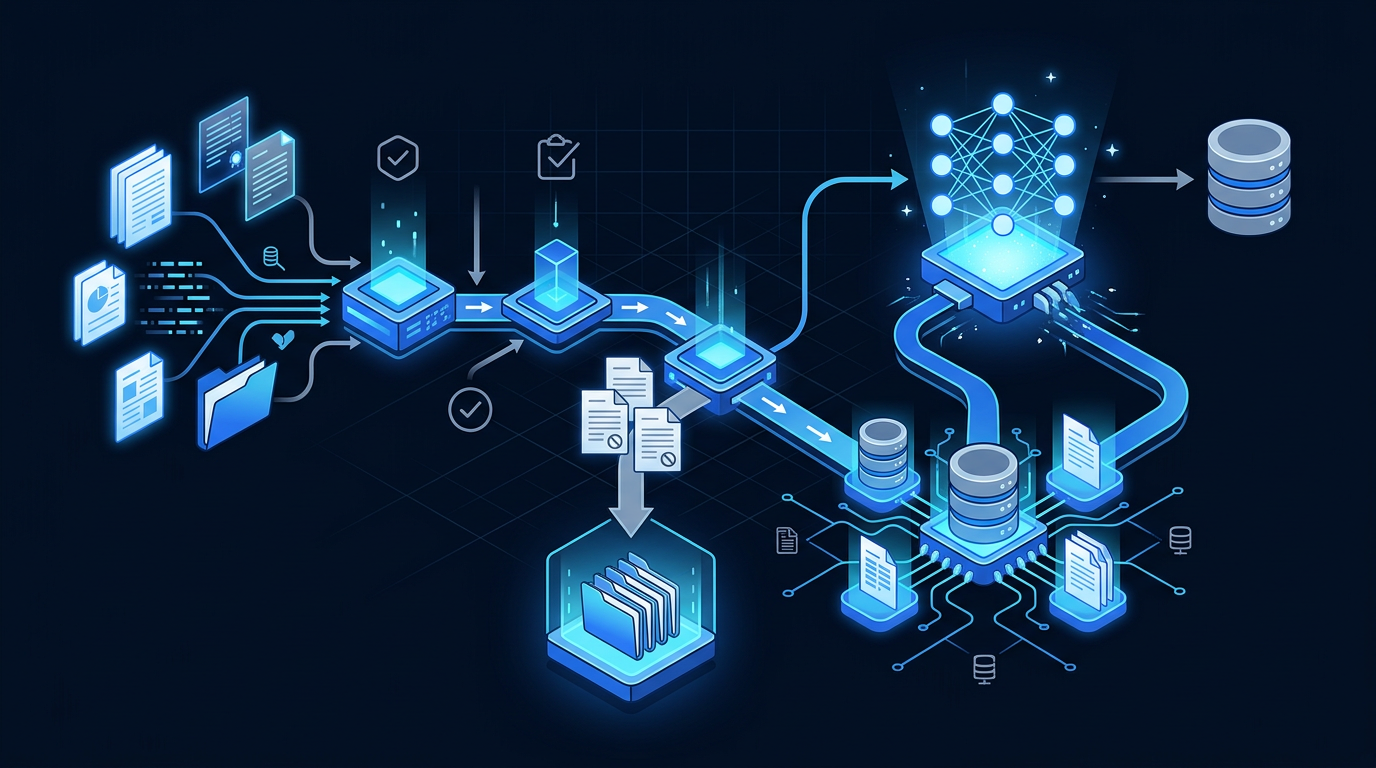
Beyond basic data hygiene, permission management requires strict oversight before activation. Because AI search tools rapidly scan thousands of documents to build a response, they bypass the traditional folder hierarchies that once hid sensitive information. If a confidential financial document or executive planning file lacks proper access restrictions, the AI could expose its contents during a routine employee query. Administrators must configure and verify access controls at the source level, ensuring the software retrieves only the information authorised for the specific user.
Finally, a successful system rollout requires establishing clear feedback mechanisms for the workforce. Employees must understand how to structure their queries and report inaccurate responses. This continuous refinement helps administrators identify remaining gaps in internal documentation, allowing the AI to become a consistently reliable asset for daily operations.
Frequently asked questions
How do AI internal knowledge bases handle strict role-based access controls for sensitive HR or financial data?
Artificial intelligence search layers are typically designed to respect the underlying permissions of the connected platforms. When indexing documents across various departments, the software reads the existing role-based access controls to determine who is authorised to view specific files. If an employee lacks the correct permissions for sensitive financial or human resources data, the system will not surface that information or use it to synthesise answers for their queries. Vendors do not publish universal configuration timelines for these settings.
What are the typical data privacy terms regarding whether internal company documents are used to train the vendor’s base language models?
Enterprise knowledge base providers generally structure their privacy agreements to separate customer data from public model training. Terms vary by provider: Guru’s pricing page states that customer data does not train its AI models, and Notion’s AI security practices state that for Enterprise workspaces retention varies by model: most supported models offer zero data retention, but a small number do not, and those models are off by default until a workspace owner opts in. Instead, the artificial intelligence applies its existing capabilities to index and retrieve the company’s isolated data. Operations managers must review each vendor’s specific service level agreement to confirm precise data handling practices.
How long does it typically take for an AI knowledge base to index a newly uploaded policy document?
The exact time required to index a newly uploaded policy document depends entirely on the specific platform’s underlying architecture and the volume of data being processed. While systems with automated knowledge syncing are designed to detect and process changes continuously, the exact indexing speeds or catch rates are not published by the vendors in the supplied documentation. Because latency is not published, ask each vendor how quickly a new or edited document becomes available to AI answers before relying on it for time-sensitive policies.
Do these software solutions support semantic search across multiple languages for global employee teams?
While modern artificial intelligence models possess inherent multilingual capabilities, the exact extent of semantic search support across different languages depends on the specific knowledge base platform. The supplied vendor documentation does not publish specific lists of supported languages or evaluate the accuracy of cross-lingual intent matching for global teams. IT directors evaluating these solutions for international deployments must consult the specific technical specifications of their chosen provider to confirm whether non-English policies are fully supported.
Can AI knowledge bases identify and flag contradictory information between two different internal policy documents?
Artificial intelligence systems excel at synthesising information based on the text they ingest, but their ability to proactively audit and flag contradictory policies varies. Most platforms focus primarily on retrieving and generating answers rather than automatically detecting conflicts between two separate documents. The supplied vendor research does not detail automated contradiction-flagging features. Consequently, operations managers must ensure that internal repositories are thoroughly audited and duplicate or outdated files are archived before deploying the software.
What metrics do operations teams use to measure the deflection rate of employee support tickets after implementing an AI knowledge base?
Operations teams typically measure success by tracking the reduction in repetitive internal support requests submitted to IT or human resources departments. While the goal of implementing an intelligent search layer is to increase employee self-service, the vendors do not publish specific ROI figures, baseline deflection rates, or guaranteed ticket reduction percentages. Organisations must establish their own baseline metrics before deployment to evaluate how effectively the new retrieval system lowers the volume of manual support interventions.
How do administrators maintain version control when the AI synthesizes an answer from an outdated document?
Maintaining version control requires strict governance over the underlying document repository, as the artificial intelligence will synthesise answers from any text it is permitted to index. If an outdated document remains active, the system may generate inaccurate guidance. Administrators must utilise the platform’s archival tools and automated knowledge syncing to ensure only the most current policies are indexed. The vendors do not publish specific automated version-conflict resolution scores, making manual repository hygiene essential.
Sources
- Notion Pricing — Notion, checked 2026-11-17
- Atlassian AI (Rovo) — Atlassian, checked 2026-11-17
- Confluence Pricing — Atlassian, checked 2026-11-17
- Glean — Glean, checked 2026-11-17
- Guru Pricing — Guru, checked 2026-11-17
- Document360 Pricing — Document360, checked 2026-11-17
AtlasProfitAI publishes independent guides for small-business teams. Read how we choose topics and check our work in our research methodology and advertising disclosure.