AI & Automation
Best AI Document Extraction Software for Operations Teams
An objective breakdown of the best AI document extraction software, focusing on how operations teams can transition from manual data entry to automated, machine-learning-driven document processing.
Moving from manual data entry to automated processing is a critical upgrade for modern enterprises. As organisations handle an expanding volume of unstructured files, forms, and diverse layouts, relying on rigid templates creates unsustainable bottlenecks. Operations leaders must identify the best AI document extraction software to ensure business data flows seamlessly into enterprise resource planning systems without constant human intervention. Selecting the right platform directly dictates how efficiently a department scales administrative workflows without proportionally increasing headcount.
To support this transition, this analysis relies exclusively on technical documentation and official capabilities published directly by software vendors, verified in November 2026. Understanding how Atlas verifies guidance clarifies the exact parameters used to assess these platforms. This evaluation does not claim first-hand testing, client deployments, or independent accuracy percentages, as machine learning performance fluctuates heavily based on deployment. The assessment focuses entirely on the stated architectural frameworks of each provider, offering operations teams a clear comparison without inventing performance metrics.
The Shift from Templates to Intelligent Processing
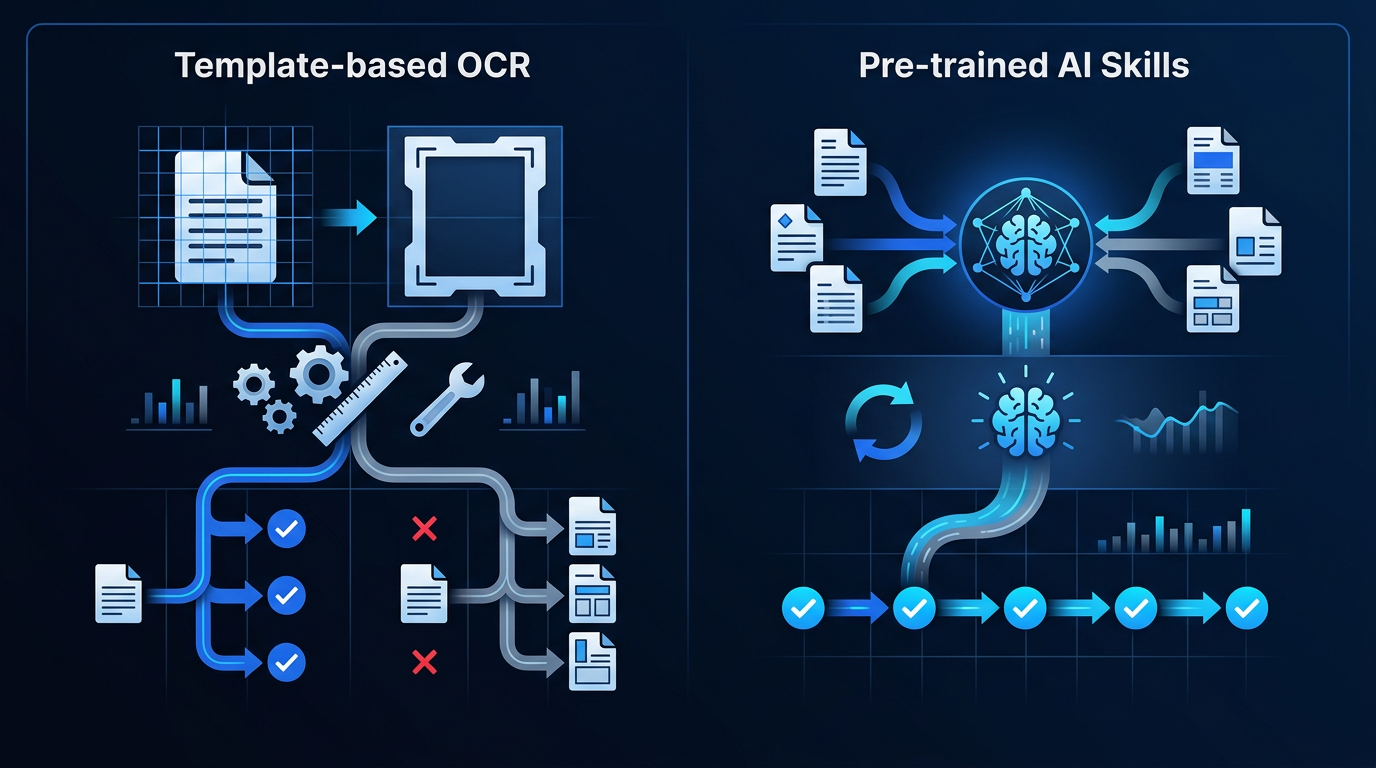
Operations teams manage a continuous influx of documents, ranging from variable supplier invoices to non-standardised intake forms. Optical character recognition (OCR) recognises text in an image and converts it into machine-readable text. Traditional template-based field extraction is a separate layer: it uses positional rules to assign recognised text to fields. A changed layout can break those rules even when the text itself is recognised correctly. AI-assisted structured extraction adds models that identify fields, tables, and document relationships; teams must still validate the results on their own documents.
To resolve this processing bottleneck, identifying the best AI document extraction software is now a priority for operations leaders. Rather than mapping specific coordinate zones on a page, modern intelligent document processing platforms use machine learning models trained to understand semantic context and document structure. This technological shift allows extraction systems to identify target fields like line items, dates, and total amounts across supported layouts, subject to model capabilities and validation, accommodating the natural variability of business documents.
Moving from rigid coordinate templates to intelligent machine learning fundamentally alters how operations departments handle data ingestion. By deploying AI-driven extraction, organisations can establish resilient workflow automation pipelines that ingest, interpret, and route unstructured data with far less human intervention. This shift provides the necessary infrastructure for operations teams tasked with scaling their processing capacity without proportionally expanding their administrative headcount.
Evaluating Document Extraction Capabilities
Model-based extraction can address supported layout variations, but teams must evaluate results on representative documents. Evaluating these intelligent tools therefore requires a different framework than traditional optical character recognition testing. The assessment must move beyond simple text digitisation to measure how effectively a platform extracts actionable structured data from entirely unstructured source files.
To determine the most capable providers, this comparison focuses heavily on core machine learning capabilities. Operations teams require systems that autonomously locate key-value pairs, interpret nested tables, and process handwriting without relying on fixed bounding boxes. Reviewing how Atlas verifies guidance clarifies the methodology used to assess these core extraction functions against operational demands.
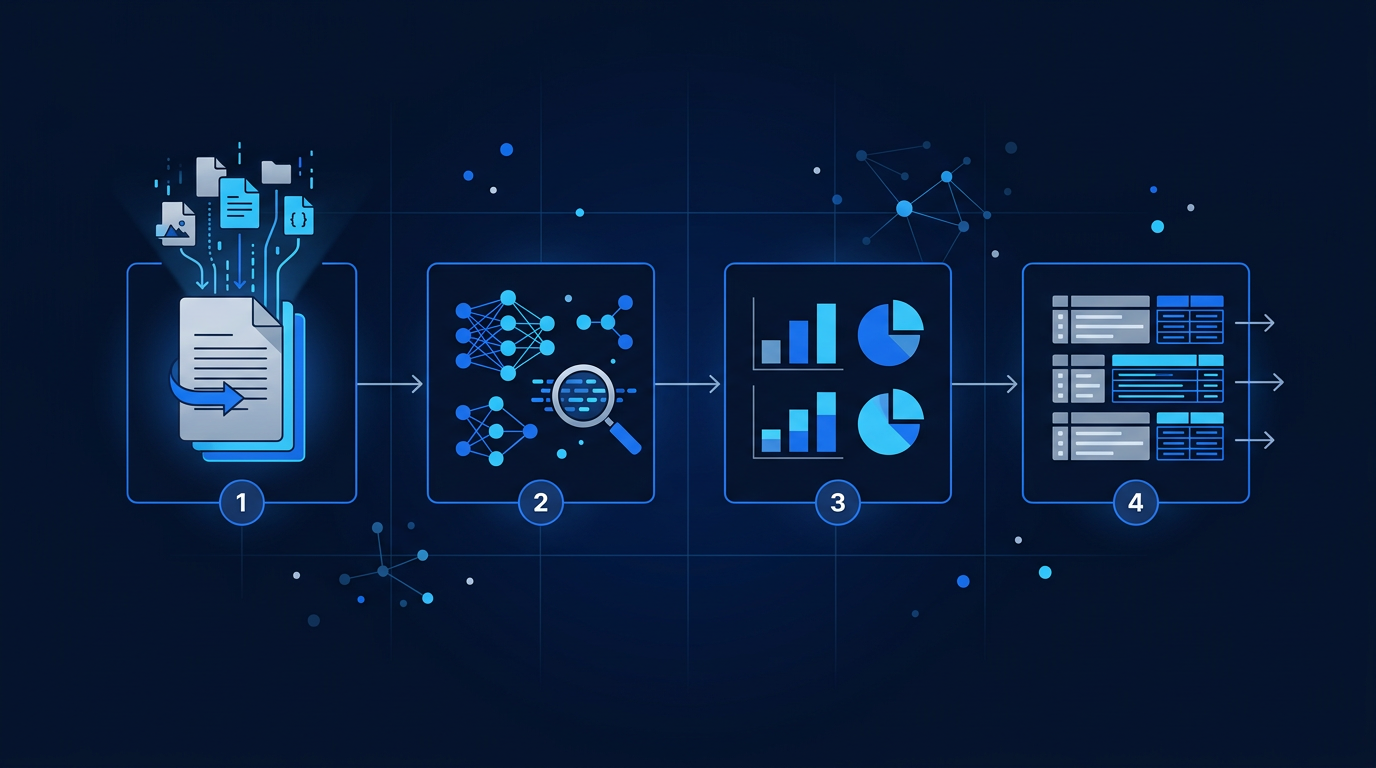
The evaluation also weighs the implementation speed offered by pre-trained skills. Pre-trained models supply a starting point for supported business records, but configuration, validation and integration effort still need to be assessed. Providers are therefore compared on their ability to supply these out-of-the-box competencies while maintaining the underlying machine learning architecture required to train custom data capture models for bespoke organisational formats.
Amazon Textract
Deploying these advanced machine learning models typically starts with cloud-native application programming interfaces built to process dense, scanned files at scale. Amazon Textract follows this approach, operating as a fully managed machine learning service that provides a managed extraction API; teams still configure access, inputs and downstream integration.
Instead of forcing administrative staff to build custom boundaries for every new vendor format, Amazon Textract automatically extracts text, handwriting, and structural data from scanned documents. The system identifies standard layout elements like checkboxes, form fields, and complex tables while preserving the original contextual relationships of the data. Multipage processing does not by itself establish that a table spanning pages is automatically joined correctly; validate the table output and any cross-page assembly in your workflow.
For teams managing high-volume intake tasks, the service supports printed and handwritten text. Select the relevant API and prepare inputs for its supported formats rather than assuming arbitrary mixed batches need no sorting. Because the software returns data in an actionable format, operations leaders can route extracted key-value pairs directly into downstream databases. This layer of workflow automation allows organisations to embed document processing capabilities straight into their proprietary applications using standard programming requests.
Google Cloud Document AI
While standalone extraction services excel at processing high volumes of raw structural data, operations teams frequently require a centralised administrative environment to manage diverse models and parsers. Building on a cloud-native architecture, Google Cloud Document AI provides a unified console for document processing. This central interface enables technical administrators to oversee data extraction from entirely unstructured texts and rigid operational forms alike. The console does not remove the need to configure ingestion, monitoring and downstream integrations.
Within this unified console, the software uses sophisticated machine learning to interpret the semantic meaning of incoming files. Extraction depends on the selected processor and configured fields. Custom extraction can require document datasets, annotations and model evaluation; auto-labeling predictions also need review. Configure and test these functions before extending broader workflow automation initiatives across the enterprise.
Google documents custom extraction with document datasets, training or up-training, and evaluation of processor versions. A changed layout should be tested against the selected processor; it is not evidence of automatic adaptation, automatic retraining or unchanged maintenance effort. See Google’s custom extraction documentation.
UiPath Document Understanding
While centralised administrative consoles simplify model management, parsing data is often only the first step in a broader operational sequence. Efficient document processing requires seamless integration with existing enterprise infrastructure, prompting organisations to embed data capture directly into their workflow automation systems. UiPath Document Understanding bridges this operational gap by linking artificial intelligence extraction capabilities with robotic task execution.
Rather than operating as an isolated application programming interface, UiPath Document Understanding combines Robotic Process Automation (RPA) and artificial intelligence. This dual architecture allows operations teams to configure software robots that retrieve incoming files from email repositories, network servers, or designated folders before passing them to the extraction engine. The artificial intelligence component then processes various document types, with supported document types and extraction methods determined by the configured project.

UiPath documents validation workflows that can be integrated with attended automation or Action Center. Teams must configure the review path and downstream application steps; extracted fields do not automatically reach an ERP or database merely because the extraction service has returned them.
ABBYY Vantage
Teams handling industry-specific formats need to assess whether a pre-trained skill matches their required document types and fields. ABBYY Vantage provides pre-trained skills as a starting point, alongside tools for configuring or creating skills; their availability is not a guarantee of immediate production deployment.
ABBYY documents pre-trained skills with extraction fields and validation rules already configured. Operations leaders can select an appropriate skill, then test its outputs on their documents and adjust the workflow where needed. The documentation does not establish a universal sample count or configuration-time saving for a production deployment.
By packaging these extraction capabilities as modular skills, ABBYY Vantage allows enterprise teams to configure complex document processing sequences without deep programming expertise. Operations staff construct automated pipelines where the software identifies the document type, applies the relevant pre-trained skill, and isolates the required data points for export. Review operators can verify and correct fields before data moves downstream; accuracy and integration still require validation.
Rossum
Rossum offers AI-based document extraction and a validation interface for supported document workflows. Teams receiving changing supplier layouts should test representative examples and confirm the required fields and configuration rather than assuming every novel format will be handled without adjustment.
Rossum lists an integrated intelligent mailbox and describes suggested email text for exception handling. These features support document communication within the platform; they do not establish that every discrepancy or external correspondence is resolved autonomously.
Rossum describes learning from user inputs, but that description does not establish automatic sender-specific improvement from every operator correction or guaranteed reductions in review labor. Confirm enabled learning and data-use settings and evaluate the results before embedding extraction into enterprise workflow automation.
Comparing Machine Learning Approaches
The departure from template-based rules in platforms handling dynamic layouts highlights a fundamental divergence in how software providers engineer their extraction architectures. Operations teams evaluating these systems must recognise that underlying deployment models vary significantly, broadly splitting between cloud-native machine learning services and deeply integrated platforms designed for comprehensive workflow automation. While some environments require a granular, developer-led implementation using robust APIs, others provide robotic-workflow integration or pre-configured administrative interfaces that still require implementation.
Organisations must examine how providers package their artificial intelligence to determine which deployment model fits their infrastructure. The following table contrasts the core architectural approaches of the evaluated providers, detailing whether they function as foundational machine learning services or standalone intelligent document processing platforms.
| Software Provider | Architectural Approach | Core Extraction Methodology |
|---|---|---|
| Amazon Textract | Machine learning service | Extracts text, handwriting, layout elements, and data from scanned documents |
| Google Cloud Document AI | Unified console machine learning | Extracts data from unstructured texts and forms |
| UiPath Document Understanding | Combined RPA and AI | Processes unstructured and semi-structured formats |
| ABBYY Vantage | Intelligent document processing platform | Utilises pre-trained AI skills for business documents |
| Rossum | Intelligent document processing solution | Automates data capture without template-based rules |
Among the five providers reviewed here, Amazon Textract and Google Cloud Document AI expose extraction services that must be integrated into a wider workflow. UiPath Document Understanding can connect extraction and validation to robotic workflows, while ABBYY Vantage and Rossum offer document-processing interfaces and integration options. An integrated platform can reduce custom orchestration work, but it does not remove the need to configure ingestion, validation, permissions, and downstream mappings. The choice depends on who will own those tasks.
Selecting the Right Architecture for Your Operations
The divide between cloud-native machine learning endpoints and integrated business environments dictates software selection. To identify the best AI document extraction software for their context, operations leaders must evaluate internal technical resources alongside existing digital infrastructure. Organisations with extensive developer capacity often favour raw API services that allow for bespoke integrations. In contrast, business-led units typically require platforms that package artificial intelligence into accessible, pre-configured skills.
The following table compares buying dimensions for the same five providers reviewed above. Pricing units are not interchangeable: record your page and document counts, the functions used, and the review workload before requesting a quote. Implementation-owner and workload-fit descriptions are editorial assessments based on the documented integration surfaces and supported use cases, not measured staffing requirements or performance rankings.
| Reviewed provider | Pricing unit, not a quote | Likely implementation owner | Workload suitability to validate | Procurement caveat |
|---|---|---|---|---|
| Amazon Textract | Processed pages; API, selected features and volume tier affect charges | AWS/application integration lead with an operations reviewer | Forms/tables; invoice or receipt extraction with the relevant API | Confirm API and region; A2I review is separately charged |
| Google Cloud Document AI | Processor-specific pages or document counts; some custom processors also incur hosting | Cloud/data integration lead and a review-workflow owner | OCR, invoices, expenses and supported custom fields | Check processor/version, location, document limits and separate review solution |
| UiPath Document Understanding | Page-operation consumption: Platform Units (Unified Pricing) or AI Units (Flex) | Automation/RPA lead with process and validation owners | Supported invoice, receipt, tax and insurance workflows | Confirm project type, pricing framework and automation/review entitlements |
| ABBYY Vantage | Subscription page allowance and applicable skill counters | Skill/integration designer or partner plus review operators | Supported invoice, purchase-order, receipt and logistics skills | Confirm included skills, design-time/runtime counting and contracted capacity |
| Rossum | Quoted page or document volume and workflow complexity | Operations/AP owner with an integration lead | Invoice, sales-order, packing-list and other supported document workflows | Confirm unit, integrations/add-ons, overages and one-year minimum term |
Human review is not the same feature across these services. For existing A2I customers, Textract can integrate with Amazon A2I through AnalyzeDocument and configured human-loop activation conditions. AWS states that A2I is no longer open to new customers; new deployments must confirm another supported review path. Google’s former native Human-in-the-Loop service is listed as deprecated in current documentation; do not assume a legacy review interface remains available for a new deployment. Confirm a supported partner or custom review integration. UiPath documents Validation Station, ABBYY Vantage a Manual Review Client, and Rossum a validation screen. Confirm the applicable version, workflow, user permissions, and entitlements rather than assuming every extraction API includes a staffed validation interface.
Systems such as Amazon Textract and Google Cloud Document AI operate as foundational machine learning services. They provide robust extraction but rely on internal engineering teams to construct the surrounding data pipelines. Conversely, architectures like UiPath Document Understanding embed data capture directly into broader workflow automation sequences. The amount of custom coding depends on available connectors, mappings and the configured review workflow; no comparative saving is established here.
For a high-volume workflow, assess supported input formats, processor limits, review capacity and integration responsibilities. A platform interface or pre-trained skill is not proof that deployment needs little technical configuration; verify those requirements for the selected service and workflow.
Structuring the Automation Deployment
Once an organisation selects the appropriate architectural model to match its technical resources, focus shifts to deployment execution. Integrating advanced machine learning capabilities requires a deliberate transition from raw software to a functioning operational process. Teams must map the entire document lifecycle to ensure the platform captures, processes, and delivers the required data without disrupting existing operational rhythms.
The initial phase centres on configuring reliable ingestion points. Administrators establish secure channels—such as monitored company inboxes, secure file transfer protocols, or direct system connections—to automatically feed incoming files into the extraction pipeline. As documents enter the queue, the artificial intelligence models classify the submissions and capture the specified variables. For businesses formalising broader workflow automation, standardising these ingestion channels creates a defined intake path; test capacity and exception handling rather than assuming bottleneck-free throughput.
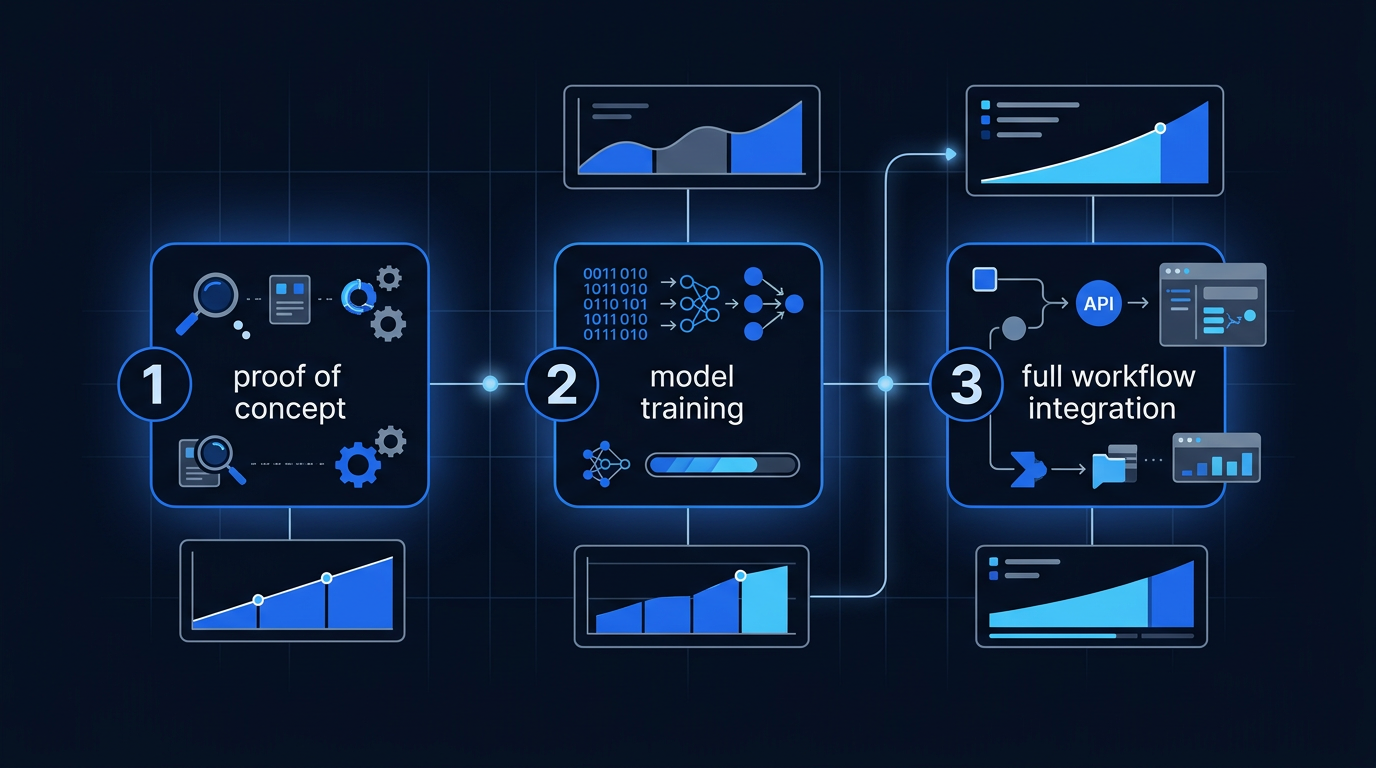
The final deployment phase manages output validation and enterprise integration. Operations managers configure confidence thresholds and business checks to identify values needing review. Depending on the service, this requires a native validation interface or a separate review integration. Route failed checks to that workflow before export; a high confidence score alone does not prove a value is correct. Test required fields and downstream mappings before allowing validated results into primary databases or enterprise resource systems.
Frequently asked questions
How do intelligent document processing platforms handle handwritten text compared to printed text?
OCR services can recognise printed and handwritten text, but quality should be evaluated on representative samples. The supported document types and processing options vary by service; recognition capability alone is not a guarantee that difficult handwriting will be read correctly.
Choose review thresholds from the workload and consequences of an error, not from a universal handwriting rule. Inspect uncertain results and test whether your configured review path catches unreadable text.
What are the typical data privacy considerations when processing documents through cloud-based AI providers?
Transmitting sensitive operational data to cloud services requires encrypted transfer, access controls, and a provider-specific retention review. Do not assume every API processes files only in memory or deletes them immediately. Raw inputs, extraction results, validation records, logs, and training datasets can have different retention rules. Customer-managed storage and downstream copies require their own deletion policies.
A processing region does not by itself establish a no-training or no-retention guarantee. Before uploading sensitive files, confirm the applicable service and API, storage locations, retention and deletion controls, permitted service-improvement use, subprocessors, and any contractual restrictions. Enterprise agreements, a data processing agreement, or an applicable business associate agreement can constrain data use; their actual terms and configured controls matter, not the account label alone.
For Amazon Textract, the official FAQ says document and image inputs may be stored and used to improve Textract and other AWS AI technologies. It also describes a separate AWS Organizations opt-out policy; unless the customer opts out, some content may be stored in another AWS region for those purposes. Separately, asynchronous API results are stored for seven days by default. That result-storage period is not a blanket deletion deadline for inputs, training-related data, or files in your own storage.
Google states that it does not use customer data to train Document AI models. Its security documentation distinguishes synchronous in-memory processing from batch processing, which can use temporary encrypted storage, and allows separately agreed data sharing. Confirm whether any explicit data-sharing agreement applies to your account. The statement applies to Document AI as documented; it does not mean your own Cloud Storage inputs, outputs, or downstream copies are deleted automatically. Confirm the selected processor and processing location.
UiPath’s Document Understanding customer-data policy describes product-improvement use and exclusions where a BAA, contract, or support-requested opt-out applies. Its data-storage documentation distinguishes runtime, validation, and other data. Confirm the applicable deployment and agreements, request any required opt-out, and verify how deletion or purging is performed.
ABBYY Vantage’s retention policy says transaction data and associated documents are deleted after fourteen days, but that automatic deletion does not cover training and demo datasets. Documents collected when Online Learning is enabled are not automatically deleted under that transaction rule. Review skill settings and delete retained training documents where appropriate.
Rossum’s security and trust documentation describes controls over data location, retention periods, and AI-training use. It does not establish an immediate-deletion default for every account. Confirm the agreed region, configured retention, training-use permissions, and contractual controls before production intake.
Can AI document extraction software completely eliminate the need for human-in-the-loop review?
No system guarantees absolute autonomy across all unstructured formats. While intelligent document processing drastically reduces manual data entry, human validation remains a necessary component for exceptions, severely degraded scans, or novel layouts that fall below established confidence scores.
Organisations deploy human-in-the-loop workflows as a strategic safety mechanism. Review may include flagged discrepancies and quality-control samples; it is not limited to exceptions alone.
How long does it usually take to train a custom extraction model for a highly specialized document type?
Custom-model preparation depends on the document types, fields, available examples and selected training method. Google documents creating datasets and evaluating processor versions; those requirements do not establish a universal sample count or elapsed training timeline.
A pre-trained skill can provide configured fields and validation rules, while custom extraction may need additional document review, training and evaluation. Plan and measure those stages separately; no general days-versus-weeks production timetable is established by this comparison.
What are the primary differences between optical character recognition (OCR) and intelligent document processing (IDP)?
OCR recognises printed or handwritten text in document images and returns machine-readable text; some services also return position or layout information. Fixed spatial templates belong to a traditional field-extraction workflow built around that recognised text, not to OCR itself. See AWS’s OCR explanation.
AI-assisted intelligent document processing adds classification and structured extraction to text recognition, using models to identify fields and relationships across supported document layouts. It can reduce reliance on fixed coordinates, but supported document types, model configuration, and extraction quality vary. Human review remains necessary where required fields or business checks fail.
How do these platforms integrate with existing enterprise resource planning (ERP) systems?
Integration occurs through dedicated application programming interfaces or native robotic process automation connectors that link the extraction engine directly to enterprise databases. Teams configure how extracted fields are mapped into the payload and schema accepted by their downstream application.
Configure access controls, mappings and validation before routing results into ERP modules; extraction alone does not establish secure delivery or immediate usability.
What fallback mechanisms are activated when an AI model encounters an unreadable document format?
Fallback behavior depends on the service and the workflow you configure. If required fields, confidence thresholds, or business checks fail, stop downstream export and route the document for review or controlled retry. An extraction API response alone does not establish that an exception queue or reviewer interface exists; implement that path and test unreadable files before production.
Operators can correct results through the applicable native or integrated review interface. Whether corrections are retained or used for model learning depends on the product and enabled features. Check the provider’s review and training-data settings; do not assume a correction automatically retrains the model or that the source document is immediately deleted.
Sources
- Amazon Web Services Official Documentation — Amazon Web Services, verified 2026-11
- Google Cloud Documentation — Google Cloud, verified 2026-11
- UiPath Documentation — UiPath, verified 2026-11
- ABBYY Official Documentation — ABBYY, verified 2026-11
- Rossum Official Documentation — Rossum, verified 2026-11
- Amazon Textract FAQ — input use, opt-out and regional handling — official source checked 2026-11-18
- Amazon Textract asynchronous processing — result retention — official source checked 2026-11-18
- AWS Organizations AI-services opt-out policy — official source checked 2026-11-18
- Google Document AI security and data use — official source checked 2026-11-18
- UiPath Document Understanding customer-data use and opt-out — official source checked 2026-11-18
- UiPath Document Understanding data storage — official source checked 2026-11-18
- ABBYY Vantage data retention and Online Learning — official source checked 2026-11-18
- Rossum security and trust — retention, location and training-use controls — official source checked 2026-11-18
- Amazon Textract pricing units and supported APIs — official source checked 2026-11-18
- Amazon A2I review pricing — official source checked 2026-11-18
- Google Document AI processor-specific pricing — official source checked 2026-11-18
- Google Document AI processing locations — official source checked 2026-11-18
- UiPath Unified Pricing — page-operation metering — official source checked 2026-11-18
- UiPath Flex — AI Unit metering — official source checked 2026-11-18
- UiPath pretrained document types — official source checked 2026-11-18
- ABBYY Vantage subscriptions — official source checked 2026-11-18
- ABBYY Vantage page counting — official source checked 2026-11-18
- ABBYY Vantage skills and document workflows — official source checked 2026-11-18
- Rossum quoted volume, validation and contract terms — official source checked 2026-11-18
- AWS OCR definition — official source checked 2026-11-18
- Amazon A2I Textract integration and customer availability — official source checked 2026-11-18
- Google Document AI former HITL availability — official source checked 2026-11-18
- UiPath Validation Station — official source checked 2026-11-18
- ABBYY Vantage Manual Review Client — official source checked 2026-11-18
- Google Document AI custom extraction — datasets, labeling and evaluation — official source checked 2026-11-18
AtlasProfitAI publishes independent guides for small-business teams. Read how we choose topics and check our work in our research methodology and advertising disclosure.