Cybersecurity
Best MDR Services for Small Business with 24/7 Monitoring
Learn how the best MDR service for small business with 24/7 monitoring pairs human analysts and tooling to detect, contain, and remediate threats fast across endpoints, identity, email, and cloud.
MDR for Small Business: What to Know First
Small businesses use MDR to blunt ransomware and account takeovers before damage spreads. MDR is a managed security service that combines 24/7 SOC analysts, threat hunting, and hands-on response. Unlike alert-only tools, MDR monitors endpoints, identities, email, cloud, and networks continuously, then contains threats fast so small IT teams can sleep at night.

- Key takeaways:
- MDR pairs 24/7 human analysts with your tools to detect and contain attacks.
- It differs from MSSPs and SIEM by owning response, not just tickets.
- Prioritize identity, email, and cloud coverage alongside endpoint EDR.
- Measure MTTD/MTTR, containment time, and false-positive rate to prove value.

MDR differs from MSSP, EDR, XDR, and SIEM in ownership and outcomes. EDR/XDR are technologies; SIEM centralizes logs; MSSPs often alert and escalate. MDR assumes responsibility to investigate and respond, guided by playbooks. For SMBs, this means analysts isolate hosts, kill processes, block hashes, and coordinate remediation around the clock.
SMBs struggle with limited staff and budgets, scattered SaaS footprints, compliance findings, and hybrid workers off the VPN. MDR helps by extending visibility into Microsoft 365, Google Workspace, and identity providers, then reducing alert fatigue. Coverage for phishing and business email compromise (BEC) is as critical as malware detection on endpoints.
Expected outcomes include faster detection, reduced dwell time, and cleaner handoffs during incidents. You should also see improved executive reporting, fewer false positives, and audit-ready evidence. Effective MDR adds process: escalation paths, change control for containment, and routine health checks so detection gaps shrink over time.
EDR vs MDR: What SMBs Actually Need
Evaluation Criteria: How to Choose MDR for Small Business
True 24/7 SOC coverage matters more than brand names. Ask for staffing model details, including vs. on-call rotations, and documented SLAs. Request real MTTD/MTTR definitions and example cases. Verify that “response” means containment, not just notification, and clarify change controls for after-hours actions on production systems.
Detection depth hinges on analytics, not volume. Look for behavioral detections, threat intelligence, and UEBA that correlate identity, endpoint, and cloud events. Validate coverage across Windows, macOS, and Linux; email security; and identity providers. Ensure SaaS and IaaS signals from Microsoft 365, Google Workspace, AWS, and Azure are in scope, not expensive add-ons.
Response capabilities vary. Some vendors guide your team, while others take containment actions. Confirm supported actions: host isolation, process kill, registry rollback, token revocation, conditional access changes, and mail rule cleanup. Review playbooks for ransomware, BEC, and MFA fatigue. Ask how automation triggers analyst review to avoid risky auto-containment.
Integration fit speeds value. Choose MDR that supports your current EDR/AV, firewalls, and SIEM if present. For Microsoft-centric stacks, native Defender integration can reduce cost and friction. For Google Workspace and mixed endpoints, verify agent footprint and performance. Test log connectors for reliability and rate limits in your environment.
Compliance and reporting should reduce audit cycles. Look for vendor SOC 2 Type II and ISO 27001. Validate that MDR supports HIPAA and PCI DSS evidence needs, including incident timelines, chain of custody, and access control logs. Dashboards should provide executive summaries and exportable audit artifacts without manual assembly.
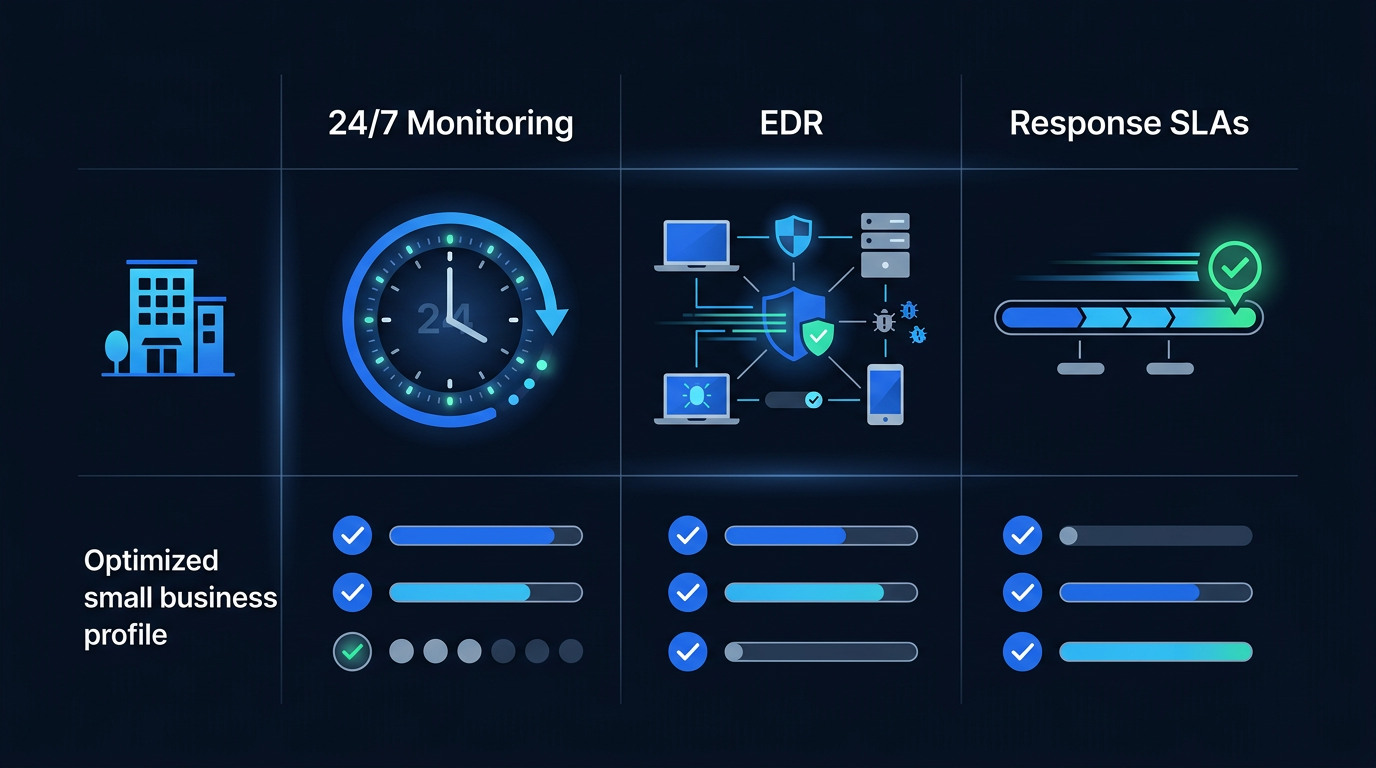
Scalability and onboarding must suit small teams. You want a 2–4 week timeline, guided deployment, and minimal tuning. Health checks at 30/60/90 days should include false-positive suppression and coverage gap closure. Portal transparency matters: see live investigations, analyst notes, and reason codes for verdicts.

Pricing models can hide surprises. Expect per-endpoint or per-user pricing, with tiered bundles for email and identity. Costs also scale with data volume and log sources. Clarify what’s included in “response,” after-hours rates, and premium incident retainer policies. Forecast cloud add-ons, such as Microsoft 365 and identity monitoring, in your budget.
| with option | Best for | What you get | Starting price |
|---|---|---|---|
| Entry tier | Trying it out | Core service, standard support | Lowest |
| Mid tier | Most readers | Full service, faster response times | Balanced |
| Premium tier | Heavy or complex use | Everything included, priority support | Highest |
MDR Features Small Businesses Should Prioritize
24/7 monitoring with human-led threat hunting is non-negotiable. Automation catches commodity malware, but humans spot subtle signs such as token theft, MFA fatigue, and lateral movement using service accounts. Ask how threat hunters proactively test hypotheses in your environment and how often they run hunt campaigns.
Managed EDR/XDR with endpoint, network, email, and identity coverage curbs blind spots. Endpoints remain primary infection points, but identity abuse drives most damage. Ensure coverage for SSO, MFA, conditional access, and OAuth apps. Network telemetry helps detect C2 beacons and exfiltration. Email monitoring should flag inbox rule abuse and vendor fraud attempts.
Rapid incident response and containment capabilities must be explicit. Your MDR should isolate endpoints, kill processes, quarantine files, block hashes, and revoke tokens with proper approvals. Agree on response tiers: auto, analyst-approved, and customer-approved. Confirm secure communication channels during a live incident.
Cloud and SaaS protection extends detection into business-critical apps. For Microsoft 365 and Google Workspace, MDR should alert on suspicious sign-ins, impossible travel, privilege escalation, and mail forwarding rules. Coverage for common CRMs reduces BEC fallout by protecting API tokens and OAuth grants that can be exploited for data theft.
Phishing detection and BEC safeguards reduce costly wire fraud. MDR should integrate with secure email gateways, report phishing workflows, and sandbox analysis. Playbooks for BEC include disabling inbox rules, resetting sessions, re-enrolling MFA, and notifying impacted contacts. Executive impersonation and vendor payment change detection is essential.
Vulnerability insights and exposure management align risk with action. MDR should highlight exploitable vulnerabilities tied to active threats and provide patch guidance. Combine asset inventory with risk-based prioritization, especially for internet-facing services and remote users. Track remediation SLAs and measure patch cadence improvements.
Security posture dashboards and executive reporting must be consumable. SMB leaders need weekly rollups, monthly KPI trends, and quarterly strategic recommendations. Dashboards should display MTTD/MTTR, containment time, false-positive rate, and top recurring risks. Exportable, audit-ready reports save time during questionnaires and insurance renewals.
User-friendly onboarding with minimal tuning keeps operations moving. Seek guided deployment scripts, MDM-friendly agents, and default detection packs tuned for SMB baselines. The MDR should handle suppression hygiene and recommend only critical customizations. A clear runbook library accelerates response maturity quickly.
Cyber Insurance Requirements → cyber insurance buyer guide
Work through these points with each provider before you commit.
MDR Shortlist for Small Business
Best for fast, hands-on containment with SMB-friendly bundles. Prioritize this option if you need analysts to take action after-hours without waiting on approvals. Look for flat per-endpoint pricing that includes endpoint licenses, identity monitoring, and email protection. Expect onboarding in two to three weeks with dedicated project management.
Ideal for deep Microsoft ecosystem integration. If you run Microsoft 365, Azure AD, and Defender for Endpoint, this choice leverages your existing licenses. You gain native telemetry, less agent sprawl, and strong audit reporting. This path suits organizations standardizing on Microsoft security while needing 24/7 SOC augmentation.
Lightweight agent with strong network visibility. If you have mixed OS endpoints and branch offices, prioritize efficient agents and network telemetry. You’ll get competitive per-endpoint pricing and rich lateral-movement detections. Confirm integrations with your firewalls and SD‑WAN to create useful detections without heavy log fees.
Identity-centric detections and excellent phishing response. Choose this if account takeover and BEC are your main risks. You want deep SSO/MFA analytics, OAuth/grant surveillance, and fast inbox rule remediation. Confirm coverage for Okta, Entra ID, and Google identity signals, plus workflows for vendor impersonation attempts.
High automation with clear playbooks and false-positive reduction. If your team is lean, automation that auto-closes benign alerts helps. Ensure guardrails for high-risk actions and transparent analyst review. Look for detailed playbooks you can edit, change management approvals, and post-incident retros that refine suppression logic.
Align the shortlist profile above with your stack, budget, and compliance. Microsoft-first shops usually save most with the option that reads native Defender and Entra ID telemetry instead of adding agents. Compliance-heavy teams should favour the hands-on containment and high-automation profiles, because both produce the documented playbooks and post-incident evidence auditors ask for. Budget-conscious buyers with mixed endpoints tend to fit the lightweight-agent, per-endpoint model. If account takeover and business email compromise are your main risks, start with the identity-centric profile. Decide on response authority and integration depth first, then compare price.
Incident Response buyer guide
Everything we verify before recommending Incident Response, condensed into a short practical resource you can work through in about ten minutes.
- Confirm Incident Response matches your actual situation and budget.
- Write down the criteria that matter most before you compare prices.
- Check the total cost over twelve months, not the headline figure.
- Read the cancellation and refund conditions before you commit.
Open the guide on the provider’s official site — pricing and terms are updated there first.
Prefer it by email?
Add your address and we send it straight to your inbox, along with the updates we publish on this topic.
One email at a time and you can unsubscribe with a single click. Some links earn us a commission, and that never changes what we recommend.
Best RMM + EDR Bundles for MSP-supported SMBs
Pricing and Packaging: What SMBs Can Expect to Pay
Expect MDR pricing to align to endpoints or users. Per-endpoint models fit device-centric teams; per-user works for knowledge workers with many devices. Bundles often include EDR licensing, identity monitoring, email security hooks, and cloud connectors. As you add log sources or SaaS coverage, expect tier jumps or metered data pricing.
Costs rise with data volume, log sources, and response scope. Full hands-on containment and 24/7 escalation increase price but reduce risk. Cloud add-ons like Microsoft 365 and Google Workspace monitoring may be separate SKUs. Incident retainers for major response outside normal scope may involve additional fees. Clarify exactly what’s included.
Contract terms vary. Month-to-month provides flexibility but may be pricier per seat. Annual agreements reduce cost but carry minimums. Expect onboarding fees for guided deployment and integrations. Some vendors credit onboarding if you commit to multi-year terms. Ask about burst capacity pricing for rapid growth or seasonal contractors.
Bundled security stacks streamline buying but can limit choice. A single-vendor MDR + EDR can reduce agent sprawl and integrations. Vendor-agnostic MDR offers flexibility to use the tools you already own but may cost more due to heterogeneous signals. Weigh operational simplicity against potential savings from leveraging existing licenses.
Calculate total cost of ownership by comparing MDR to in-house staffing. Include salaries, benefits, around-the-clock rotations, tools, training, alert fatigue, and incident downtime. Treat any insurance impact or hiring-offset assumption as something to validate with your broker, finance lead, and vendor proposal rather than a guaranteed saving.
Sample packaging comparison
| Packaging model | What’s included | Best for | Trade-offs |
|---|---|---|---|
| Per-endpoint MDR | EDR license, 24/7 SOC, host isolation | Device-heavy teams | Add-ons for cloud/email/identity |
| Per-user MDR | Identity/email/cloud + device coverage | Knowledge workers | Device count variance affects cost |
| Tiered bundles | Core + identity/cloud tiers | Compliance needs | Jump between tiers raises spend |
| Vendor-agnostic MDR | BYO EDR/SIEM, wide integrations | Existing tool stacks | Higher tuning effort |
Implementation Onboarding: Timeline buyer guide
Work through these points with each provider before you commit.
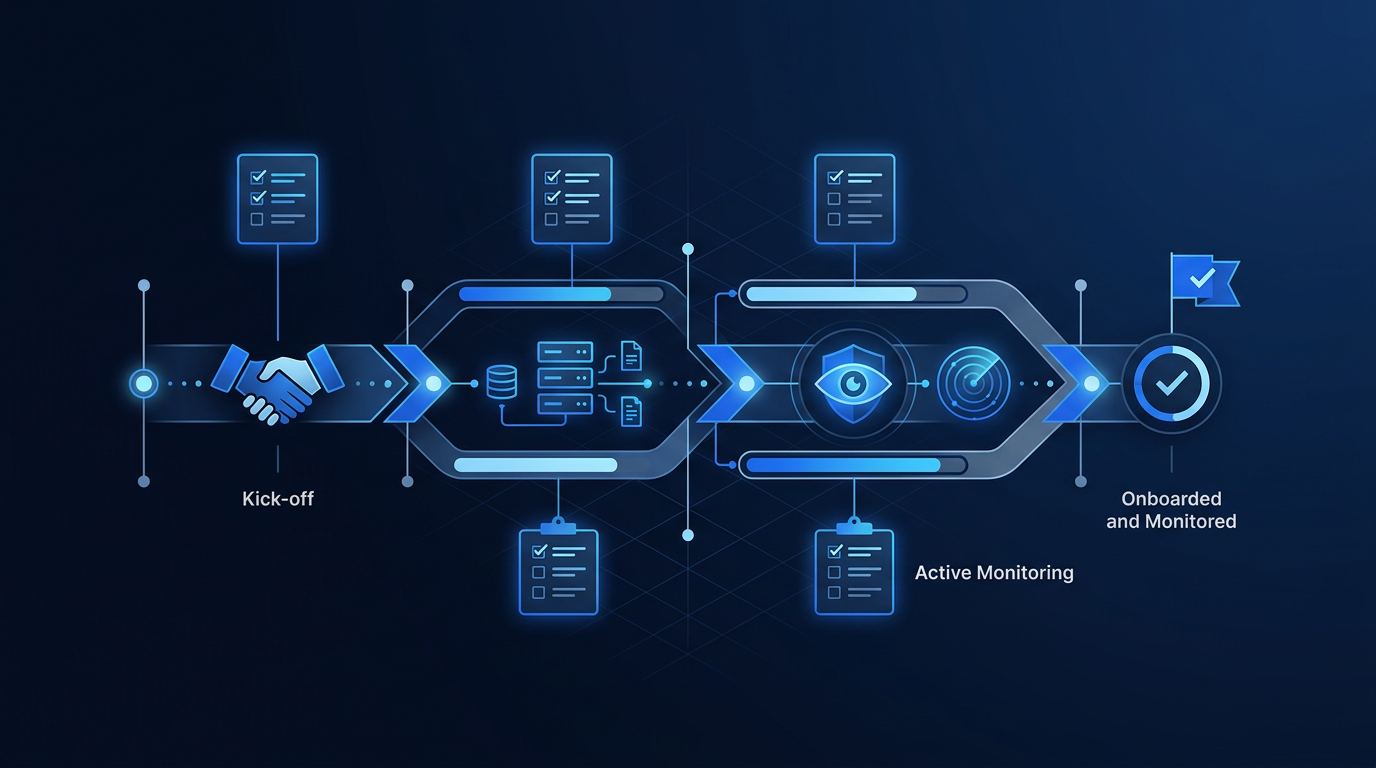
Pre-onboarding prep includes asset inventory, identity provider details, and admin access. Prepare MDM deployment channels for agents, firewall/API credentials for log sources, and email security hooks. Define escalation contacts and time windows for containment actions. Gather existing detection policies, exceptions, and compliance requirements.
Deployment steps start with agent rollout, then connect log sources. Prioritize endpoints, identity provider logs, and email telemetry. Connect Microsoft 365/Google Workspace, firewalls, and cloud platforms. Validate data flows and event volumes. Enable response actions in a controlled subset first, then expand once approvals and playbooks are tested.
Tuning and baselining occur over the first 30 days. Analysts will suppress noisy alerts and map use cases to your environment. Provide context on known admin tools, scheduled tasks, and remote management agents. Share change windows and maintenance schedules. The goal is to lift alert fidelity while closing detection gaps.
Runbooks and escalation paths should be explicit. Define who approves isolation, token revocations, and mail changes after-hours. Document communication channels, including a secure bridge for critical incidents. Establish severity definitions and expectations for updates. This avoids confusion during ransomware containment or account takeover events.
User training and executive reporting cadence improve adoption. Teach IT staff how to use the portal, review investigations, and request changes. Provide phishing reporting guidance to employees. Executives should receive monthly KPI rollups and quarterly risk reviews with prioritized actions. Clear reporting supports cyber insurance and board updates.
Set 30/60/90-day success metrics. Track MTTD/MTTR, alert volumes, false-positive rates, and coverage of endpoints and identities. Confirm playbook efficacy with tabletop exercises. By day 90, measure containment time improvements and patch cadence alignment to vulnerability insights. Plan a health check to prioritize the next quarter’s risk reduction.
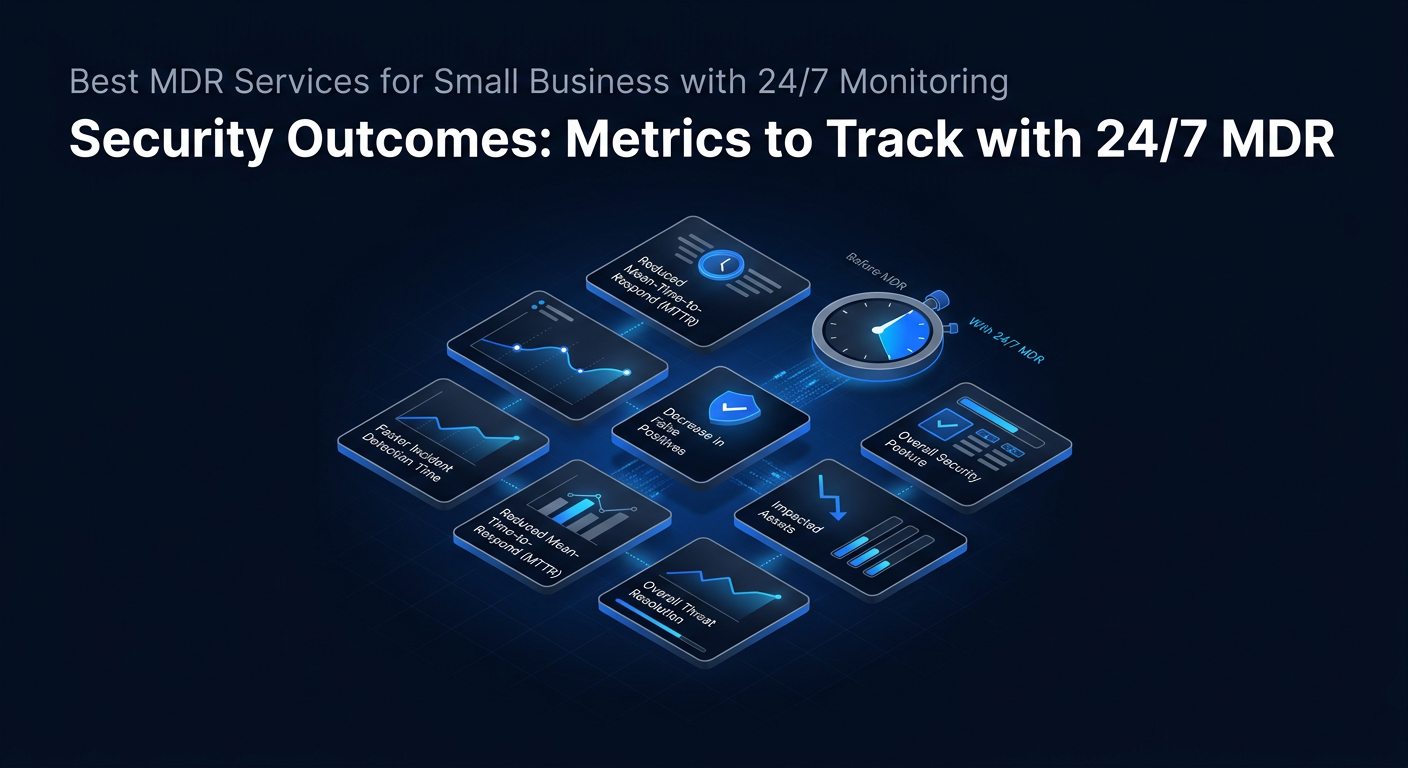
Security Outcomes: Metrics to Track with MDR
Monitor MTTD/MTTR trends and incident volume. As detections improve, incident counts may rise initially, then normalize as exposure shrinks. Shorter MTTD and MTTR indicate effective triage and containment. Track time to isolate compromised endpoints and revoke tokens after identity alerts. These directly affect breach impact.
False-positive rate and alert fidelity should improve within 60 days. Measure the percentage of alerts and reasons. Suppression hygiene should steadily reduce noise. Highlight recurring benign patterns for permanent tuning. Fewer false positives free your IT team to focus on remediation and strategic hardening.
Containment time and lateral movement prevention reflect MDR’s response quality. Record time from first malicious activity to containment. Note whether attackers gained additional privileges or moved across systems. Faster containment prevents ransomware staging, domain-wide encryption, or mailbox rule proliferation that increases recovery effort.
Vulnerability remediation SLAs and patch cadence should align with threat intel. Tie exposure management to active exploits and high-risk assets. Track median days to remediate critical vulnerabilities and outliers on internet-facing systems. Coordinate change windows with MDR insights to avoid leaving known gaps open for weeks.
Compliance posture must be visible. Use MDR reports to address audit findings with evidence: alert timelines, analyst notes, approvals, and response actions. Confirm access control and incident handling artifacts are exportable. This reduces the with auditors and accelerates cyber insurance renewals and questionnaires.
Cost avoidance is part of the business case. Estimate incident downtime avoided through faster containment, reduced scope of reimaging, and fewer compromised mailboxes. Cyber insurance rate stability or discounts may hinge on continuous monitoring. Over a year, these savings can exceed the MDR subscription, especially for small teams.
Common Pitfalls When Selecting an MDR for Small Business
Mistaking alerting for response is costly. Some services only notify you. Confirm containment, not just guidance. Ensure your contract authorizes after-hours actions within agreed boundaries to stop ransomware or account takeovers immediately without waiting for someone to wake up.
Overpaying for unused log sources or premium tiers drains budget. Map integrations to your actual stack. Start with endpoints, identity, and email, then add network and cloud logs that materially improve detection. Avoid top-tier bundles unless compliance requires the extra evidence or you have staff to action the insights.
Ignoring identity and email vectors leaves gaps. Most real breaches involve credential theft, MFA fatigue, OAuth abuses, and inbox rule manipulation. Choose MDR that watches sign-in anomalies, token misuse, and suspicious mailbox activity—and can respond by resetting sessions, revoking tokens, and cleaning rules quickly.
Underestimating onboarding effort stalls value. You still own asset inventory, MDM packaging, and change approvals. Assign a project owner, schedule standing touchpoints, and prepare user communications. Without these, agents linger uninstalled and integrations sit disconnected, delaying and leaving blind spots open.

Limited visibility into SOC processes erodes trust. Demand portal access to investigations, analyst notes, and evidence. Ask for sample hunt reports and playbooks. Understand shift handoffs and quality assurance. Without transparency, you cannot validate decisions, tune noise, or learn from incidents to improve long-term resilience.
Lack of an exit plan complicates offboarding. Ensure data portability for logs, cases, and artifacts. Define termination timelines, agent removal steps, and SIEM connector changes. Confirm how incident data will be retained or transferred for compliance. A clean exit plan reduces lock-in risk and supports future audits.
RFP Questions and Next Steps
Essential RFP questions should test coverage, SLAs, playbooks, evidence, and integrations. Ask for real-world MTTD/MTTR definitions, containment authority boundaries, and sample incident timelines. Confirm supported platforms across endpoints, identity, email, and cloud. Request sample executive reports and audit evidence packages for your industries.
Design a with success criteria. Include simulated ransomware staging, privileged escalation attempts, MFA fatigue, and BEC inbox rule creation. Evaluate detection, analyst communication speed, and containment accuracy. Require a red-team or simulation run to validate both detection and response playbooks.
Request references and case studies from similar-sized businesses. Look for details on onboarding duration, alert fidelity improvements, and incident outcomes. Prioritize references with remote/hybrid users and similar compliance scopes. Verify that support responsiveness and escalation paths held up during real incidents, not just in pilots.
Negotiate on bundles, term flexibility, and onboarding credits. If you bring existing EDR licenses, ask for BYO-EDR pricing. Push for ramp schedules that align with deployment phases. Secure price holds for additional seats and clarity on incident retainer terms. Seek quarterly business reviews and hunt packages included.
A decision framework should balance fit, outcomes, and cost. Score vendors on integration match, response authority, evidence/reporting, and transparency. Align rollout with a 30/60/90 plan and clearly assigned owners. Post-decision, schedule a tabletop exercise in the first 30 days to calibrate playbooks and escalation boundaries.
Conclusion
MDR gives SMBs a practical way to detect and contain threats across endpoints, identities, email, and cloud. Focus on true hands-on response, identity-aware detections, and clear playbooks. Your next step: shortlist two vendors aligned to your stack, run a two-week POC with defined success criteria, and compare MTTR and containment quality.
FAQ
What is MDR and how is it different from EDR or SIEM?
MDR is a managed service that combines 24/7 SOC analysts, threat hunting, and hands-on response. EDR and SIEM are tools that collect and analyze telemetry. With MDR, analysts investigate and contain threats, such as isolating hosts or revoking tokens, instead of only generating alerts or dashboards for your team to action later.
Do small businesses really need continuous monitoring?
Yes. Attackers operate across time zones, and many exploits complete in minutes. After-hours gaps allow ransomware staging or account takeover to spread. Always-on monitoring with authority to contain is the difference between reimaging one device and a week of downtime. It also supports cyber insurance and audit readiness.
How long does MDR onboarding typically take?
Most SMBs complete onboarding in two to four weeks. The timeline depends on agent deployment, identity and email integrations, and approval workflows for response actions. Early success requires asset inventory readiness, MDM packaging, and defined escalation contacts. A 30/60/90-day plan tunes detections and reduces false positives.
What should I measure to prove MDR value?
Track MTTD and MTTR trends, containment time, and false-positive rate. Monitor incident volumes by severity and reductions in dwell time. Tie vulnerability remediation SLAs to active threats. Use executive dashboards for audit artifacts and insurance renewals. Cost avoidance metrics include reduced downtime and smaller incident scopes.
How do MDR vendors handle identity and email threats?
Stronger MDR services monitor sign-ins, MFA fatigue patterns, OAuth token abuse, and risky conditional access changes. For email, they detect inbox rule manipulation, vendor impersonation, and suspicious forwarding. Response actions often include session resets, token revocations, mailbox hygiene, and user re-enrollment in MFA.
What are common hidden costs in MDR contracts?
Hidden costs often include premium incident retainers, after-hours response surcharges, cloud/SaaS add-on fees, and metered data ingestion. Some vendors charge for onboarding, additional log connectors, or advanced playbooks. Request an itemized price sheet, confirm what “response” includes, and lock terms for burst capacity and growth.
Sources
AtlasProfitAI publishes independent guides for small-business teams. Read how we choose topics and check our work in our research methodology and advertising disclosure.