Best Endpoint Security for Small Business and Remote Teams: 6 Options Compared (2026)
Compare 6 endpoint security options for small business and remote teams in 2026 — Microsoft Defender for Business, CrowdStrike Falcon, SentinelOne, Sophos, Huntress and ThreatDown — on published pricing, EDR scope and wh
Short answer: endpoint security is not really a question of which antivirus is best. Modern products from serious vendors all block common malware. The decision that changes the outcome for a small company is operational: does anyone actually watch the alerts, do you need recorded endpoint activity you can investigate, do you already own eligible Microsoft 365 licensing, are the laptops off your network most of the week, and is there a human who can isolate an infected machine at 2:00 AM. Answer those five questions first and the product shortlist narrows to two or three.
This guide compares six named platforms using each vendor’s own current documentation and published pricing pages, verified in September 2026. Where a vendor does not publish a price, this article says so instead of estimating. AtlasProfitAI did not run an independent malware laboratory test, and no detection-efficacy comparison appears below — that is stated plainly rather than implied.
Who this guide is for
It is written for the owner, operator or IT lead of a company with roughly 10–250 employees, running mostly Windows laptops with some macOS, with remote or hybrid staff whose devices spend much of the week outside any office network, and with no dedicated security team — often no dedicated security person at all. Purchasing authority sits with someone who has other jobs to do.
What this article does not cover: consumer antivirus, mobile device management as a discipline in its own right, network firewalls, email security gateways, backup platforms, cloud workload protection for production server fleets, or compliance certification programmes. It also does not cover Linux desktop estates in any depth. Those are separate decisions and pretending otherwise would make this list longer without making it more useful.
Three labels are used throughout so you always know what kind of statement you are reading. Documented vendor capability means the vendor states it in its own documentation or on its own pricing page, cited at the end. Atlas editorial judgement means it is our opinion, not a vendor claim and not a research finding. Illustrative scenario means the situation is written to demonstrate a method and is not a customer deployment.
How we compared these six platforms
The method is stated before any recommendation, because a recommendation without a method is just a preference. Every surviving platform was assessed against the same eleven criteria:
- Publicly documented price. A number printed on the vendor’s own page, with its billing basis. If the page does not print one, the entry reads “Not publicly documented” or “Contact sales”.
- Supported endpoint operating systems, as listed in first-party material.
- Antivirus and next-generation antivirus capability — is prevention part of the base licence.
- EDR capability — is endpoint detection and response included in the tier you would actually buy, or is it a higher tier.
- Managed monitoring or MDR availability — can you buy people, and at which tier.
- Isolation and containment — can an administrator or the vendor’s analysts cut a device off the network.
- Central administration — one console, policy management, reporting.
- Identity and security ecosystem fit — how well it sits beside what you already own.
- Deployment burden — agent rollout method and how much of it a non-specialist can do.
- Purchasing route — self-serve store, direct sales, or authorised partner.
- Main limitation — the honest reason this would be the wrong choice for someone.
Candidates were dropped rather than padded. A platform only appears below if current first-party documentation supports the statements made about it. Where a vendor’s pricing page renders its figures through a client-side widget that returns no readable price — which is the case for two of the six — this article records that fact as a purchasing consideration instead of filling the gap.

Antivirus vs NGAV vs EDR vs MDR
Most confused endpoint purchases come from buying a category the company cannot operate. Four words matter, and they describe different things you are buying.
Antivirus blocks known and common malware, largely by recognising things that have been seen before. It is table stakes and it is effectively free with a modern operating system.
NGAV, or next-generation antivirus, adds behavioural and cloud-assisted, model-based detection. Instead of only asking “have I seen this file before”, it asks “is this process doing something a legitimate process would not do” — a script encrypting documents in bulk, a browser spawning a command shell, credentials being read out of memory.
EDR — endpoint detection and response — records what happened on the device and keeps that history so a person can investigate afterwards, then gives that person the means to act: kill a process, quarantine a file, isolate the host from the network. EDR is not primarily a stronger blocker. It is evidence plus leverage.
MDR — managed detection and response — adds the people. A vendor or partner security operations centre watches the alerts around the clock, triages them, investigates the ones that matter and, depending on the contract, responds directly on your endpoints.
The central point, and it is an Atlas editorial judgement: buying EDR without someone accountable for its alerts creates an expensive dashboard nobody watches. EDR generates work. If a 40-person company with no security staff licenses a powerful detection platform and nobody has the time or training to triage what it produces, the money bought a record of the incident rather than a response to it. For companies in that position, MDR at a lower prevention tier is usually a better purchase than unmanaged EDR at a higher one.
Decision matrix: six endpoint options compared
All prices are the vendor’s own published figures, read in September 2026, with the billing basis the vendor states. Blank or vague entries are recorded as “Not publicly documented” rather than filled in.
| Product | Published price | Windows / macOS | EDR | Managed monitoring (MDR) | Host isolation | Best fit | Main limitation |
|---|---|---|---|---|---|---|---|
| Microsoft Defender for Business | $3.00 per user/month, paid yearly; included in Microsoft 365 Business Premium at $22.00 per user/month, paid yearly; servers add-on $3.00 per server instance/month | Windows, macOS, iOS, Android | Included, described by Microsoft as EDR “optimized” for smaller businesses | Defender Experts for XDR exists; price and eligibility contact sales only | Yes — isolate and contain device are documented response actions | Companies already on Microsoft 365 Business Premium with someone willing to own the console | Capped at 300 users; you inherit Microsoft’s alerts without Microsoft’s analysts unless you buy the managed service |
| CrowdStrike Falcon | Falcon Go $7.99 per device/month or $59.99 per device/year; Falcon Pro $14.99 or $99.99; Falcon Enterprise $19.99 or $184.99; Falcon Complete contact sales | Windows, macOS, Linux | Yes from Falcon Pro upward; Falcon Go is positioned as the next-generation antivirus tier | Yes — Falcon Complete is the vendor’s managed detection and response offering, price not published | Yes — documented containment on the platform | Small teams that want a self-serve purchase with a clear upgrade path | Falcon Go purchases are limited to a maximum of 100 devices, and the managed tier is the one without a public price |
| SentinelOne Singularity | Singularity Complete $179.99 per endpoint annually; Singularity Commercial $229.99 per endpoint annually; Singularity Enterprise call for pricing. Prices displayed for 5–100 workstations | Not specified on the pricing page read; treat as a question for the partner | Yes — extended detection and response listed across the Complete, Commercial and Enterprise columns | Add-on at Complete, included at Commercial and Enterprise; MDR add-on price not publicly documented | Yes — response and containment are core platform functions | Companies that want autonomous prevention with a defined managed upgrade inside one platform | All purchases run through an authorised third-party partner, and SentinelOne states listed prices are not final pricing |
| Sophos Intercept X and Sophos MDR | Not publicly documented — quote only. Sophos states “simple per-user pricing with no hidden extras” on its request-pricing page | Not specified on the pages read; confirm in the quote | Yes — Intercept X is sold in tiers up to Advanced with XDR | Yes — Sophos MDR is a distinct 24/7 managed service line | Documented as part of the managed response service; the precise permission model was not readable on the public page | Companies that would rather buy endpoint protection and the security operations centre from the same vendor | No published price at any tier, so every comparison starts with a sales conversation |
| Huntress Managed EDR | Not publicly documented — quote only. Huntress states pricing is based on the number of endpoints, identities, learners and data sources | Windows and macOS agent, per Huntress documentation | Yes, and it is sold as managed rather than self-operated | Yes — fully managed, backed by a 24/7 human-led security operations centre | Yes — Huntress describes its service as finding, isolating and stopping threats | Companies with no security staff that want the people included by default rather than as an upgrade | No published price, no stated seat minimum, and the model assumes you want the vendor operating it, not you |
| Malwarebytes ThreatDown | Not publicly documented — the Core, Advanced, Elite and Ultimate tiers are listed, but figures render through a client-side checkout widget and returned no readable price | Not specified per tier on the page read; confirm before signing | Yes at Advanced, described with built-in ransomware rollback | Yes — Elite is the managed tier, Ultimate is the broader managed scope including identity | Documented as part of the detection and response tiers | Companies that want a clearly laddered path from prevention to managed response | Prices, seat minimums and per-tier operating-system support are all absent from the public page |
The six platforms in detail
Microsoft Defender for Business
What it actually is: Microsoft’s endpoint protection product built specifically for smaller organisations, combining next-generation antivirus with a version of Defender for Endpoint’s detection and response that Microsoft describes as optimised for businesses up to 300 users.
Who should consider it: almost any company already paying for Microsoft 365 Business Premium, because it is already in the bundle. Also companies on cheaper Microsoft 365 plans who want endpoint protection that shares an identity and management fabric with everything else they own.
Verified pricing: Microsoft lists Defender for Business at $3.00 per user per month, paid yearly on an auto-renewing annual subscription. Microsoft 365 Business Premium, which includes it, is listed at $22.00 per user per month paid yearly, with a no-Teams variant at $18.79. Server coverage is a separate licence: Microsoft’s own documentation states the Defender for Business servers licence is priced at $3 per server instance.
EDR included or separate: included. Microsoft’s comparison marks endpoint detection and response as present in Defender for Business. Response actions including isolate device and contain device are documented, though the full manual response set differs between Defender for Endpoint plans, which is worth reading before assuming a specific action is available to you.
Managed response: available as a separate service, Microsoft Defender Experts for XDR, described as fully managed detection and response natively integrated in Microsoft Defender. Its price is not published; the page routes to a sales contact.
Deployment and administration: Microsoft documents onboarding paths for Windows 10 and 11, Mac, mobile and servers. Windows devices already joined to your tenant are the easiest case. Administration lives in the Microsoft Defender portal alongside the rest of your tenant security.
Buying route: direct from Microsoft, or through a Microsoft partner, on the same tenant billing you already use.
Where it disappoints: the 300-user ceiling makes it a product you may outgrow, and buying it changes nothing about the real gap in most small companies — nobody is looking at the portal. Licensing detail across Business Premium, Defender for Business, the servers add-on and the Defender for Endpoint plans is also genuinely hard to reason about without reading Microsoft’s documentation carefully.
CrowdStrike Falcon
What it actually is: a cloud-delivered endpoint platform with a single lightweight agent and tiers that add capability rather than swapping products. CrowdStrike states the platform supports Windows, macOS and Linux.
Who should consider it: a small company that wants to buy without a sales cycle, and a growing company that wants headroom. It is also a common request from cyber-insurance and enterprise-customer security reviews, which is a real-world purchasing factor even though it is not a technical one.
Verified pricing: CrowdStrike publishes per-device figures. Falcon Go is $7.99 per device billed monthly or $59.99 per device billed annually. Falcon Pro is $14.99 or $99.99. Falcon Enterprise is $19.99 or $184.99. Falcon Complete is contact sales. CrowdStrike also states that purchases of Falcon Go are limited to a maximum of 100 devices.
EDR included or separate: Falcon Go is positioned as the next-generation antivirus tier; detection and response capability belongs to Falcon Pro and above. If EDR is the reason you are buying, Go is not the tier.
Managed response: yes. CrowdStrike describes Falcon Complete as expert-led, 24/7 managed detection and response. Its price is not published, which means the tier most useful to a company without security staff is the one you cannot budget for from the website.
Deployment and administration: single agent, cloud console, monthly or annual billing on the self-serve tiers. CrowdStrike also operates a marketplace for platform integrations.
Buying route: self-serve online purchase for Go, Pro and Enterprise; sales contact for Complete.
Where it disappoints: the 100-device cap on the cheapest tier catches growing companies mid-year, and the price gap between unmanaged Enterprise and unpublished Complete is exactly where a small company has to make its hardest decision with the least information.
SentinelOne Singularity
What it actually is: an endpoint and extended detection platform built around autonomous, on-agent prevention and response, sold in packages that layer managed services on top.
Who should consider it: companies that want strong on-device autonomy — useful when laptops are frequently offline or off-network — and that are comfortable buying through a partner.
Verified pricing: SentinelOne publishes Singularity Complete at $179.99 per endpoint annually and Singularity Commercial at $229.99 per endpoint annually, with Singularity Enterprise listed as call for pricing. The page’s own fine print states pricing is displayed for 5–100 workstations, that all purchases are made through an authorised third-party partner, and that the displayed prices therefore do not reflect final pricing. Treat the published numbers as a reference point, not a quote.
EDR included or separate: extended detection and response is listed across the Complete, Commercial and Enterprise columns, so it is part of the package rather than a bolt-on.
Managed response: managed detection and response is listed as an add-on at Complete and as included at Commercial and Enterprise. The add-on price is not publicly documented.
Deployment and administration: agent-based with a central console. The per-tier operating-system support list was not readable on the pricing page reviewed, so confirm your exact macOS and Windows versions with the partner rather than assuming.
Buying route: authorised third-party partner, per SentinelOne’s own statement.
Where it disappoints: published prices that the vendor itself says are not final make budgeting awkward, and the 5–100 workstation basis means a 200-person company is in different pricing territory than the page suggests.
Sophos Intercept X and Sophos MDR
What it actually is: an endpoint protection line sold in tiers up to Advanced with XDR, plus Sophos MDR, a separate 24/7 managed detection and response service that Sophos markets around its own security operations centre.
Who should consider it: companies that would rather have one vendor supply both the software and the humans, and companies already working with a Sophos partner or managed service provider.
Verified pricing: not publicly documented. Sophos’s endpoint pricing page is a quote request that states you get “a no-obligation quote, customized to your needs” with “simple per-user pricing with no hidden extras”, and the MDR page routes to Get Pricing or Contact Us. The billing basis — per user — is documented. The number is not.
EDR included or separate: detection and response capability sits in the higher Intercept X tiers rather than the base tier, so the tier name on the quote matters more than the product name.
Managed response: yes, as a distinct 24/7 service line. The precise response mandate — specifically who is authorised to isolate one of your hosts and under what circumstances — was not readable on the public page, which makes it a contract question rather than a documented capability.
Deployment and administration: agent-based with a central cloud console, typically implemented with partner assistance.
Buying route: quote-driven, via the how-to-buy flow or a partner.
Where it disappoints: nothing about the commercial package can be compared before you talk to someone. For a 20-person company trying to compare three options in an afternoon, that is a real cost.
Huntress Managed EDR
What it actually is: a managed service first and a product second. Huntress describes combining managed detection and response with a 24/7 human-led security operations centre to find, isolate and stop threats, delivered through a lightweight agent for Windows and macOS.
Who should consider it: the company this whole article is about — 10 to 250 staff, no security team, remote laptops, nobody who will read a detection console. If your honest answer to “who watches the alerts” is “nobody”, a managed-by-default product is the category to shortlist.
Verified pricing: not publicly documented. Huntress states that pricing is based on your number of endpoints, identities, learners and data sources, and that all offerings are fully managed and backed by its 24/7 security operations centre with per-unit pricing. There is no dollar figure on the public pages and no stated numeric seat minimum, though the pricing page references minimum commitment terms.
EDR included or separate: included, and managed rather than handed to you.
Managed response: this is the core of the offer rather than an upgrade tier.
Deployment and administration: Huntress describes its agent as lightweight and user-friendly, designed for easy deployment on Windows and macOS. Because the vendor operates the detection workflow, the ongoing administrative burden on your side is smaller than with a self-operated platform — which is the point.
Buying route: direct request for pricing or a demo with Huntress.
Where it disappoints: you cannot budget from the website, and if you do have security staff who want deep, hands-on control of the platform, a managed-first model can feel like a smaller instrument than they want.
Malwarebytes ThreatDown
What it actually is: Malwarebytes’ business endpoint line, sold as four laddered bundles — Core, Advanced, Elite and Ultimate — that move from prevention through detection and response to fully managed service.
Who should consider it: companies that want an obvious, legible upgrade path and a lower-friction alternative to enterprise-oriented platforms, particularly those already familiar with Malwarebytes.
Verified pricing: not publicly documented in any readable form. The ThreatDown pricing page lists the four tiers and their feature sets, but the numbers are rendered by a client-side checkout component and no price string was present in the page itself. Seat minimums are likewise absent. This article does not estimate them.
What each tier includes, in the vendor’s own words: Core is next-generation antivirus, described as AI-powered protection that stops threats before they get in. Advanced adds EDR, described as advanced detection and recovery with built-in ransomware rollback. Elite is MDR, described as 24/7 human-led threat monitoring and response. Ultimate is MDR Plus, described as comprehensive fully managed protection across devices and identities.
EDR included or separate: separate — it starts at Advanced. Core is prevention only.
Deployment and administration: agent plus cloud console. Per-tier operating-system support was not specified on the public page reviewed, so confirm your macOS and any server requirements explicitly.
Buying route: through the ThreatDown site, with the price surfaced only in the checkout flow.
Where it disappoints: a pricing page you cannot read is a pricing page you cannot compare, and the missing operating-system detail per tier is a genuine gap for a mixed Windows and macOS fleet.
When Microsoft Defender for Business is enough
If your company already pays for Microsoft 365 Business Premium, you already own Defender for Business. That changes the arithmetic of every other option on this page, because the alternative is not “spend nothing versus spend something” — it is “spend more on top of something you have already bought”.
Microsoft-native protection is plausibly sufficient when your fleet is predominantly Windows with some macOS and mobile, your headcount is comfortably under the documented 300-user limit, your devices are managed in your Microsoft tenant, and — the decisive condition — a specific named person has both the time and the mandate to check the Defender portal on a schedule, act on what it shows and escalate what they cannot resolve. Under those conditions you get prevention, endpoint detection and response, documented response actions including device isolation and containment, and a single administrative surface next to your identity and email controls, for $3.00 per user per month or nothing extra at all.
Microsoft-native protection alone does not solve the problem when nobody owns the console. This is the failure this guide most wants you to avoid. Licensing endpoint detection does not create a responder. If your alerts arrive at a shared mailbox that people check on Tuesdays, or the only person who understands the portal is also the person running payroll and answering the phones, then the operational gap is monitoring and response, and the correct purchase is people — either Microsoft’s own managed service, a managed service provider, or a managed-first vendor — not a bigger software licence. The same is true if your business genuinely needs coverage outside working hours: the software runs at 2:00 AM, but the decision to isolate a laptop does not make itself.
Keep the licensing claims tied to Microsoft’s own documentation when you plan this. The 300-user limit, the separate per-server-instance licence, and the differences in available manual response actions between Defender for Endpoint plans are all documented, and all three regularly surprise people mid-rollout.
Three illustrative small-business scenarios
ILLUSTRATIVE SCENARIOS — not Atlas customer deployments. The three situations below are written to demonstrate how the criteria above resolve into a shortlist. They are not case studies, they do not describe real companies, and no outcome, saving or incident result is claimed for any of them.
Scenario A — 15-person professional services firm, mostly Windows laptops, Microsoft 365, no security employee
- Endpoint risk: credential phishing leading to mailbox and document access, plus ransomware arriving through a staff laptop that is also the only copy of some client work.
- Operational constraint: no security staff at all. The office manager is the closest thing to an administrator and has other responsibilities.
- Appropriate protection layer: next-generation antivirus plus managed monitoring. Unmanaged EDR would generate work nobody can absorb.
- Shortlist logic: if Business Premium is already in place, start with Defender for Business because it is already paid for, then add managed monitoring — either Microsoft’s own managed service or a managed-first vendor such as Huntress. If Business Premium is not in place, compare the cost of upgrading to it against Falcon Go’s per-device price, remembering Go’s 100-device maximum is not a constraint at this size.
- Who owns alerts: the managed provider, contractually. Internally, one named person owns the relationship and receives escalations.
- Requires human response: confirming whether a flagged login was really the employee, deciding to isolate a laptop, and resetting credentials.
- Likely deployment approach: agent pushed to all 15 devices in one week, with two pilot machines first.
Scenario B — 60-person hybrid company, mixed Windows and macOS, outsourced IT provider
- Endpoint risk: unmanaged variation across a mixed fleet, and devices that are off the corporate network for weeks at a time.
- Operational constraint: the managed service provider is the de facto security team, so tooling has to fit what that provider can actually operate.
- Appropriate protection layer: EDR with the provider as the operator, or vendor MDR if the provider’s coverage does not extend beyond business hours.
- Shortlist logic: ask the provider which of these platforms it already runs a practice on — that is a stronger signal at this size than any feature list. Sophos and Huntress are both commonly delivered through providers; CrowdStrike Falcon Pro or Enterprise suits a provider that prefers to operate the console itself. Confirm macOS support explicitly, because two of the six do not document it clearly on their public pages.
- Who owns alerts: named in the provider contract, with defined hours. If the contract does not say, it is not covered.
- Requires human response: after-hours isolation authority and the decision to pull a remote device off the network without being able to walk over to it.
- Likely deployment approach: phased by department, macOS group piloted separately from Windows.
Scenario C — 200-person business, internal IT manager, no 24/7 operations centre
- Endpoint risk: a larger attack surface, servers in scope, and enough headcount that someone will click something most months.
- Operational constraint: real internal capability during business hours, none overnight or at weekends. Also close to or beyond the documented 300-user Microsoft ceiling on a growth path.
- Appropriate protection layer: full EDR operated internally, with MDR covering the hours the internal team cannot.
- Shortlist logic: compare CrowdStrike Falcon Enterprise and SentinelOne Singularity Complete as self-operated platforms with a documented managed upgrade, and price the managed layer as a separate line item, remembering that neither vendor publishes that managed price. Include server licensing in the comparison from the start rather than discovering it later.
- Who owns alerts: the IT manager during business hours, an MDR provider outside them, with a written handover in both directions.
- Requires human response: containment decisions on production-adjacent machines and communication with company leadership during an incident.
- Likely deployment approach: a pilot group of 15 to 25 representative devices, then staged rollout by site or department over several weeks.
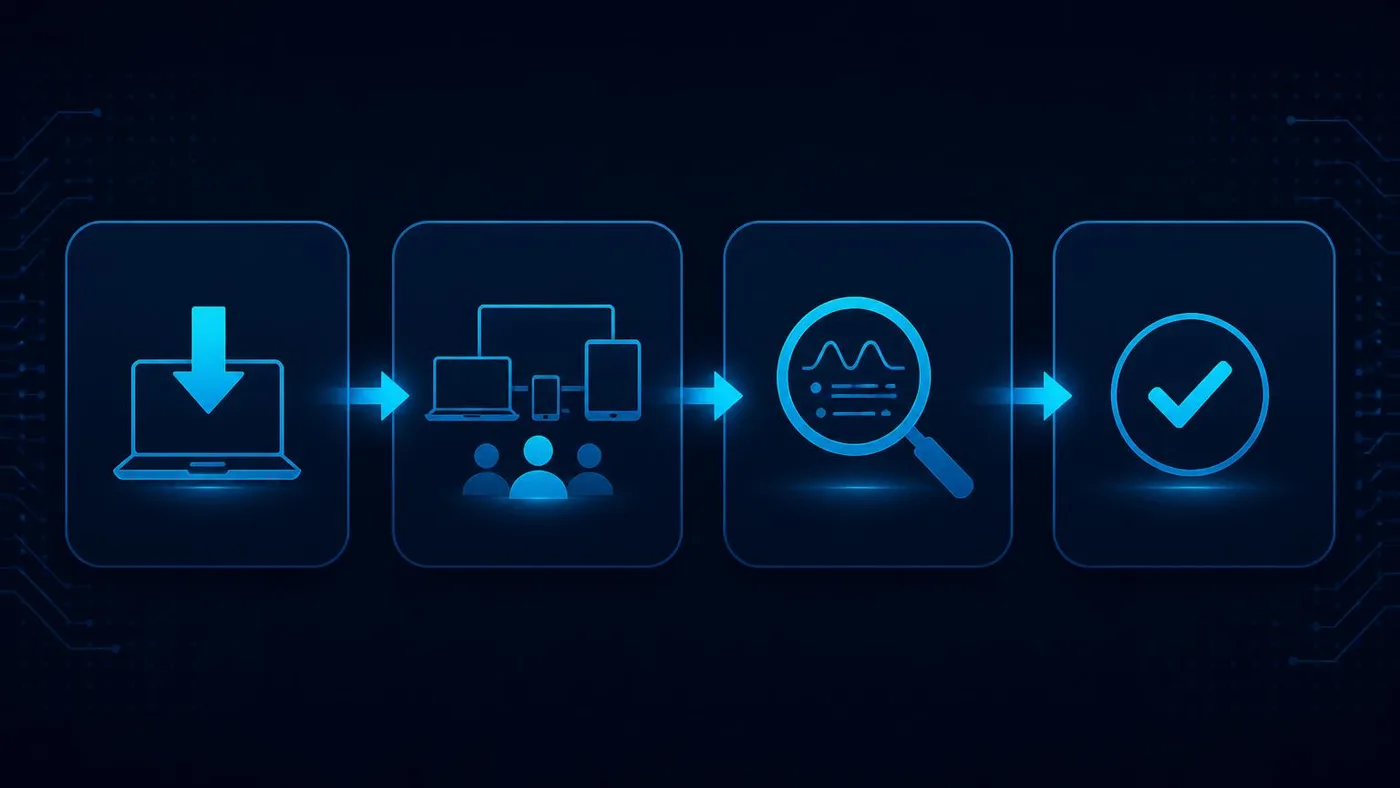
The Atlas 14-Day Endpoint Security Pilot
This is an Atlas editorial framework, not an independently validated standard and not a vendor methodology. It exists because the most common endpoint mistake is not choosing the wrong product — it is deploying the right product across every device in one afternoon and discovering the consequences from angry colleagues. Nothing in this plan asks you to create or handle real malware; use only your vendor’s documented, supported validation mechanisms.
- Days 1–2 — inventory. Count endpoints honestly: laptops, desktops, servers, personal devices that touch company data, and the machines nobody has thought about in a year. Write down what protection each one already runs. Half of small-business endpoint projects change shape at this step.
- Days 3–4 — choose pilot devices. Pick a representative set, not a convenient one: at least one macOS device if you have any, one heavily loaded machine, one that is usually remote, and one belonging to a person who will tell you immediately if something breaks.
- Days 5–6 — deploy policy to a controlled group. Default vendor policy first. Resist tuning before you have seen normal behaviour.
- Day 7 — verify visibility and permissions. Confirm every pilot device appears in the console, that alerts reach a real human inbox, and that you know exactly who is permitted to isolate a host. Test that permission before you need it.
- Days 8–10 — exercise the operational workflow. Use vendor-supported test and validation mechanisms documented by the vendor to confirm an alert travels the full path: detection, notification, triage, decision, action, record.
- Days 11–12 — test the failure paths. Power off a device for two days and check what the console reports. Take a device fully off the corporate network. Look for conflicts with any previously installed security agent. Confirm who escalates when the person on duty does not respond.
- Day 13 — review the real burden. Count actual licences needed including servers, the administrative time the pilot consumed, and the number of alerts a fortnight produced.
- Day 14 — decide: deploy, revise or abandon. Abandon is a legitimate outcome. So is “the software works and we still have no one to run it” — which is a finding about MDR, not a reason to deploy anyway.
What to verify before signing
Ask for each of these in writing. Vague answers here become the gaps you discover during an incident.
- The exact licence and tier name on the quote, not the product family name.
- Windows and macOS version support for the versions you actually run.
- Server coverage, if you have servers, and whether it is a separate licence.
- Whether EDR is included in that tier or is an add-on.
- MDR hours and scope: monitoring only, or investigation and response.
- Who is authorised to isolate a host — you, your provider, or the vendor’s analysts.
- Telemetry retention period, in days, and what it costs to extend.
- Alert ownership: the named role that receives alerts and the response expectation.
- After-hours escalation: the path, the timeframe, and what happens if nobody answers.
- Minimum seat count and what happens if headcount falls.
- Contract term, renewal terms and mid-term change rules.
- Deployment method for remote devices that never touch your office network.
- Uninstall protection and tamper protection, including whether a local administrator can remove the agent.
- Managed service provider support, if a provider will operate it for you.
- Reporting and data export, for insurance questionnaires and customer security reviews.
- Data residency and processing location, where that matters to your contracts or regulator.

What happens at 2:00 AM?
This is the section that should drive the purchase. A detection is not a response, and the gap between them is made of people. Walk the chain:
- The software detects something. Every product here does this part competently. It happens in milliseconds and requires nobody.
- An alert is generated. Also automatic. It lands in a console, and possibly an email or a chat channel.
- Somebody sees it. Here the automation stops. At 2:00 AM on a Saturday, in a company with no security staff, the honest answer is usually “on Monday”.
- Somebody investigates. Is this a genuine compromise or a developer running an unusual tool? This needs skill and access to the endpoint history — which is what EDR provides and what nobody without training will read.
- Somebody isolates the endpoint. A decision with a business cost: you are cutting off a colleague’s laptop. It requires both technical permission and the authority to accept that cost.
- Somebody tells the business. Leadership needs to know, and if customer data is implicated there may be obligations with clocks attached.
Steps one and two come with the licence. Steps three through six come with people. That is why, for a small company with no security staff, MDR is frequently worth more than a stronger endpoint licence: the stronger licence improves steps one and two, which were never the constraint. This is an Atlas editorial judgement, not a vendor claim — but it is the judgement that reliably survives contact with a real incident.
Endpoint tooling is also only one layer. Two decisions sit either side of it and deserve their own attention: how you control identity and single sign-on, because most incidents start with credentials rather than malware, and how you train the people using the endpoints, because a phishing email that nobody clicks generates no alert to triage.
Limitations of this comparison
- AtlasProfitAI did not conduct independent malware laboratory testing. No detection or prevention efficacy claim appears in this article, and none should be inferred from the order in which products are listed.
- Vendor efficacy percentages are not compared because independently comparable evidence across all six platforms, on a like-for-like basis, was not available to us. Quoting each vendor’s own figures side by side would look like a comparison without being one.
- Prices and packaging change. Every figure here was read from the vendor’s own page in September 2026. Two of the six publish no price at all, and one states its published prices are not final. Verify before you budget.
- MDR service scope differs substantially between vendors. Two services described with the same three letters can differ on hours, whether analysts may act on your endpoints, escalation commitments and what counts as an incident. Read the service description, not the acronym.
- Operating-system support was not documented per tier on some vendors’ public pages. Where that is the case this article says so rather than assuming parity.
- Security software cannot replace the basics. Patching, identity and access controls, multi-factor authentication, tested backups and clear employee processes do more for most small companies than upgrading an endpoint tier. CISA’s Cyber Essentials and the NIST Cybersecurity Framework 2.0 Small Business Quick-Start Guide are both free and both make this point more authoritatively than we can.
- The three scenarios are illustrative, written to show how the criteria resolve. They are not customer cases and no results are claimed.
Sources
- Microsoft — Microsoft Defender for Business product and pricing page
- Microsoft — security pricing for small and medium business
- Microsoft Learn — What is Microsoft Defender for Business (300-user scope, EDR inclusion)
- Microsoft Learn — Defender for Business frequently asked questions (servers licence pricing)
- Microsoft Learn — Onboard devices to Microsoft Defender for Business
- Microsoft Learn — Take response actions on a device, including isolate and contain
- Microsoft — Defender Experts for XDR managed service
- CrowdStrike — Falcon pricing (Go, Pro, Enterprise, Complete)
- CrowdStrike Marketplace — platform integrations
- SentinelOne — Singularity platform packages and pricing
- SentinelOne — Singularity Complete
- Sophos — how to buy Sophos Endpoint
- Sophos — Sophos Endpoint pricing request (per-user basis)
- Sophos — Sophos MDR
- Huntress — pricing
- Huntress — Managed EDR pricing basis
- Huntress — Managed EDR platform (24/7 SOC, isolation, Windows and macOS agent)
- ThreatDown — pricing and tier definitions (Core, Advanced, Elite, Ultimate)
- Malwarebytes — business pricing
- CISA — Cyber Essentials for leaders of small businesses
- NIST — Cybersecurity Framework 2.0 Small Business Quick-Start Guide
AtlasProfitAI publishes independent guides for small-business teams. Read how we choose topics and check our work in our research methodology and advertising disclosure.