How to Automate Client Onboarding for Service Businesses (Step-by-Step)
Learn how to automate client onboarding for service businesses with a step-by-step framework. Map stages, standardize assets, integrate tools, and use triggers to start projects fast.
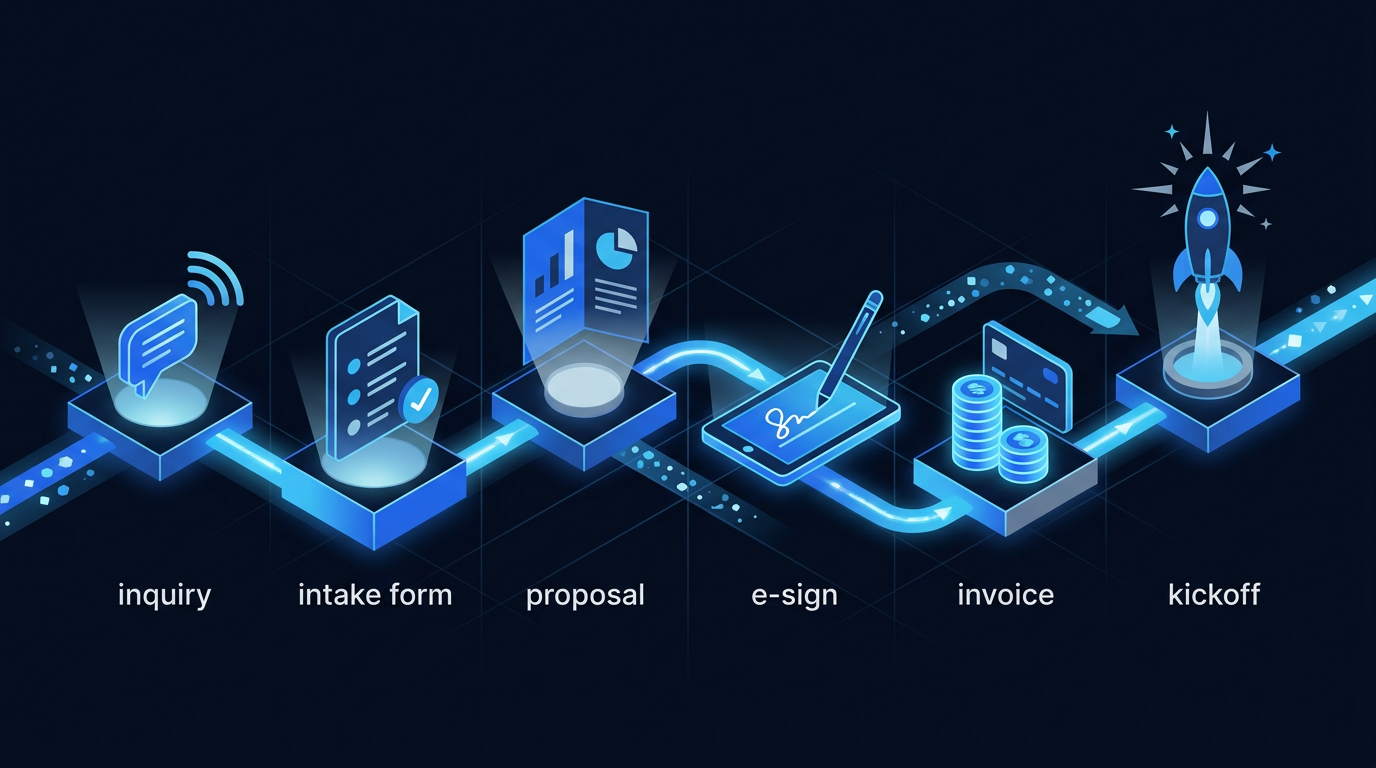
How to Automate Client Onboarding for Service Businesses (Step-by-Step)
Automating client onboarding for service businesses compresses , eliminates avoidable rework, and delivers a consistent first impression. If you’ve wondered how to automate client onboarding for service businesses without losing the human touch, this guide gives you a pragmatic blueprint. You’ll map your workflow, pick tools with the right integrations, and build automations that scale reliably and compliantly across clients and service tiers.
Key takeaways
- Map your exact onboarding stages, data fields, and approval gates before buying tools.
- Standardize assets first: forms, proposals, contracts, invoices, messages, and checklists.
- Use event-based triggers plus conditional logic to branch by service tier or compliance needs.
- Integrate CRM, e-sign, billing, scheduling, and project setup so signature triggers kickoff.
- Measure and weekly; fix stuck stages with alerts and SLAs.
What Is Client Onboarding and Why Automate It?
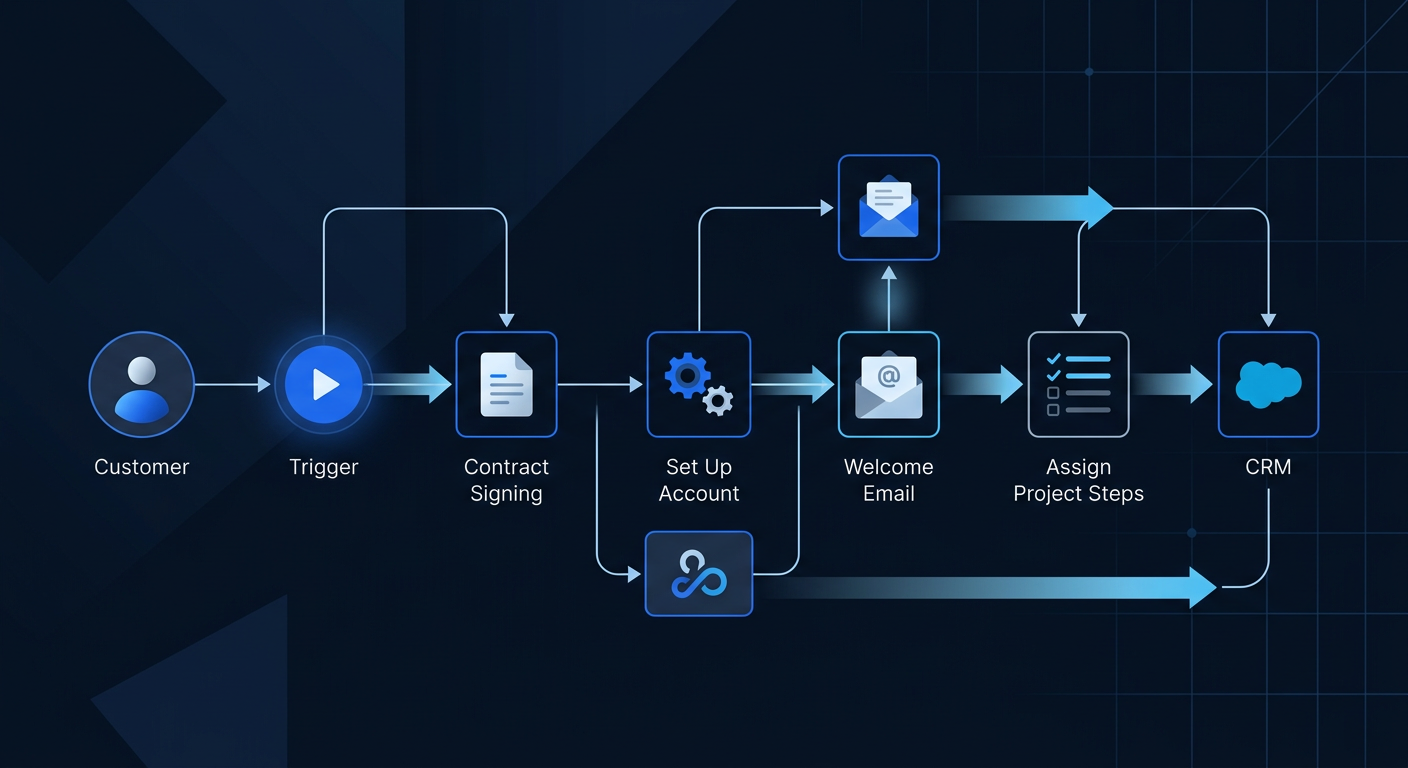
Client onboarding is the structured process of moving a new buyer from signed agreement to first value delivered. In service businesses, it spans intake, qualification, proposal, contract, payment, kickoff, and delivery setup. Each touchpoint captures data, aligns expectations, and prepares your team. Consistency here drives downstream retention and referrals because early wins anchor trust and momentum.
Manual onboarding introduces friction through email ping-pong, duplicate data entry, and unclear ownership. Files get lost in threads, signatures stall, and invoices go out late. Every handoff adds latency and risk. Small misalignments compound into scope confusion and rework. Clients notice delays and uneven communication, which elevates churn risk before delivery even begins.
Automation addresses speed and accuracy. Templates, triggers, and integrations move clients through steps without babysitting. Proposals generate from scoped inputs, contracts route for e-sign, invoices fire on signature, and projects auto-create tasks. Clients get timely updates and a clear path. Your team works exceptions, not the happy path, improving margins and morale.
The gains show up in measurable KPIs. Reduce (TTTV) by collapsing lags between signature and kickoff. Lower churn risk with clear milestones and early wins. Improve CSAT via predictable communication and self-serve status. Increase LTV by freeing capacity for upsells and expansions. Track completion rates per stage to surface leaks and fix them quickly.
Best CRMs Service Businesses → crm comparison service providers
| Criterion | Details |
|---|
Map Your Current Onboarding Workflow (Before You Automate)

Start with a crisp, map before configuring tools. List each step: intake, qualification, proposal, agreement, payment, kickoff, and delivery setup. Add sub-steps such as permissions, asset collection, and compliance checks. Keep it literal, not aspirational. Use actual client examples to verify paths and edge cases across offers.
Identify stakeholders, handoffs, and tools used at each stage. Note who owns decisions, where approvals sit, and which channels are used. Many delays live between roles, not within them. Capture service tier differences. A premium retainer might need a strategy call and security vetting; a one-off package might skip several gates entirely.
Document the exact data collected and its destination. Write each field name, type, and master system of record. Examples: company name, legal entity, billing contact, project scope, assets required, preferred meeting times, and compliance attestations. Note which fields feed CRM, billing, project management, helpdesk, or a client portal.
Spot bottlenecks and repeatable tasks. Look for duplicate entry, PDF attachments, manual reminders, and status checks. Highlight approval gates with unclear SLAs. Identify files and assets that often arrive incomplete. Any repeatable, rules-based task with structured data is a strong automation candidate. Flag exceptions that must remain human-reviewed.
Define success criteria and SLA targets per stage. Example: proposal out within 24 hours of qualification, contract signed within five business days, invoice paid within three days, kickoff scheduled within seven days of signature. Tie SLAs to alerts. If a step misses SLA, route to an owner and notify the client with a clear path to resolution.
Choose the Right Tech Stack and Integrations
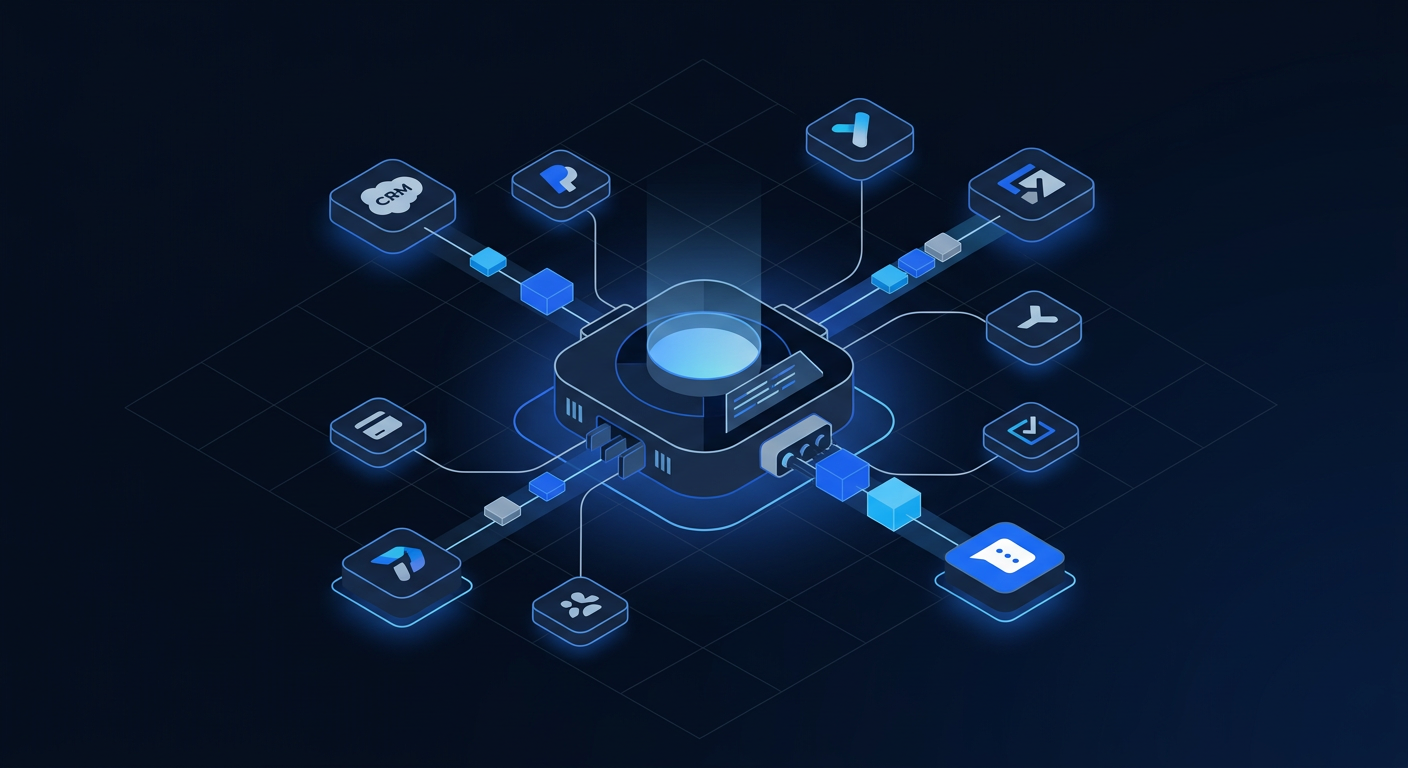
Anchor your automation stack around a CRM for records and a project tool for delivery. Core tools include CRM (HubSpot, Pipedrive, Zoho CRM), proposal/e-sign (PandaDoc, DocuSign, HelloSign by Dropbox), invoicing and payments (Stripe, QuickBooks Online), project management (ClickUp, Asana), scheduling (Calendly), intake forms (Typeform, Jotform), and helpdesk (Zendesk, Help Scout).
Integration strategies vary. Prefer native integrations for stability and fewer moving parts. Use iPaaS like Zapier, Make, or Pabbly when you need cross-app logic, branching, or quick iteration. Reserve custom APIs for proprietary data models or scale needs beyond iPaaS limits. Consider webhook triggers for real-time handoffs across stages.
Plan your data model early. Entities usually include lead, contact, company, deal, project, invoice, subscription, and task. Define relationships and IDs. Decide which system is the source of truth per entity. For example, CRM owns contacts and deals, billing owns invoices and payments, and PM owns projects and tasks. Map fields to avoid drift.
Security and compliance matter in onboarding. Protect PII with role-based access, audit logs, and secure data transfer. If you process payments, keep card entry in PCI-compliant environments like Stripe. In regulated services such as healthcare or financial advisory, ensure tools offer HIPAA or SOC 2 options and sign BAAs or DPAs where required.
Choose tools on ease of use, scalability, cost, ecosystem, and reporting. Ease dictates adoption and speed. Scalability ensures nothing breaks as volume grows. Ecosystem breadth lowers integration debt. Reporting must answer speed, completion, and conversion questions. Favor vendors with robust APIs, webhooks, error logs, and sandbox/test modes.
Example Zapier workflow onboarding
| Option | Best for | What you get | Starting price |
|---|---|---|---|
| Entry tier | Trying it out | Core service, standard support | Lowest |
| Mid tier | Most readers | Full service, faster response times | Balanced |
| Premium tier | Heavy or complex use | Everything included, priority support | Highest |
| Criterion | Details |
|---|
Zapier vs Make Client Onboarding → zapier vs make comparison
| Criterion | Details |
|---|
Standardize Your Onboarding Assets and Templates

Create reusable intake forms and pre-qualification questionnaires. Ask only what you need to scope accurately. Use conditional logic to shorten paths for simple services. Validate emails, phone numbers, and required fields. Add disclaimers for data use and privacy. Store responses centrally and tag them to the deal or project for context.
Build proposal, contract, and templates with merge fields. Standardize pricing tables, scope descriptions, and assumptions. Include clear timelines, client responsibilities, and items. Keep a clause library for service variations. Ensure templates align with your delivery playbooks to avoid misaligned promises.
Prepare invoice or retainer templates with payment plans. Automate invoice creation on signature. Offer options like upfront, milestone, or subscription billing based on the package. Include late fee policies and accepted payment methods. Configure automatic reminders for unpaid invoices. Keep taxes and legal entity details accurate by region.
Develop a welcome packet, kickoff agenda, and onboarding checklist templates. The packet sets expectations, tools used, response times, and escalation paths. The agenda outlines roles, milestones, and definition of done. The checklist includes access requests, asset collection, and environment setup. These become project templates in your PM tool.
Write email, SMS, and in-app message sequences with personalization tokens. Draft versions for pre-signature, post-signature, pre-kickoff, and post-kickoff. Keep messages short and action-oriented. Use dynamic fields for names, dates, links, and tasks due. Add calendar invites and portal links. Include a human reply option at key junctures.
Step-by-Step: Automate Each Stage of Client Onboarding

Lead capture to CRM should be automatic. When a form, chat, or landing page converts, create or update records in CRM and assign an owner. Enrich with firmographics if available. Tag source and campaign. Create a deal with the right pipeline stage. Log UTM parameters and consent flags for compliance and attribution.
Qualification can run on auto-scoring and routing. Score based on budget, timeline, company size, and service fit. Route high scores to sales for a fast call. Send lower scores to a discovery questionnaire or nurture sequence. Escalate enterprise leads to a solutions lead. Notify via Slack or email with the data needed for a quick response.
Proposals and e-sign should generate from templates. Pull scope and pricing from CRM fields. Send via your e-sign tool and track open, comment, and sign events. Set reminders at 48 hours and five days. Offer a Q&A link or call slot within the proposal. Update the deal stage on view and on signature to power forecasting and alerts.
Contract-to-billing automation closes the revenue loop. On signature, trigger invoice or retainer creation in Stripe or QuickBooks Online. Attach the signed document to the CRM deal and client record. If payment is required before kickoff, pause scheduling until the payment event arrives. Notify finance with a summary and reconciliation link.
Scheduling should be self-serve and smart. Send Calendly links that reflect the right meeting type and duration. Pre-populate fields with client data. On booking, create calendar events, add a conferencing link, and send confirmation emails to both sides. Push the date and time to the CRM and project to keep everything in sync.
Project setup must be templated. On payment received, auto-create a project in ClickUp or Asana based on the selected service blueprint. Generate tasks, assignees, due dates, and dependencies. Add the client as a guest where appropriate. Initialize custom fields like budget, scope category, and sprint cadence. Post a kickoff comment with next steps.
Access provisioning requires checklists and automation. Share folders in Google Drive, Notion docs, or client dashboards with correct permissions. Invite clients to the portal with role-based access. Send secure forms for credentials using a password vault tool, not email. Confirm access through automated checks or task completion.
Welcome sequences should be timed and helpful. Send a welcome email from the CSM with a short video. Share the project portal link, how to submit requests, and response SLAs. Follow with a tutorial or quick-start guide. Add a calendar invite for the kickoff and a reminder 24 hours prior. Confirm success metrics and how you’ll measure them.
Handoffs need internal clarity. Trigger an internal alert to the delivery lead, finance, and support with client context, deadlines, and risks. Include a checklist of must-do items within 48 hours. Change deal ownership to the CSM and ensure a warm intro email is sent by name. Create a follow-up task one week after kickoff to survey satisfaction.
Build Automation Workflows and Triggers
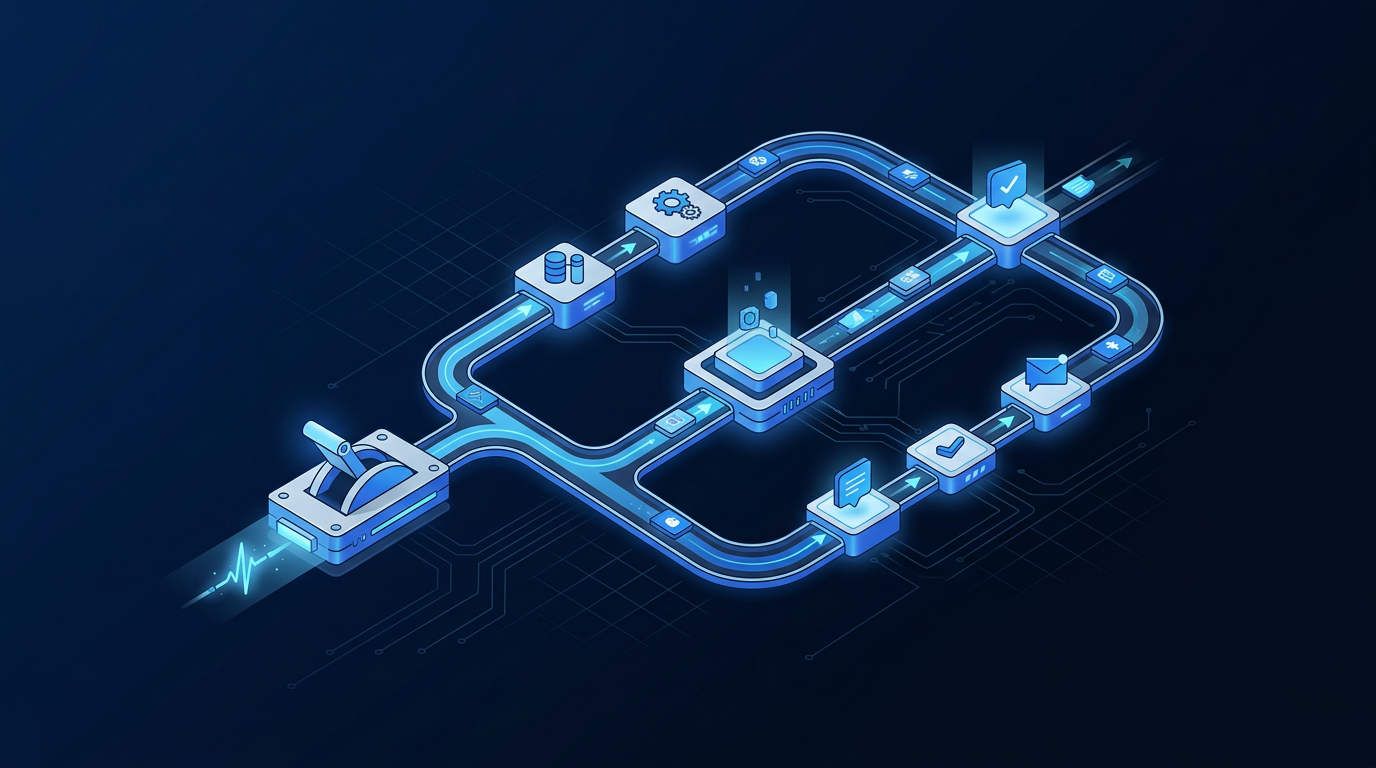
Use event-based triggers to move data and status. Examples include form submitted, deal won, document signed, payment received, meeting scheduled, and project created. Each event updates the CRM stage, syncs records, and fires downstream steps. Prefer webhooks for real-time speed where supported by your tools.
Apply conditional logic for different service tiers or compliance needs. Branch flows for premium packages that require strategy calls and extra approvals. Gate IT services behind device or credential checks. For financial or legal services, inject identity verification or document collection steps before kickoff. Keep branches visible and documented.
Leverage webhooks and APIs to pass data between tools when native connectors are limited. For example, push a signed contract URL from your e-sign tool to the CRM’s file object. Use Stripe webhooks to confirm paid status before creating a project. Keep API keys in a secrets manager and rotate them on a schedule for security.
Build error handling and retries. If an API call fails, queue a retry with exponential backoff. Log errors to a central channel and create a human task to investigate. Add guardrails so duplicates do not create duplicate invoices or projects. Validate required fields before attempting actions, and send a friendly client email if you need clarification.
Version your automations and maintain documentation. Keep a changelog with dates, owners, and reasons. Label workflows with semantic versions and service tiers. Test in a sandbox whenever possible before production. Create a rollback plan. Train staff on new flows and update SOPs. Governance avoids silent drift and brittle systems.
Measure, Optimize, and Maintain Your Onboarding System

Track key metrics: , , stage completion rate, CSAT or NPS after kickoff, and revenue leakage from delayed signatures or unpaid invoices. Use weekly dashboards to show median times and 90th percentile outliers. Segment by service tier, source, and owner to uncover systemic versus individual issues.
Create alerts for stuck stages and SLA breaches. If a proposal sits unopened for 72 hours, send a gentle nudge and assign a follow-up task. If an invoice remains unpaid past due date, trigger a payment plan offer. For access provisioning tasks older than three days, escalate in Slack. Automated alerts reduce cycle time without nagging.
A/B test messaging, cadence, and task templates. Try different proposal reminder timings, welcome email subject lines, and kickoff agendas. Measure open rates, response times, and impacts. Keep experiments small and time-boxed. Retire underperforming variants and roll out winners across all service tiers.
Build client feedback loops. After kickoff, ask a single question on clarity and confidence. After first value, request a short CSAT with an open-ended comment. Route detractors to a manager for follow-up. In post-onboarding retrospectives, invite delivery and sales to review what worked and what caused friction. Turn insights into SOP updates.
Run quarterly audits and playbook updates. Validate field mappings, check permissions, and review vendor changes. Clean old templates. Update timelines and expectations based on fresh data. Revisit SLAs and pricing if cycle times improved. Continuous improvement keeps automation aligned with evolving services and client expectations.
Use Cases and Workflow Examples by Service Business Type

Agencies often need discovery intake, brand assets, and ad account access. Automate a form that collects goals, target audiences, and brand guidelines. Trigger a shared drive folder with subfolders for creative, data, and approvals. Send instructions for adding your team to Meta, Google Ads, or analytics accounts, with a verification step.
Consultants and coaches benefit from pre-session surveys and program enrollment. On payment, enroll the client into a learning portal, unlock modules, and schedule the first session. Send a readiness checklist and baseline assessment. Auto-create a progress tracker shared with the client. Route reminders before sessions and milestones.
Legal and financial services require compliance forms, identity checks, and document vaults. Automate KYC/AML questionnaires and request identity documents using a secure upload. On verification, open a client matter in your practice tool, generate engagement letters, and set trust account invoicing rules. Keep sensitive files in a controlled vault.
Home services coordinate estimates, permits, crew scheduling, and staged payments. After estimate approval, auto-request permits and schedule the crew. Set milestone invoices tied to work completion. Send prep instructions and day-of reminders. Collect before/after photos and ask for a review post-completion. Keep updates flowing via SMS.
Common Pitfalls and Best Practices
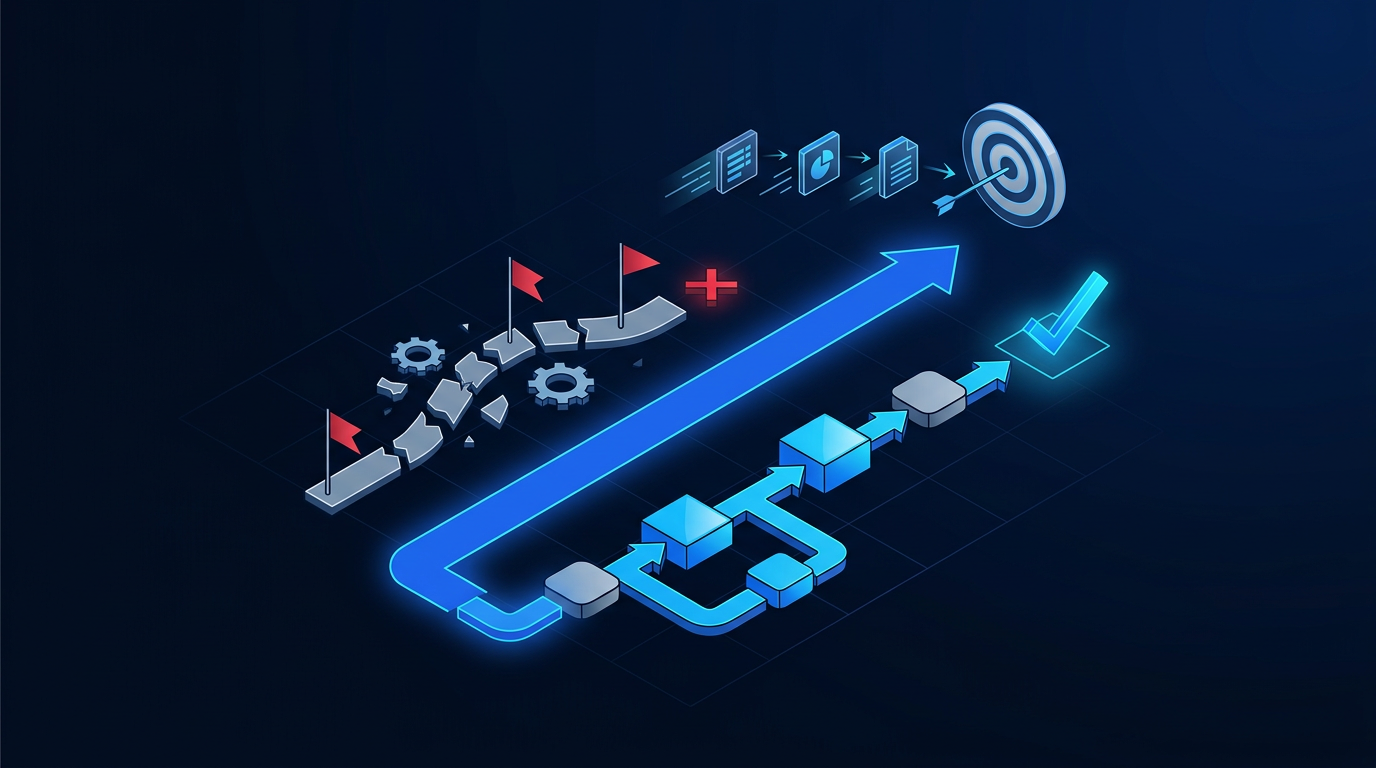
Avoid over-automation at moments that require empathy. Keep human touch for proposal Q&A, kickoff, and first value confirmation. Automation should clear the path, not remove connection. Use your CSM’s name and signature where appropriate. Offer quick access to a human when a client expresses confusion or risk.
Maintain data hygiene. Use required fields and validation for critical data. Deduplicate contacts and companies regularly. Normalize values like country and state. Expire stale deals. Review custom fields quarterly. Clean data powers clean automation and clean reporting. Dirty data bursts seams at integration points, causing silent errors.
Set clear expectations and timelines early. Share a one-page onboarding plan with dates, owners, and responsibilities. Clients appreciate knowing how to help the process. Include escalation paths and office hours. Point to the portal for status. Reconfirm scope definitions and assumptions before kickoff to avoid unnecessary revisions.
Provide escape hatches for manual overrides. Allow team members to pause automations or skip steps when exceptions appear. Build a “human review” toggle in your CRM. Document override reasons to improve flows later. Train people to use overrides sparingly and reset automations after intervention to keep the system coherent.
Start simple, then layer complexity as ROI is proven. Automate core handoffs first: capture, proposal, e-sign, invoice, scheduling, project setup. Add conditional branches after your baseline is stable. Prioritize steps with the highest delay or error rates. Wins build confidence and fund deeper automation work.
Conclusion
Automating client onboarding is a compounding advantage: faster , fewer errors, and higher satisfaction. Start by mapping your workflow, standardizing templates, and integrating CRM, e-sign, billing, and project setup. Then add conditional logic, alerts, and feedback loops. Next step: implement a pilot automation for and measure over 30 days.
Frequently Asked Questions
What stages should every service business automate first?
Automate , , and creation first. These handoffs reduce the biggest delays. Standardize proposals and contracts so generation is predictable. Add automated reminders for unsigned proposals and unpaid invoices. Keep kickoff communications templated and personalized. Measure weekly to validate gains and inform the next automation layer.
How do I keep a human touch while automating onboarding?
Use automation for logistics and data movement, not relationship building. Keep live Q&A for proposals, run a human-led kickoff, and send a personalized welcome from the CSM. Offer a one-click path to book time with a person at key moments. Use friendly, branded copy. Trigger alerts for sentiment or stalled progress so humans can step in quickly.
Which KPIs should I track to prove ROI?
Track , , stage completion rates, CSAT or NPS after first value, and revenue leakage from proposal stalls or unpaid invoices. Monitor median and 90th percentile times. Add and utilization improvements to capture margin gains. Attribute upsells that occurred within 90 days of a smooth onboarding to quantify LTV impact.
What tools integrate best for SMB onboarding?
Pick a CRM with strong native integrations and webhooks. Pair with an e-sign tool and a billing platform like Stripe or QuickBooks Online. Use Calendly for scheduling and ClickUp or Asana for project setup. Connect with Zapier or Make for branching logic. Favor tools with robust APIs, audit logs, and role-based access to support scale and compliance.
How do I handle exceptions and compliance needs?
Design branches for regulated workflows. Insert identity verification and document checks before kickoff. Keep sensitive data in systems designed for it and restrict access via roles. Add manual approval gates for high-risk clients. Log all decisions and changes. Provide override controls with documented reasons. Audit quarterly to ensure flows remain compliant.
What are the signs I’ve over-automated my onboarding?
Warning signs include confused clients, increased support tickets, or missed expectations despite fast cycle times. If your team frequently overrides steps, the flow is too rigid. High bounce on automated messages or ignored reminders suggests fatigue. Reintroduce human checkpoints, simplify branches, and reduce message frequency to restore clarity and trust.
REFERENCES
Sources
AtlasProfitAI publishes independent guides for small-business teams. Read how we choose topics and check our work in our research methodology and advertising disclosure.